
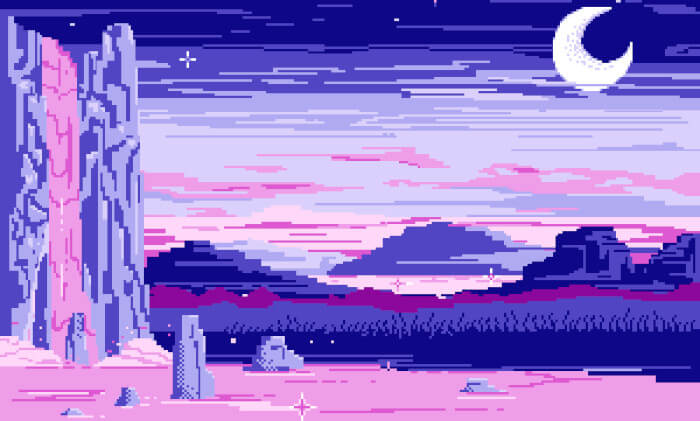
PyDPainter, pronounced “Pied Painter” (like Pied Piper), is an attempt to create a usable pixel art program.
The original inspiration came from the Commodore Amiga version of Deluxe Paint released by Electronic Arts in 1985.
This is free and open source software.
Key Features
- 10 built-in brushes – four round ones, four square ones, and two made up of a number of separate pixels.
- Dot tool – allows fast freehand drawing. Note, however, that the faster you go, the bigger the gaps in your drawing. It can be handy to use and see the shape of a customized brush.
- Draw/Area tool – produces unbroken lines.
- Filled Area (freehand filled shapes) – draw a freehand area with the mouse, which will then be filled in with the current fill mode.
- Line tool – draws straight lines by clicking and dragging the mouse.
- Curve tool – draws curved lines between two points.
- Fill tool – fill the shape with the current fill mode by clicking the left button, and with the current background color by clicking the right button.
- Airbrush tool – create a variety of effects, ranging from a fine one-pixel spray to a coarse spray made with the big brushes.
- Rectangle tool – draw squares or rectangles, either unfilled or filled with the current brush or background color.
- Circle tool –
- Ellipse tool
- Polygon tool – lets you keep drawing straight lines until you have created a closed figure.
- Brush tool – special tool that is an essential part of DeluxePaint’s legacy and versatility.
- Text tool – place text anywhere on the page, and the Brush Selector lets you pick it up and reposition it
- Symmetry tool – paint symmetrical patterns around a central point or based on a tiling scheme. Symmetry works with all tools except Text and Brush Selector.
- Magnifier tool.
- Undo/redo
- Zoom in and out.
- Animation.
Website: pydpainter.org
Support: GitHub Code Repository
Developer: Mark Riale
License: GNU General Public License v3.0
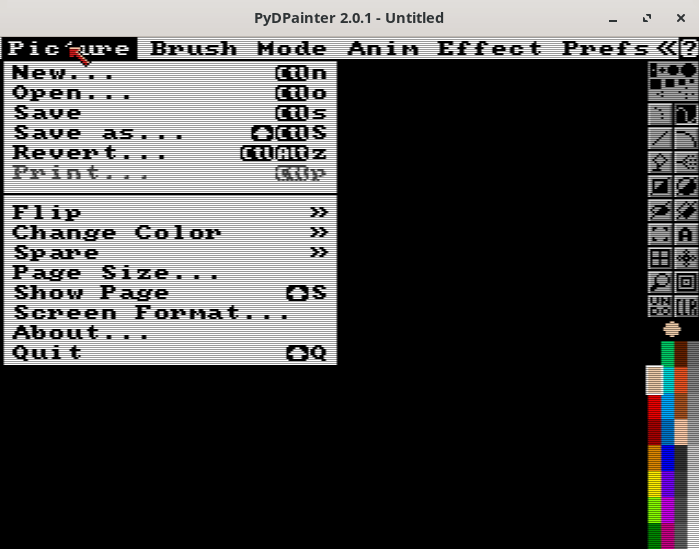
PyDPainter is written in Python. Learn Python with our recommended free books and free tutorials.
Related Software
| Pixel Art Editors | |
|---|---|
| Pixelorama | 2D sprite editor, made with the Godot Engine |
| PixiEditor | Create beautiful sprites for your games, animations, edit images, create logos |
| Piskel | Simple web-based tool for spriting and pixel art |
| LibreSprite | Create 2D animations for videogames |
| rx | Modern and extensible pixel editor implemented in Rust |
| GrafX2 | Billed as the ultimate 256-color bitmap paint program |
| mtPaint | Painting program to create pixel art and manipulate digital photos |
| PyDPainter | Usable pixel art program. |
| Slate | Qt-based pixel art editor |
| PikoPixel | Draw and edit pixel art images |
| Fizzy | Pixel art editor and animation editor |
| voidsprite | Pixel art editor in an early stage of development |
| csprite | Tiny pixel art tool |
| Tilf | Simple yet powerful pixel art editor |
| PixlPunkt | Modern, cross-platform pixel art editor |
| Pixed | Pixel art editor |
Read our verdict in the software roundup.
 Explore our comprehensive directory of recommended free and open source software. Our carefully curated collection spans every major software category. Explore our comprehensive directory of recommended free and open source software. Our carefully curated collection spans every major software category.This directory is part of our ongoing series of informative articles for Linux enthusiasts. It features hundreds of detailed reviews, along with open source alternatives to proprietary solutions from major corporations such as Google, Microsoft, Apple, Adobe, IBM, Cisco, Oracle, and Autodesk. You’ll also find interesting projects to try, hardware coverage, free programming books and tutorials, and much more. Discovered a useful open source Linux program that we haven’t covered yet? Let us know by completing this form. |
Please read our Comment Policy before commenting.