
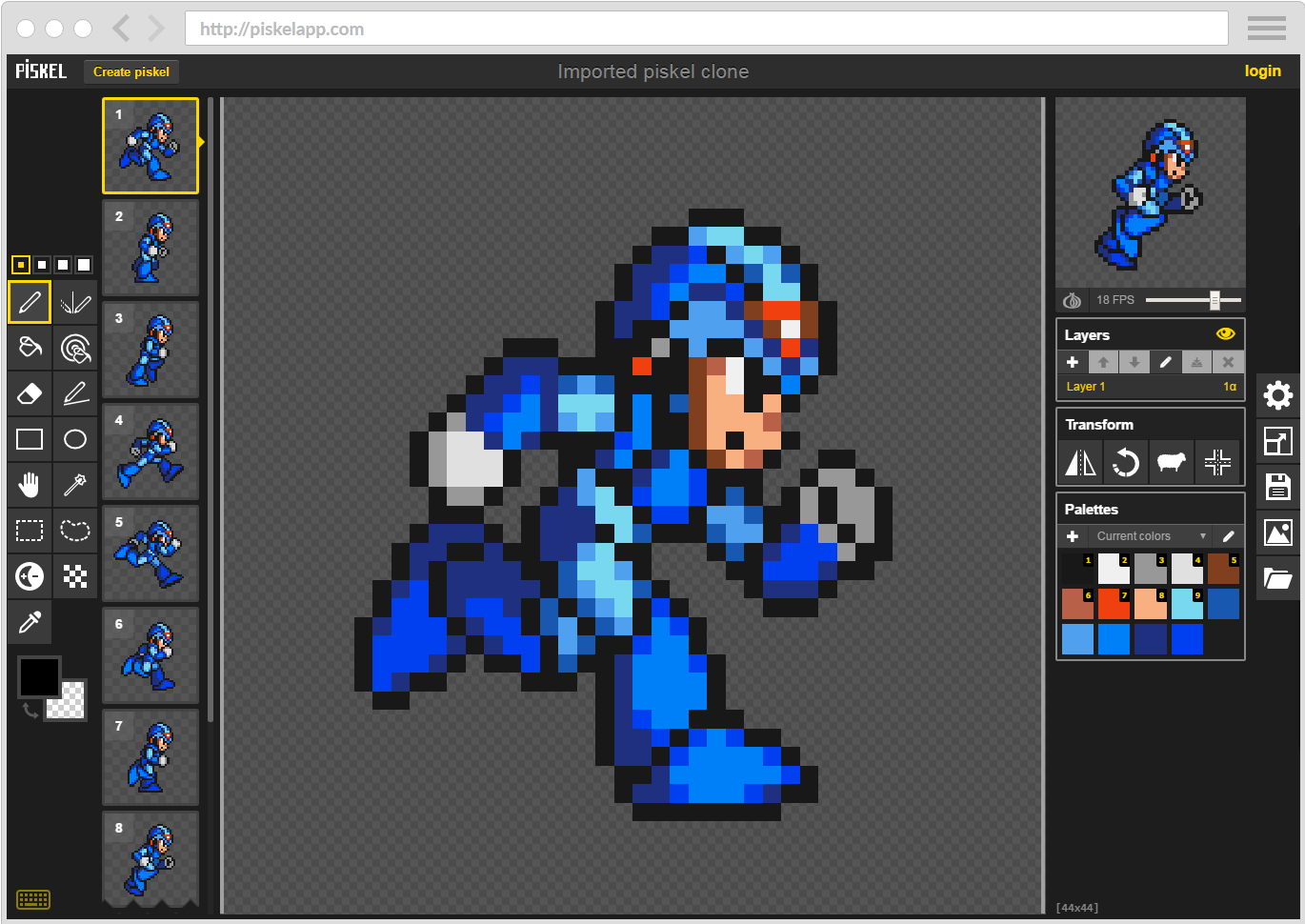
Piskel is a pixel art and animated sprite editor that runs in a web browser. It offers a familiar drawing canvas and an animation-focused interface for creating small game assets, characters and other frame-by-frame artwork.
Users work with layers and frames while watching a live preview of the animation. The editor can be used online, and offline desktop builds are also available for users who prefer a local application.
Piskel is aimed at relatively straightforward sprite production rather than complex image composition. Its file and export facilities make it useful for game projects that need sprites or ready-made animation sheets.
This is free and open source software.
Key Features
- Draw individual pixels with pencil and eraser tools.
- Create animated sprites with an adjustable frame sequence.
- Use layers to separate elements of an image or animation.
- Preview animations while editing.
- Enable onion skinning to see neighbouring animation frames.
- Use selection, shape and fill tools for faster drawing.
- Create and work with colour palettes.
- Duplicate frames when creating repeated animation sequences.
- Change frame timing to control animation playback.
- Export animations as animated GIF files.
- Export frames to PNG sprite sheets for game engines.
- Export selected frames or scaled sprite sheets using the accompanying CLI tools.
- Import and export files in Piskel’s project format.
- Use the editor directly in a browser without installing a desktop application.
- Run an offline desktop edition on Linux, macOS or Windows.
- Save work for further editing or export the resulting artwork for other tools.
- Cross-platform support – runs on Linux, macOS, and Windows.
Website: github.com/piskelapp/piskel
Support:
Developer: Julian Descottes
License: Apache License 2.0
Piskel is written in JavaScript. Learn JavaScript with our recommended free books and free tutorials.
Related Software
| Pixel Art Editors | |
|---|---|
| Pixelorama | 2D sprite editor, made with the Godot Engine |
| PixiEditor | Create beautiful sprites for your games, animations, edit images, create logos |
| Piskel | Simple web-based tool for spriting and pixel art |
| LibreSprite | Create 2D animations for videogames |
| rx | Modern and extensible pixel editor implemented in Rust |
| GrafX2 | Billed as the ultimate 256-color bitmap paint program |
| mtPaint | Painting program to create pixel art and manipulate digital photos |
| PyDPainter | Usable pixel art program. |
| Slate | Qt-based pixel art editor |
| PikoPixel | Draw and edit pixel art images |
| Fizzy | Pixel art editor and animation editor |
| voidsprite | Pixel art editor in an early stage of development |
| csprite | Tiny pixel art tool |
| Tilf | Simple yet powerful pixel art editor |
| PixelPen | Pixel art editor with layers, animation and Godot integration |
| Pixcil | Pixel art editor with an almost infinite canvas and animation |
| PixlPunkt | Modern, cross-platform pixel art editor |
| Pixed | Pixel art editor |
Read our verdict in the software roundup.
 LinuxLinks helps you discover the best free and open source software for Linux. Explore our extensive collection of recommended applications, including alternatives to popular proprietary software. We also publish software reviews, Linux tutorials, hardware reviews, free programming books and articles covering the wider open source community. Browse our Linux resources to discover more. Know a useful free and open source Linux application we haven't covered? Suggest a program for inclusion. Has your software been featured on LinuxLinks? Display one of our Featured on LinuxLinks badges on your website or GitHub README. |
Please read our Comment Policy before commenting.