
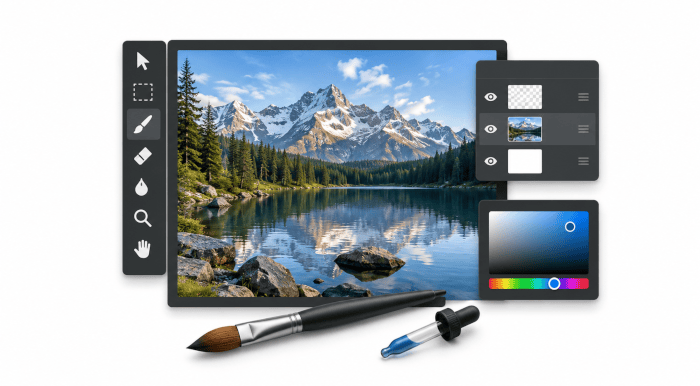
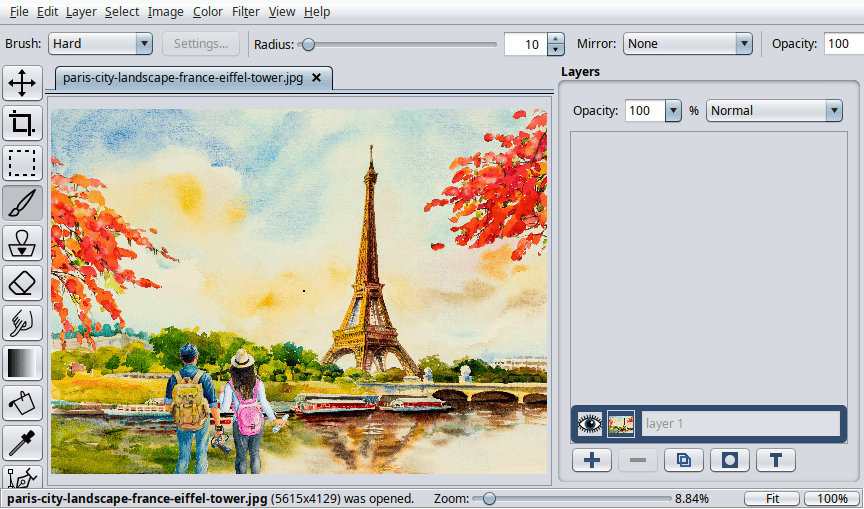
Pixelitor is an advanced Java raster image editor with a conventional desktop graphical interface and a strong emphasis on non-destructive editing. It is designed for everything from straightforward image corrections and cropping through to more complex compositions built from multiple editable elements.
The application lets you open images from the file menu or by drag and drop. Its native PXC format preserves the layer structure and associated settings, which is useful when you want to return to an image and continue editing rather than flattening the work into a finished bitmap.
This is free and open source software.
Key Features
- Supports image layers, layer groups, opacity controls, blending modes and layer isolation.
- Provides layer masks for selectively hiding or revealing areas without altering the underlying image data.
- Offers editable text layers together with color fill, gradient, shape and adjustment layers.
- Includes smart objects and smart filters for more flexible non-destructive workflows.
- Provides move, crop, selection, brush, clone stamp, eraser, smudge, gradient, paint bucket, color picker, pen, shape, hand and zoom tools.
- Includes more than 110 image filters and color adjustments covering corrective, creative and rendering effects.
- Offers unlimited undo, giving plenty of scope to experiment with edits and effects.
- Supports guides and a Navigator window to help work with larger or more detailed images.
- Can create animations from layers and supports tweening for generating intermediate animation frames.
- Offers ImageMagick integration for additional image-processing workflows.
Website: github.com/lbalazscs/Pixelitor
Support:
Developer: László Balázs-Csíki
License: GNU General Public License v3.0
Pixelitor is written in Java. Learn Java with our recommended free books and free tutorials.
Related Software
| Raster Image Editors | |
|---|---|
| GIMP | GNU Image Manipulation Program |
| JS Paint | Classic MS Paint recreation with modern browser-based features |
| Pinta | Mimics the usability of Paint.Net |
| Photoflare | Cross-platform image editor |
| LazPaint | Image editor with layers and transparency |
| dibuja | Simple to use paint program like Paintbrush for Mac or classic MS Paint |
| Drawing | Basic raster image editor similar to Microsoft Paint |
| Textual Paint | MS Paint in your terminal |
| Pixelitor | Feature-rich editing with layers, filters and effects |
| paint.software | Accessible Paint.NET-style raster editing application |
| Brushshe | Simple and user-friendly raster graphics editor |
| KolourPaint | Easy-to-use paint program by KDE |
| CinePaint | Tools for painting, manipulation and image processing |
Read our verdict in the software roundup.
 Explore our carefully curated directory of recommended free and open source software, covering every major software category. Explore our carefully curated directory of recommended free and open source software, covering every major software category.The directory forms part of our extensive collection of articles for Linux enthusiasts. It includes hundreds of detailed reviews, together with free and open source alternatives to proprietary software from companies such as Google, Microsoft, Apple, Adobe, IBM, Cisco, Oracle, and Autodesk. LinuxLinks also covers interesting projects worth exploring, Linux-compatible hardware, free programming books and tutorials, and much more. Know a useful free and open source Linux application that we haven’t covered? Tell us about it using our submission form. |
Please read our Comment Policy before commenting.