
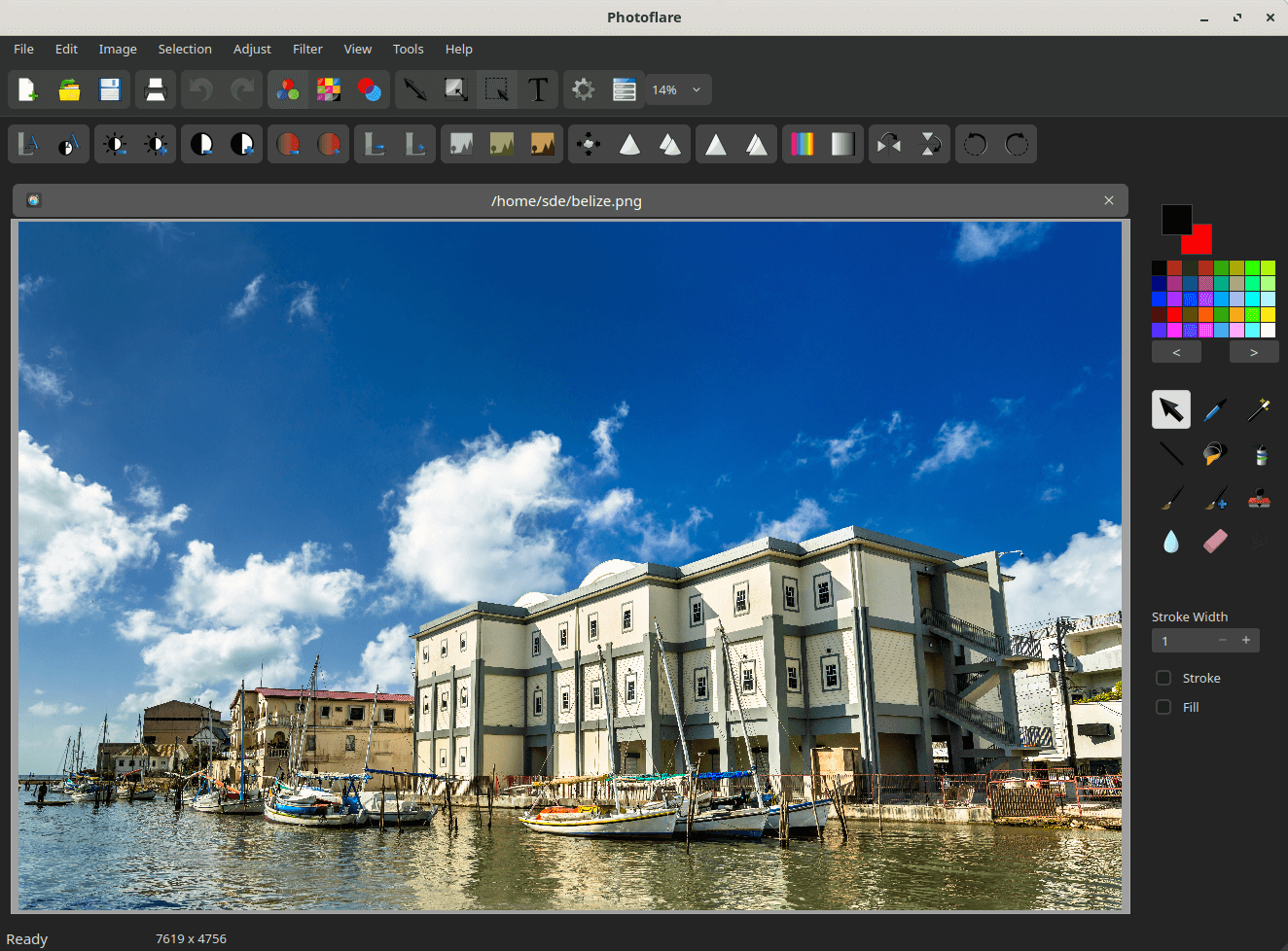
Photoflare is a cross-platform image editor with an aim to balance between powerful features and a very friendly graphical user interface.
It suits a wide variety of different tasks and users who value a more nimble workflow.
This is free and open source software. It’s powered by the Qt framework.
Key Features
- Good performance.
- Basic image editing capabilities including creating an image, cropping an image, flip/rotate images, resize images, resize image canvas..
- Paint brushes.
- Image filters.
- Colour adjustments.
- More advanced features:
- Gradients – create both duotone and monochromatic gradients.
- Hue variation – modify the image with a colorize technique or the hue of the actual image.
- Add/Editing text – choose text colour, font, font size, font alignment, and type.
- Batch image processing – apply most of the PhotoFlare manipulations to large selections of images.
- Keyboard shortcuts.
- Internationalization support – languages supported include Chinese (Simplified and traditional), Czech, Dutch, English, French, German, Indonesian, Japanese, Portuguese, Russian, Spanish Swedish, and Turkish.
- Cross-platform support – runs under Linux, macOS, and Windows.
Website: photoflare.io
Support: GitHub Code Repository
Developer: Dylan Coakley, Marek Mosna, Dmitry Vasilenko
License: GNU General Public License v3.0
Photoflare is written in C++. Learn C++ with our recommended free books and free tutorials.
Related Software
| Raster Image Editors | |
|---|---|
| GIMP | GNU Image Manipulation Program |
| JS Paint | Classic MS Paint recreation with modern browser-based features |
| Pinta | Mimics the usability of Paint.Net |
| Photoflare | Cross-platform image editor |
| LazPaint | Image editor with layers and transparency |
| dibuja | Simple to use paint program like Paintbrush for Mac or classic MS Paint |
| Drawing | Basic raster image editor similar to Microsoft Paint |
| Textual Paint | MS Paint in your terminal |
| Pixelitor | Feature-rich editing with layers, filters and effects |
| paint.software | Accessible Paint.NET-style raster editing application |
| Brushshe | Simple and user-friendly raster graphics editor |
| KolourPaint | Easy-to-use paint program by KDE |
| CinePaint | Tools for painting, manipulation and image processing |
Read our verdict in the software roundup.
 Explore our carefully curated directory of recommended free and open source software, covering every major software category. Explore our carefully curated directory of recommended free and open source software, covering every major software category.The directory forms part of our extensive collection of articles for Linux enthusiasts. It includes hundreds of detailed reviews, together with free and open source alternatives to proprietary software from companies such as Google, Microsoft, Apple, Adobe, IBM, Cisco, Oracle, and Autodesk. LinuxLinks also covers interesting projects worth exploring, Linux-compatible hardware, free programming books and tutorials, and much more. Know a useful free and open source Linux application that we haven’t covered? Tell us about it using our submission form. |
Please read our Comment Policy before commenting.