

Virtual Machine
Although there is no desktop icon for this app, you can access it by clicking the All Applications icon in the top-left corner of the desktop. Enable Bridging under Settings > Network so that a virtual machine can access the internet.
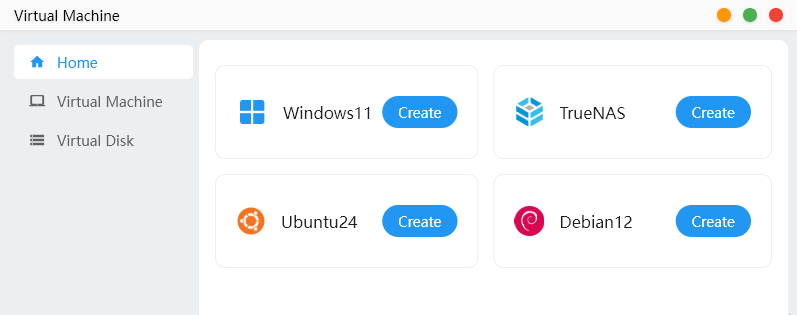
The Virtual Machine app provides presets for Windows 11, TrueNAS, Ubuntu 24 and Debian 12, alongside separate pages for managing virtual machines and virtual disks.
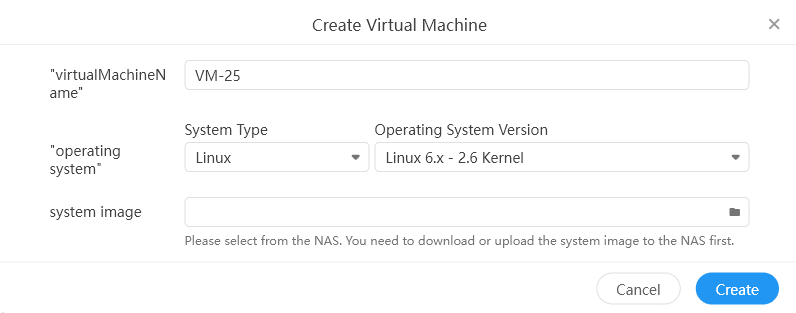
We can also create virtual machines for other Linux distributions.
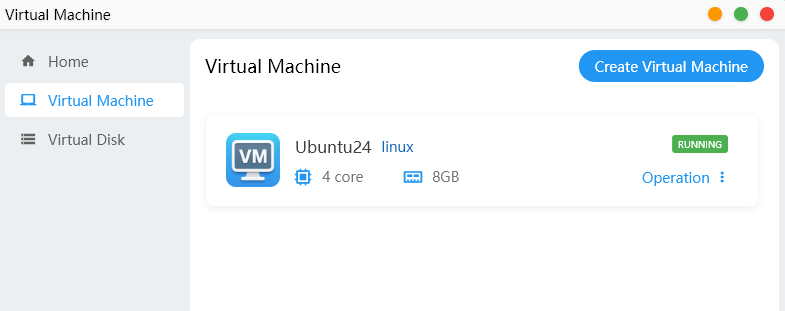
Once created, each VM is shown with its operating system, status and assigned resources. In this example, the Ubuntu 24 VM is running with four virtual CPU cores and 8GB of memory. Further controls are available through the Operation menu, with options to edit, start, delete and monitor the VM.
Next page: Page 10 – Applications: Settings
Pages in this article:
Page 1 – Introduction and Setup
Page 2 – Applications: Docker
Page 3 – Applications: Storage
Page 4 – Applications: LAN sharing
Page 5 – Applications: Album
Page 6 – Applications: Backup
Page 7 – Applications: File Manager
Page 8 – Applications: Device Monitoring
Page 9 – Applications: Virtual Machine
Page 10 – Applications: Settings
Page 11 – Applications: Other Apps
Page 12 – Summary
Complete list of articles in this series:
| Minisforum N5 Pro NAS | |
|---|---|
| Hardware Review | Five-Bay NAS with Ryzen AI 9 Power |
| MinisCloud OS | Customised Linux NAS operating system |
| NPU | Using the NPU with FastFlowLM |
| More articles to be published next week | |
Please read our Comment Policy before commenting.
MinisCloud OS looks very promising, but I would be reluctant to entrust important data to a beta NAS operating system.