

Settings
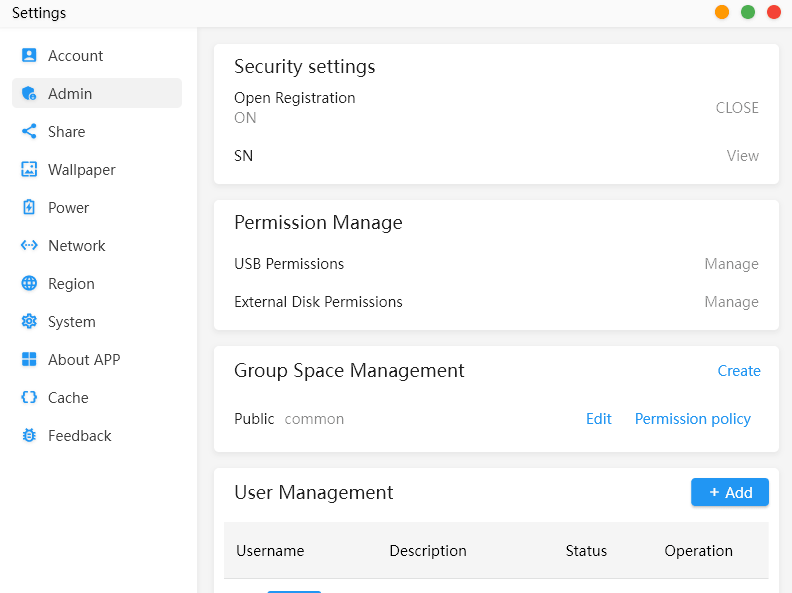
The Settings app is divided into the following sections:
- Account – manages the current user’s account details, password and personal settings. It also shows the logged-in devices.
- Admin – controls security, open registration, USB and external-disk permissions, group spaces, permission policies and user accounts.
- Share – uses the MinisCloud app to scan and import the device.
- Wallpaper – changes the desktop background used by MinisCloud OS.
- Power – provides scheduled power-on and shutdown plans, automatic sleep settings and UPS configuration.
- Network – manages network interfaces, IP addressing and related connectivity options.
- Region – sets regional preferences such as language, time zone and date and time formatting.
- System – contains general operating system settings, indicates whether a system upgrade is available and provides an option to reset the device.
- About APP – shows the version and build number.
- Cache – manages cached data, presumably allowing it to be inspected or cleared.
- Feedback – provides a route for raising issues or sending comments to the developer.
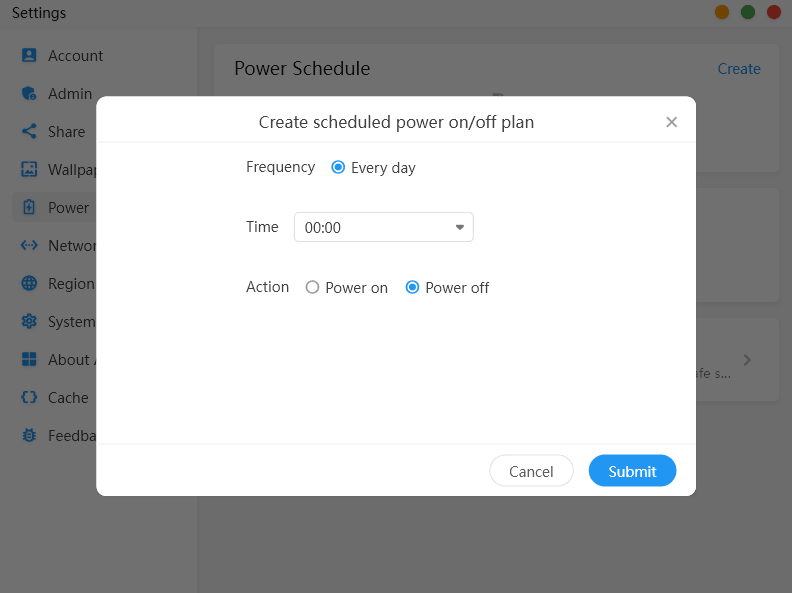
The power scheduler lets you create a daily automatic power-on or power-off task. You select a time, choose either Power on or Power off, and submit the plan.
Only an “Every day” frequency is available, with no option for particular weekdays, weekends or one-off schedules.
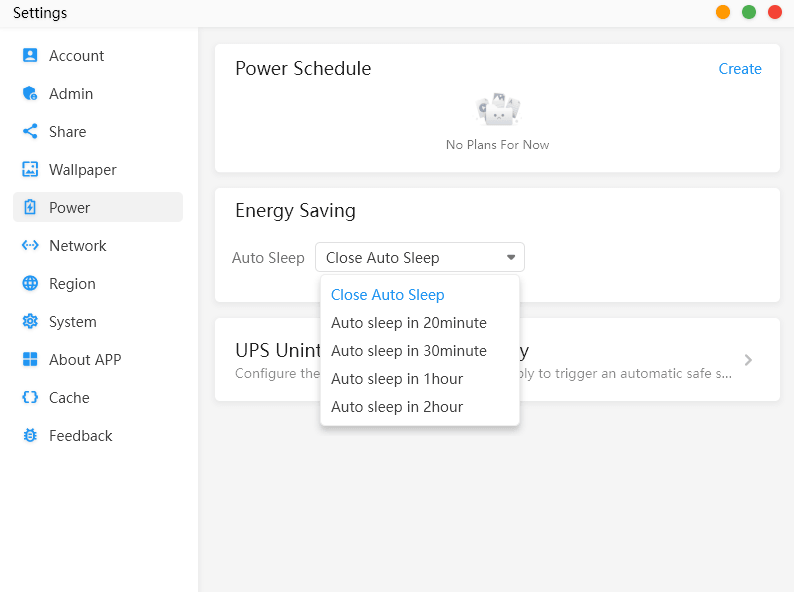
Under Energy Saving, the NAS can be configured to enter sleep mode after 20 minutes, 30 minutes, one hour or two hours. Selecting Close Auto Sleep disables the feature, although Disable Auto Sleep would be a clearer label.
The functionality is limited because it suspends the entire NAS rather than providing separate hard-disk spin-down controls. More concerningly, the NAS entered sleep mode while I was actively streaming content from it over SMB, suggesting that network activity is not detected correctly. Hopefully this will be fixed in a later version (the OS is in beta).
Next page: Page 11 – Applications: Other Apps
Pages in this article:
Page 1 – Introduction and Setup
Page 2 – Applications: Docker
Page 3 – Applications: Storage
Page 4 – Applications: LAN sharing
Page 5 – Applications: Album
Page 6 – Applications: Backup
Page 7 – Applications: File Manager
Page 8 – Applications: Device Monitoring
Page 9 – Applications: Virtual Machine
Page 10 – Applications: Settings
Page 11 – Applications: Other Apps
Page 12 – Summary
Complete list of articles in this series:
| Minisforum N5 Pro NAS | |
|---|---|
| Hardware Review | Five-Bay NAS with Ryzen AI 9 Power |
| MinisCloud OS | Customised Linux NAS operating system |
| NPU | Using the NPU with FastFlowLM |
| More articles to be published next week | |
Please read our Comment Policy before commenting.
MinisCloud OS looks very promising, but I would be reluctant to entrust important data to a beta NAS operating system.