
In Operation
Here’s an image of Impression in action.
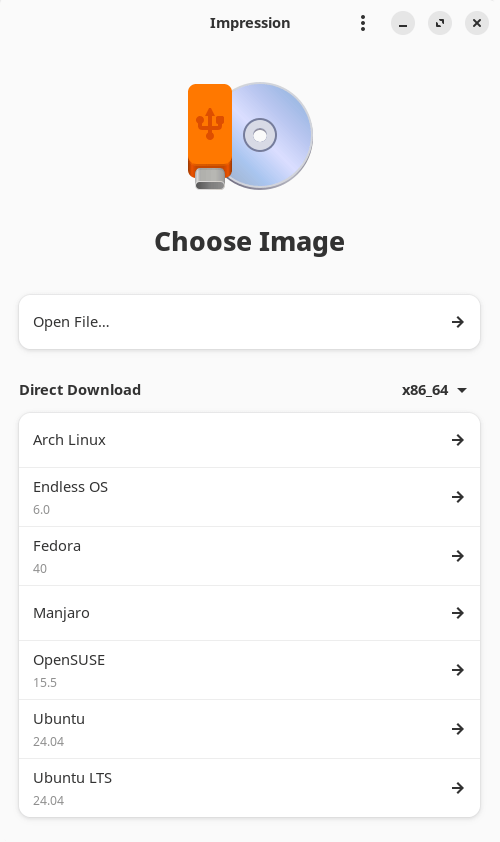
If you hate a complicated UI, you’ll love Impression. It’s simplicity personified.
The developer provides direct downloads for a handful of Linux distributions. Think of it as a fast-track for common distros.
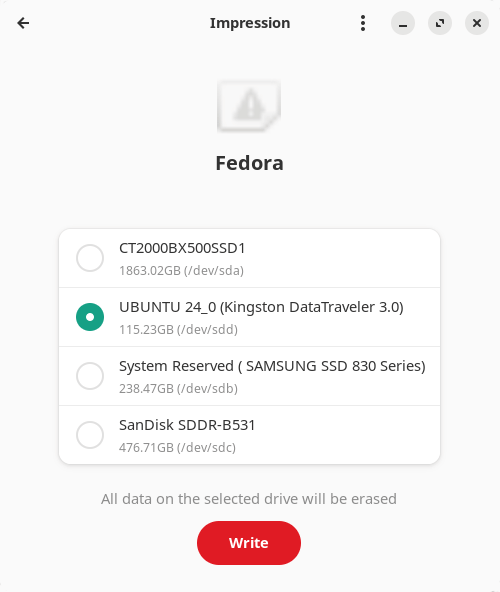
In the example below, we clicked Fedora. We’re now presented with a choice of USB disks to write to.
Impression then proceeds to download the Fedora ISO.
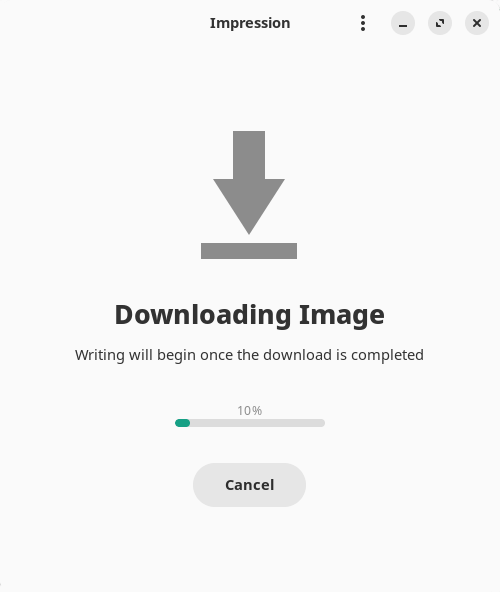
Once completed, it writes the ISO to the USB stick.
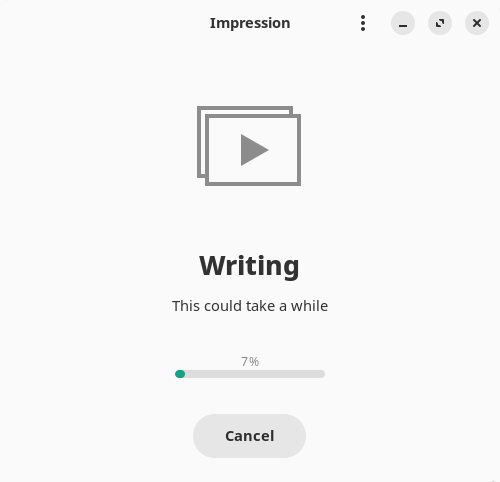
Alternatively, if you want to write a different distribution or other operating system to the USB device, download the ISO from the distro website and then choose Open File, or drag and drop the file into the program’s window..
The software also lets you open .xz image files.
Erik is compiling a big list of active Linux distros which include a link to each distro’s home page.
Summary
Impression is a capable utility. It makes the process of writing a Linux distro to a USB disk as simple as Larry.
Impression faces stiff competition. If you need software with more functionality, check out this roundup.
We’d prefer the developer added protection. For example, large disks should be hidden by default.
Website: apps.gnome.org/Impression
Support: GitLab Code Repository
Developer: Khaleel Al-Adhami, Brage Fuglseth (design)
License: GNU General Public License v3.0
Impression is written in Rust. Learn Rust with our recommended free books and free tutorials
Pages in this article:
Page 1 – Introduction and Installation
Page 2 – In Operation and Summary
Related Software
| Flash OS Images | |
|---|---|
| Ventoy | Create bootable USB drive for ISO/WIM/IMG/VHD(x)/EFI files |
| USBWriter | Cross-platform disk image writer |
| Etcher | Image burner with multi-platform support |
| UNetbootin | Create bootable Live USB drives for Ubuntu and other distros |
| USB Imager | Lightweight cross-platform utility for writing and verifying disk images |
| Raspberry Pi Imager | Create bootable media. Not only useful for the Raspberry Pi |
| Imagewriter | Write RAW images and ISO images to USB keys |
| Fedora Media Writer | Creates bootable Fedora USB media and supports custom ISOs |
| Caligula | Terminal-based tool for flashing disk images to removable media |
| Impression | Create bootable drives |
| MultiBootUSB | Create multi boot live Linux on a removable USB disk |
| dd | Convert and copy files |
| GNOME Disks | View, modify and configure disks and media |
| MultiWriter | Write an ISO file to multiple USB devices at once |
| Mintstick | Tool for creating bootable USB media and formatting sticks |
| JustDD | USB image writer |
| KDE ISO Image Writer | Simple KDE utility for writing ISO files to USB drives |
| MajUSB | USB bootable drive creator with a GTK4 GUI |
Read our verdict in the software roundup.
 Explore our carefully curated directory of recommended free and open source software, covering every major software category. Explore our carefully curated directory of recommended free and open source software, covering every major software category.The directory forms part of our extensive collection of articles for Linux enthusiasts. It includes hundreds of detailed reviews, together with free and open source alternatives to proprietary software from companies such as Google, Microsoft, Apple, Adobe, IBM, Cisco, Oracle, and Autodesk. LinuxLinks also covers interesting projects worth exploring, Linux-compatible hardware, free programming books and tutorials, and much more. Know a useful free and open source Linux application that we haven’t covered? Tell us about it using our submission form. |
Please read our Comment Policy before commenting.