

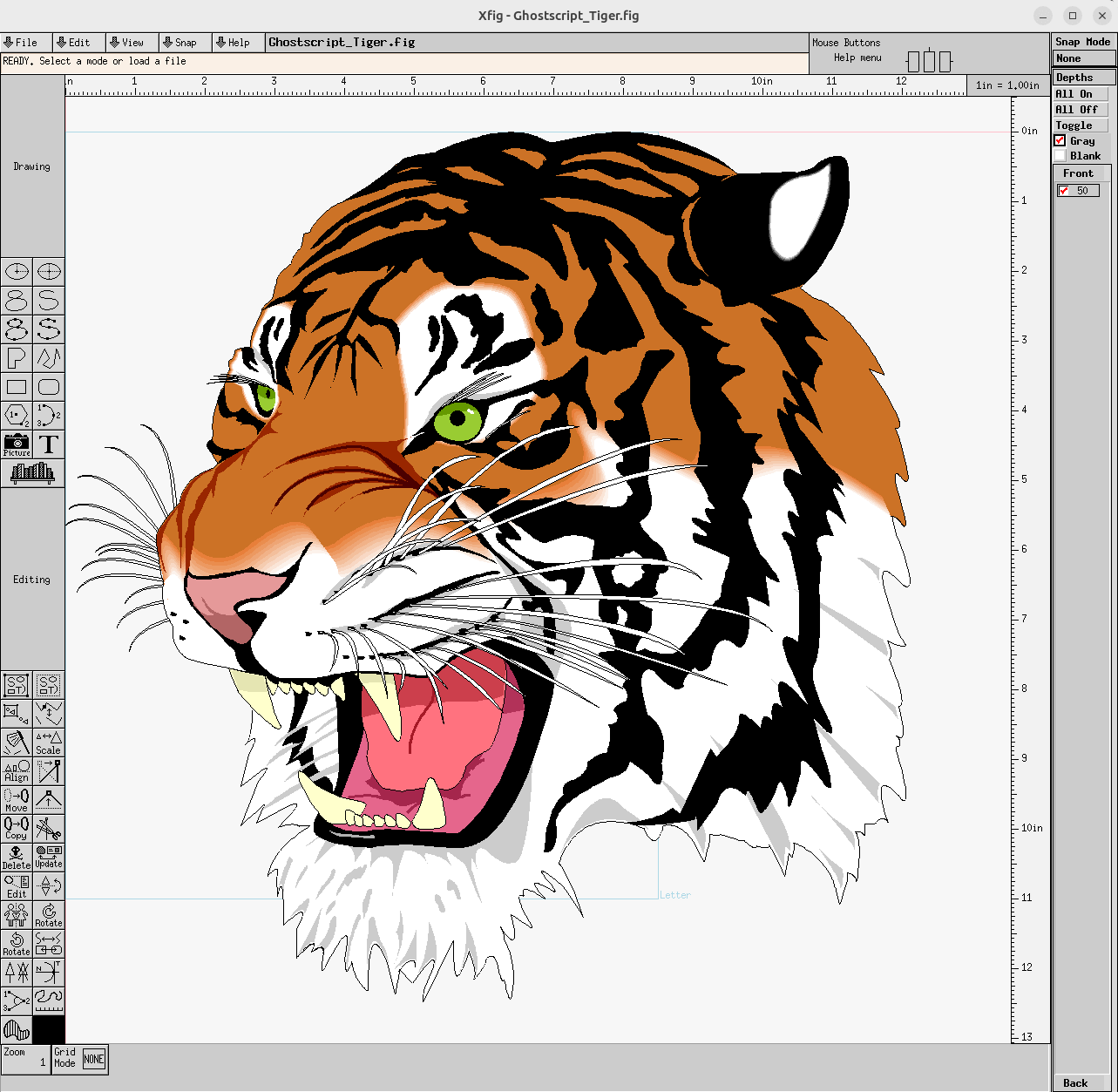
Xfig is an interactive vector drawing application for creating diagrams, technical illustrations and other figures on the X Window System. It provides tools for drawing and manipulating geometric objects, including lines, circles, ellipses, boxes, arcs, splines and text. Objects remain editable after creation, allowing users to alter their size, position, appearance and other attributes.
The application uses its own FIG document format, while the accompanying fig2dev conversion utility makes drawings available in numerous formats. This is particularly useful for including diagrams in LaTeX documents, producing PostScript or PDF output, and exporting graphics for other applications. Xfig supports imported bitmap and vector images, configurable line styles, colours, fonts and object positioning. Its emphasis on precise, structured drawing makes it suitable for scientific illustrations, engineering diagrams and technical documentation.
This is free and open source software.
Key Features
- Create and edit vector drawings through an interactive graphical interface.
- Draw lines, polylines, polygons, boxes, circles, ellipses and arcs.
- Construct spline curves and other connected drawing objects.
- Insert text using a range of fonts and styles.
- Move, copy, delete, rotate and scale individual objects.
- Modify object attributes including colours, line widths and line styles.
- Use filled objects and configurable drawing patterns.
- Arrange objects through alignment and positioning operations.
- Group and manipulate compound objects.
- Import bitmap images including JPEG, PNG, GIF, TIFF and XPM.
- Include vector graphics in EPS and PostScript formats.
- Save drawings in the native FIG format for later editing.
- Export drawings to SVG, PDF, EPS and PostScript.
- Produce LaTeX-compatible graphics in PGF/TikZ and PSTricks formats.
- Support MetaPost, DXF, HP-GL and other specialist output formats.
- Print completed drawings.
- Support international text and configurable character encoding.
- Provide keyboard shortcuts for common drawing operations.
- Cross-platform support – runs on Linux and macOS.
Website: mcj.sourceforge.net
Support:
Developer: Thomas Loimer, Supoj Sutanthavibul, Brian V. Smith, Paul King
License: MIT License
Xfig is written in C. Learn C with our recommended free books and free tutorials.
Related Software
| Vector Graphics Editors | |
|---|---|
| Inkscape | Vector-based drawing program |
| Graphite | 2D vector and raster editor |
| OpenPencil | Combines visual design tools with automation facilities |
| SVG-edit | Complete vector graphics editor in the browser (in JavaScript) |
| Xfig | Draw and manipulate objects interactively |
| GodSVG | Editor for Scalable Vector Graphics files |
| LibreOffice Draw | Vector graphics editor and diagramming tool |
| LateXDraw | Vector drawing program for LaTeX using PSTricks |
| sK1 | High quality illustration program |
| VPaint | Experimental vector graphics and 2D animation editor |
| Karbon | Vector drawing and editing application |
| Ipe | Extensible drawing editor |
Read our verdict in the software roundup.
 LinuxLinks helps you discover the best free and open source software for Linux. Explore our extensive collection of recommended applications, including alternatives to popular proprietary software. We also publish software reviews, Linux tutorials, hardware reviews, free programming books and articles covering the wider open source community. Browse our Linux resources to discover more. Know a useful free and open source Linux application we haven't covered? Suggest a program for inclusion. Has your software been featured on LinuxLinks? Display one of our Featured on LinuxLinks badges on your website or GitHub README. |
Please read our Comment Policy before commenting.