

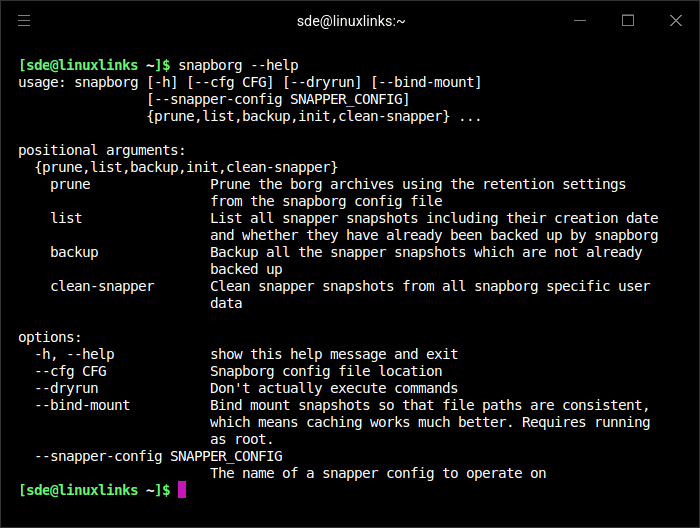
snapborg provides automated backups of snapper snapshots to borg repositories. It’s based on sftbackup and inspired by borgmatic.
Snapper operates on one or many configs for filesystems or subvolumes, for each of which automated snapshots are created. Often only a single config called root is used. The snapborg configuration file (/etc/snapborg.yaml) is used to create a mapping (snapper config) <-> (borg repository) and then those snapshots created by snapper are transferred to the remote (or local) borg repository.
This is free and open source software.
Website: github.com/enzingerm/snapborg
Support:
Developer: snapborg
License: GNU General Public License v3.0
snapborg is written in Python. Learn Python with our recommended free books and free tutorials.
Related Software
| Front-Ends to Borg Backup | |
|---|---|
| Vorta | Qt-based backup client |
| borgmatic | Simple command-line configuration-driven backup software |
| Pika Backup | GNOME app focused on backups of personal data |
| Emborg | Simple command line utility to orchestrate backups |
| BorgWarehouse | Fast and modern WebUI for BorgBackup |
| Borg UI | Modern web-based interface for BorgBackup |
| Borgitory | Web UI for managing BorgBackup |
| BorgTUI | TUI and CLI to automate BorgBacku |
| snapborg | Synchronizes snapper snapshots to a borg repository |
| Borg Backup Server | GUI Manager for Multiple Borg Endpoints |
Read our verdict in the software roundup.
 LinuxLinks helps you discover the best free and open source software for Linux. Explore our extensive collection of recommended applications, including alternatives to popular proprietary software. We also publish software reviews, Linux tutorials, hardware reviews, free programming books and articles covering the wider open source community. Browse our Linux resources to discover more. Know a useful free and open source Linux application we haven't covered? Suggest a program for inclusion. Has your software been featured on LinuxLinks? Display one of our Featured on LinuxLinks badges on your website or GitHub README. |
Please read our Comment Policy before commenting.