

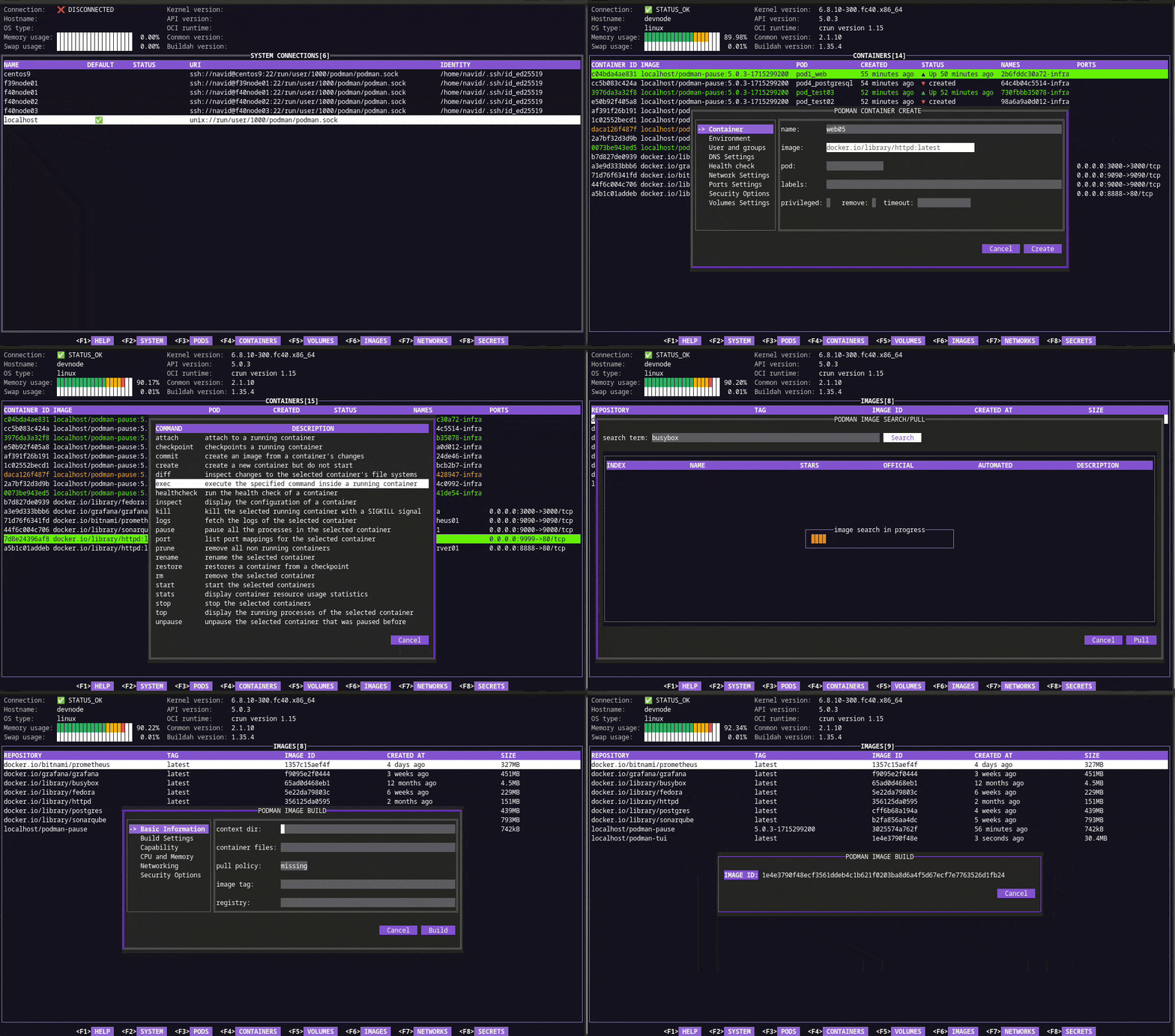
podman-tui is a terminal user interface for managing a Podman environment. It gives users a structured, keyboard-driven view of Podman resources while retaining the lightweight character-cell interface associated with terminal applications.
The program uses Podman’s Go bindings and can communicate with either a local Podman installation or a remote Podman machine over SSH. This makes it useful both for administering containers on the current host and for keeping an eye on Podman workloads elsewhere without switching to a browser-based management interface.
Its interface is divided into dedicated screens for the main Podman resource types. Navigation is heavily keyboard oriented, with familiar vi-style movement available alongside cursor keys and function-key shortcuts. podman-tui requires the Podman system service socket to be available for the account being used.
This is free and open source software.
Key Features
- Connect to local Podman installations through the Podman service socket.
- Manage remote Podman machines over SSH.
- Dedicated views for system information, pods and containers.
- Separate screens for volumes, images, networks and secrets.
- Switch quickly between resource screens with function keys.
- Keyboard navigation with arrow keys and vi-style h, j, k and l controls.
- Command menu for operations available on the selected resource.
- Sort displayed resources from the interface.
- Delete selected resources without leaving the TUI.
- Move between interface widgets with the Tab key.
- Display built-in help directly from the interface.
- Supports Podman 6.x in the 2.x release series.
- Uses 256-colour terminal mode on Unix-like systems.
- Can also run on Windows with standard ANSI colours.
Website: github.com/containers/podman-tui
Support:
Developer: Navid Yaghoobi
License: Apache License 2.0
podman-tui is written in Go. Learn Go with our recommended free books and free tutorials.
Related Software
| Container Managers | |
|---|---|
| Portainer | Lightweight and easy to use management UI |
| Podman | Tool for managing OCI containers and pods |
| LXD | Manage virtual machines and containers |
| Rancher | Container management platform |
| Mesos | Cluster manager |
| virt-manager | Desktop tool for managing virtual machines via libvirt |
| Cloudmin | Manage virtual systems running virtualization technology |
| Incus | Modern, secure and powerful system container and virtual machine manager |
| Pods | Manage your Podman containers |
| Cruise | Docker TUI client |
| Stakkr | Docker recompose tool |
| rkt | Application container engine |
Read our verdict in the software roundup.
 Explore our carefully curated directory of recommended free and open source software, covering every major software category. Explore our carefully curated directory of recommended free and open source software, covering every major software category.The directory forms part of our extensive collection of articles for Linux enthusiasts. It includes hundreds of detailed reviews, together with free and open source alternatives to proprietary software from companies such as Google, Microsoft, Apple, Adobe, IBM, Cisco, Oracle, and Autodesk. LinuxLinks also covers interesting projects worth exploring, Linux-compatible hardware, free programming books and tutorials, and much more. Know a useful free and open source Linux application that we haven’t covered? Tell us about it using our submission form. |
Please read our Comment Policy before commenting.