

Cruise is a powerful, intuitive, and fully-featured TUI (Terminal User Interface) for interacting with Docker.
Built with Go and Bubbletea, it offers a visually rich, keyboard-first experience for managing containers, images, volumes, networks, logs and more — all from your terminal.
This is free and open source software.
Key Features
- Intuitive and customizable user interface – a clean terminal interface with keyboard shortcuts, themes, and filters for a smooth developer experience.
- Manage Lifecycles of Containers, Images, Volumes, Networks.
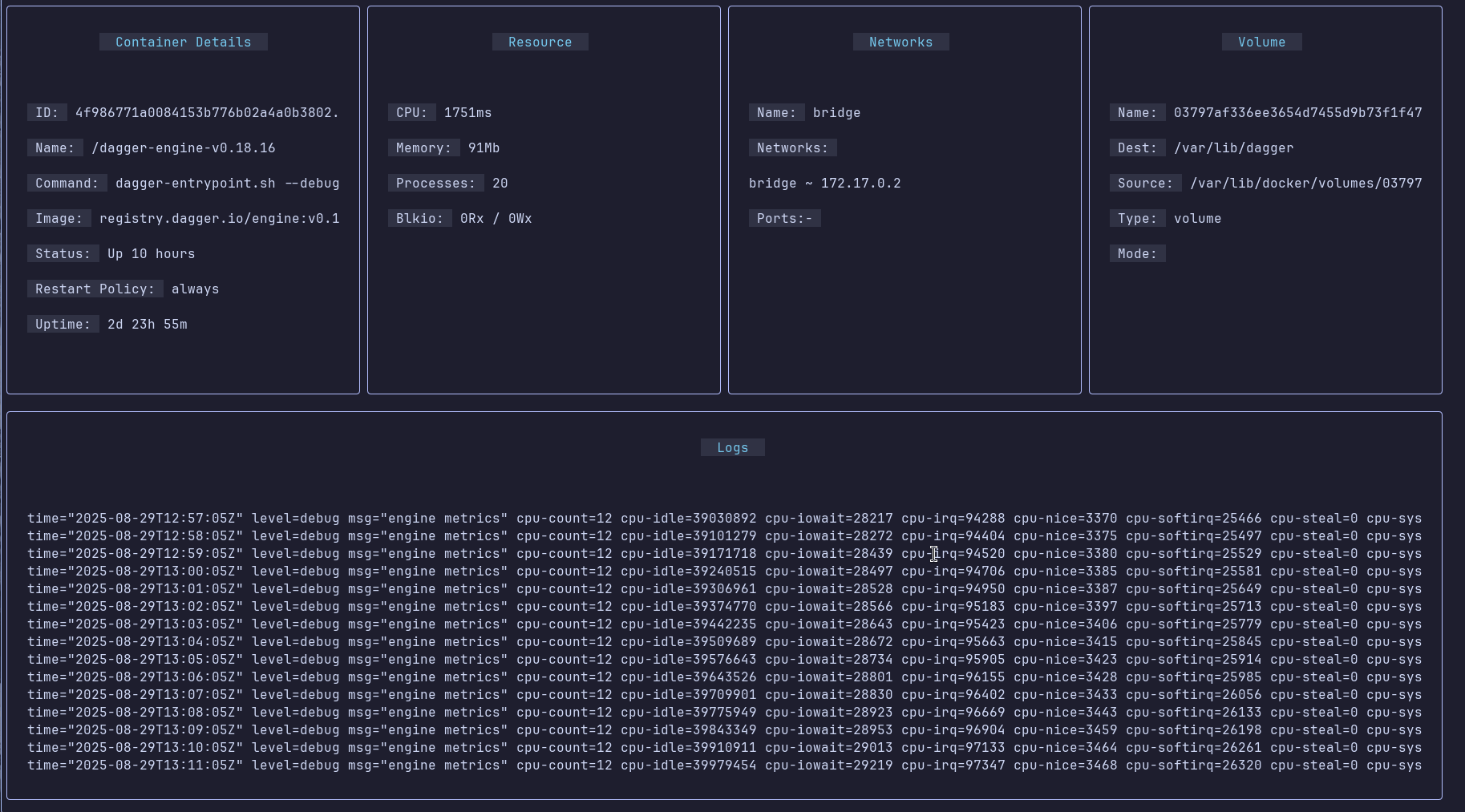
- Have a centralized Monitoring service – get instant visibility into container health, system metrics, and live log streams, all in one dashboard.
- Scan images for vulnerabilities.
- Get Detailed view on Docker Artifacts.
- Powerful search and filtering – quickly locate containers, images, or volumes with flexible search, sorting, and context-aware actions.
Website: github.com/NucleoFusion/cruise
Support:
Developer: Nucleo Fusion
License: MIT License
Cruise is written in Go. Learn Go with our recommended free books and free tutorials.
Related Software
| Container Managers | |
|---|---|
| Portainer | Lightweight and easy to use management UI |
| Podman | Tool for managing OCI containers and pods |
| LXD | Manage virtual machines and containers |
| Rancher | Container management platform |
| Mesos | Cluster manager |
| virt-manager | Desktop tool for managing virtual machines via libvirt |
| Cloudmin | Manage virtual systems running virtualization technology |
| Incus | Modern, secure and powerful system container and virtual machine manager |
| Pods | Manage your Podman containers |
| Cruise | Docker TUI client |
| Stakkr | Docker recompose tool |
| rkt | Application container engine |
Read our verdict in the software roundup.
 Explore our comprehensive directory of recommended free and open source software. Our carefully curated collection spans every major software category. Explore our comprehensive directory of recommended free and open source software. Our carefully curated collection spans every major software category.This directory is part of our ongoing series of informative articles for Linux enthusiasts. It features hundreds of detailed reviews, along with open source alternatives to proprietary solutions from major corporations such as Google, Microsoft, Apple, Adobe, IBM, Cisco, Oracle, and Autodesk. You’ll also find interesting projects to try, hardware coverage, free programming books and tutorials, and much more. Discovered a useful open source Linux program that we haven’t covered yet? Let us know by completing this form. |
Please read our Comment Policy before commenting.