
This is a series where I hand-pick an open source Linux application each week that has not previously been covered on LinuxLinks. Each application must meet a very high standard.
Optical Character Recognition (OCR) is the process of recognizing text from an image by understanding and analyzing its underlying patterns.
PaddleOCR is an open-source OCR and document-parsing toolkit. It’s used to extract text and document structure from images and PDFs. It supports model training, inference, and deployment for production use.
Installation
The bad news first. PaddleOCR is not simple to set up. While there’s a package available in the Arch User Repository it fails to build on my test system which is running CachyOS (I ditched Manjaro over the recent mutiny fiasco).
If you’re not running an Arch-based distribution, bear in mind there are lots of steps to get the program working.
You have to bear in mind that the software has a much heavier stack than most OCR programs. That’s because it’s more of an OCR-and-document-understanding toolkit than a single classic OCR engine. That means more setup and more dependencies than say Tesseract. But the time spent is worthwhile depending on your requirements.
In Operation
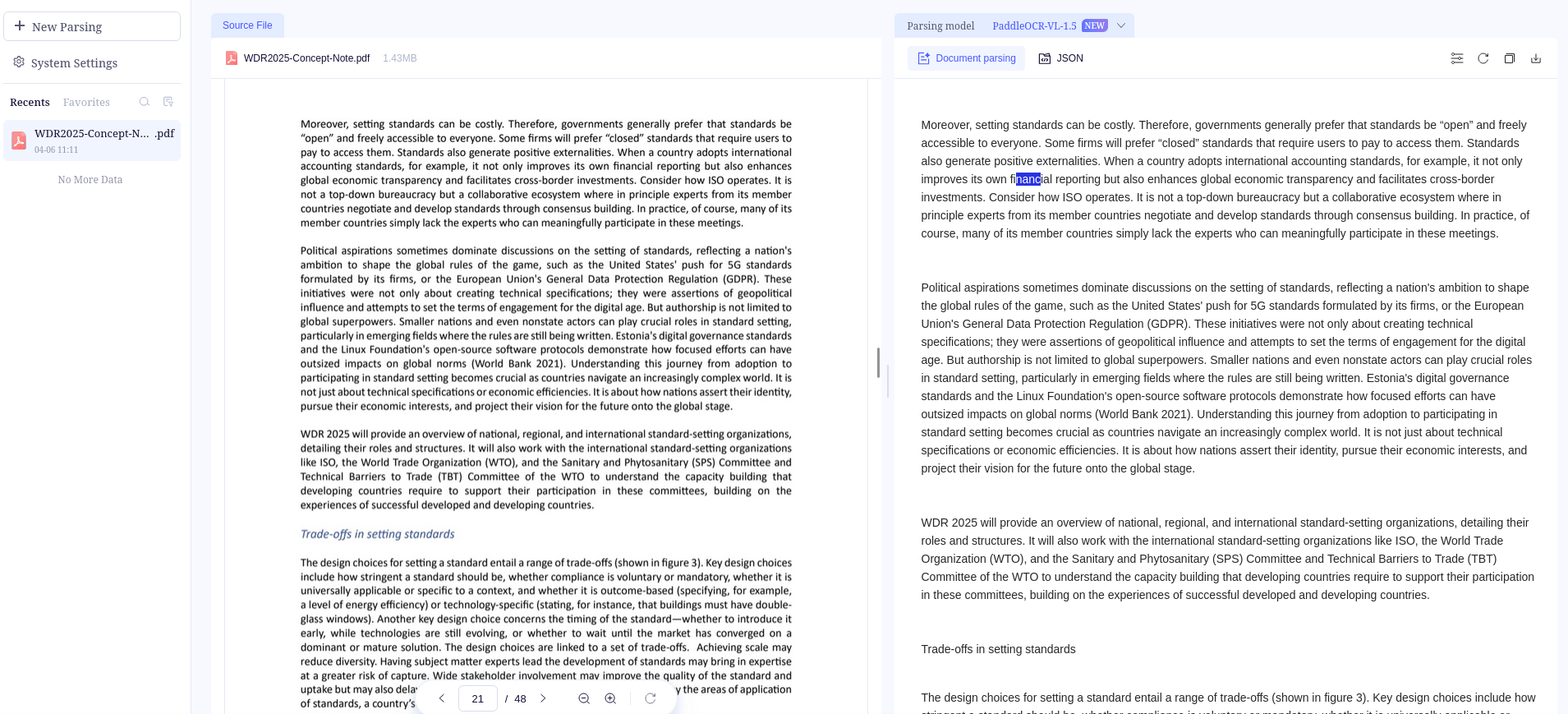
What does PaddleOCR offer? The software can
- detect text regions in an image,
- recognize the text content,
- parse document structure such as tables and layouts,
- output structured results like JSON or Markdown for downstream apps and LLM workflows.
Key Features
- Supports recognition for 100+ languages.
- Provides both command line tools and Python APIs.
- Includes PP-OCRv5 models for text detection and text recognition.
- Includes PP-StructureV3 for parsing complex documents and converting them into structured formats such as JSON and Markdown.
- Supports document preprocessing features such as orientation classification and image unwarping.
- Can be deployed on CPU and GPU systems, with options for high-performance inference and broader application integration.
Summary
PaddleOCR is popular because it combines relatively lightweight models with broader document understanding features, rather than only plain text extraction. Recent PaddleOCR materials highlight components such as PP-OCRv5 for multilingual OCR and PP-StructureV3 for document parsing.
Choose PaddleOCR for complex PDFs, tables, layouts, and structured output. It’s also a good option for multilingual OCR and high-volume document processing.
Many users will probably prefer Tesseract. But if you’re keen on the superior feature set offered by PaddleOCR you’ll need to get over the installation hurdle. Compatibility with some GPU environments is ropey to say the least too.
Website: github.com/PaddlePaddle/PaddleOCR
Support:
Developer: PaddlePaddle
License: Apache License 2.0PaddleOCR is written in Python and C++. Learn Python with our recommended free books and free tutorials.
Related Software
OCR Systems PaddleOCR OCR and document-parsing toolkit Tesseract High quality neural net (LSTM) based OCR engine focused on line recognition EasyOCR OCR that reads natural scene text and dense text in documents RapidOCR Fast offline deployment across multiple platforms and languages ocrs Modern OCR engine Surya Multilingual document OCR toolkit with text recognition ocropy Open source document analysis and OCR system OpenOCR Toolkit for general OCR research and applications Ocrad OCR engine based on a feature extraction method kraken Turn-key automatic text recognition system Cuneiform OCR Engine to convert OCR documents into editable form GOCR Reads images in many formats Read our verdict in the software roundup.
 Explore our carefully curated directory of recommended free and open source software, covering every major software category.
The directory forms part of our extensive collection of articles for Linux enthusiasts. It includes hundreds of detailed reviews, together with free and open source alternatives to proprietary software from companies such as Google, Microsoft, Apple, Adobe, IBM, Cisco, Oracle, and Autodesk.
LinuxLinks also covers interesting projects worth exploring, Linux-compatible hardware, free programming books and tutorials, and much more.
Know a useful free and open source Linux application that we haven’t covered? Tell us about it using our submission form.
Please read our Comment Policy before commenting.