

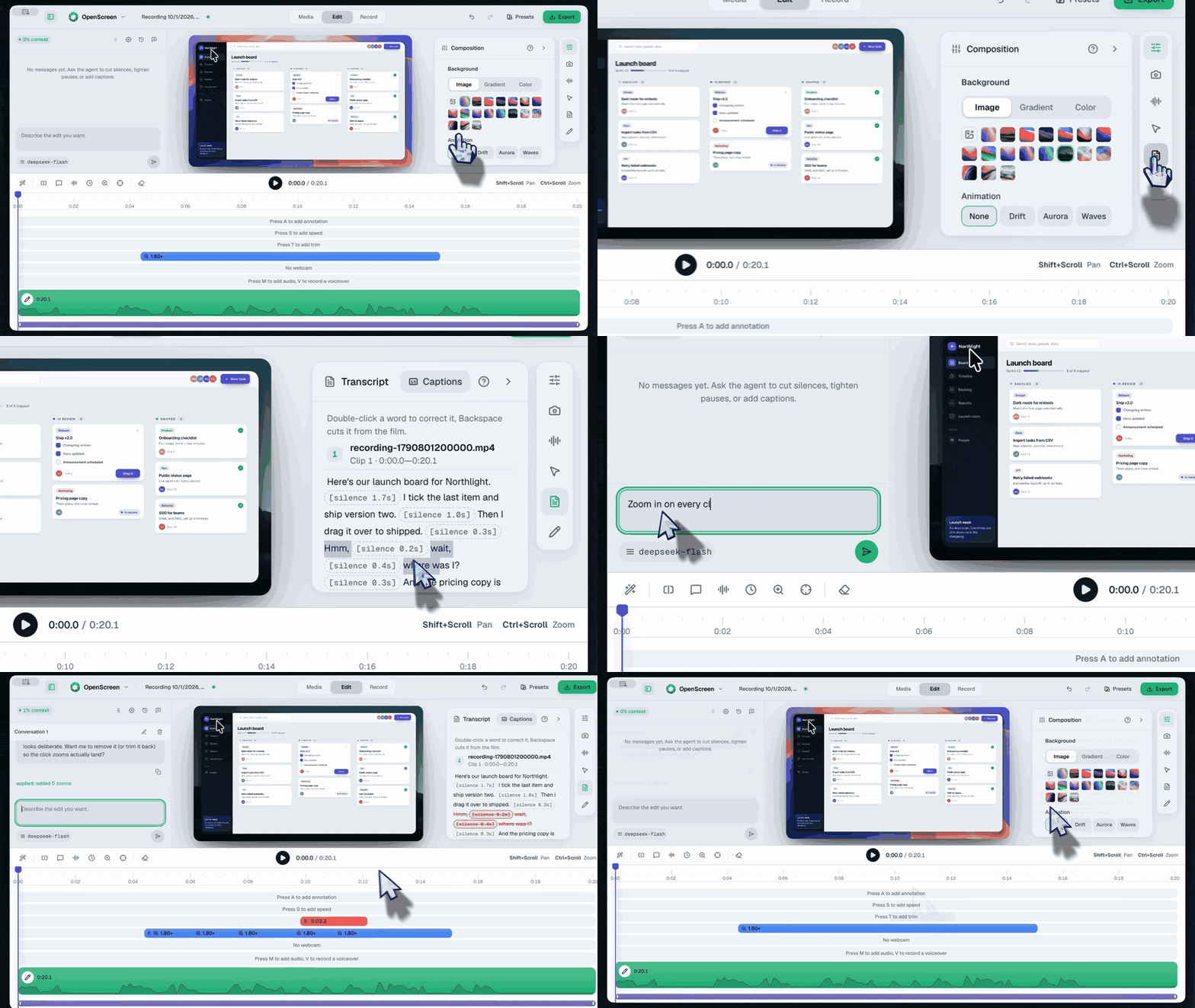
OpenScreen is a screen recording and video editing application designed for producing software demonstrations, tutorials and product walkthroughs. It combines desktop capture and post-production in a single application, with an emphasis on highlighting interactions with software interfaces. The project continues the development of the original OpenScreen application created by Siddharth Vaddem.
The editing workflow allows users to adjust the presentation of a recording after capture rather than applying effects permanently during recording. On Linux, the software uses native X11 capture or PipeWire through the ScreenCast portal under Wayland. System audio capture requires PipeWire, while recording mouse clicks under Wayland requires appropriate input device permissions.
This is free and open source software.
Key Features
- Record individual windows or the entire screen.
- Capture microphone input and system audio.
- Picture-in-picture webcam overlays with adjustable positioning, mirroring, shapes and rounded corners.
- Automatic cursor-following zooms and manually defined zoom regions with configurable magnification, duration and easing.
- Adjustable cursor size, movement smoothing and mouse click effects.
- Timeline editing with cropping, trimming, snapping guides and audio waveform visualisation.
- Adjust playback speed for individual video segments.
- Generate captions locally without uploading recordings.
- Edit recordings by removing sections of their transcripts.
- Optional subtitle translation.
- Text, arrow and image annotations with animation presets.
- Custom backgrounds using wallpapers, solid colours, gradients and user-supplied images.
- Motion blur and selective region blurring.
- Optional natural-language editing assistant using user-supplied API credentials.
- GPU-accelerated MP4 and GIF exports with configurable resolutions and aspect ratios.
- Vulkan rendering on Linux with automatic CPU fallback.
- Headless recording, project editing and exporting through a command-line interface.
- Customisable keyboard shortcuts.
- Multilingual interface.
- Cross-platform support – runs on Linux, macOS, and Windows.
Website: github.com/getopenscreen/openscreen
Support:
Developer: Siddharth Vaddem, Etienne Lescot and contributors
License: MIT License
OpenScreen is written primarily in TypeScript and Rust. Learn TypeScript with our recommended free books and free tutorials. Learn Rust with our recommended free books and free tutorials.
Related Software
| Screen Recorders | |
|---|---|
| OBS Studio | Complete video recording and live streaming solution |
| GPU Screen Recorder | Minimizes system performance by recording using the GPU only |
| vokoscreenNG | Easy to use screencast creator |
| Kooha | Simple GTK-based app to “elegantly record your screen” |
| screenkey | Screencasting software inspired by Screenflick |
| FFmpeg | Record, convert and stream audio and video |
| SimpleScreenRecorder | Easy to use screencast creator |
| wf-recorder | Utility for wlroots-based Wayland compositors |
| Casterr | Screen recorder, editor and video browse |
| Green Recorder | Simple screen recorder supporting Xorg and Wayland |
| Blue Recorder | Simple screen recorder written in Rust |
| wl-screenrec | wlroots screen recording, featuring hardware encoding |
| peek | Animated GIF screen recorder |
| wayfarer | Screen recorder for GNOME / Wayland / Pipewire |
| ScreenStudio | Streaming made easy |
| Kazam | Well designed and easy to use interface |
Read our verdict in the software roundup.
 LinuxLinks helps you discover the best free and open source software for Linux. Explore our extensive collection of recommended applications, including alternatives to popular proprietary software. We also publish software reviews, Linux tutorials, hardware reviews, free programming books and articles covering the wider open source community. Browse our Linux resources to discover more. Know a useful free and open source Linux application we haven't covered? Suggest a program for inclusion. Has your software been featured on LinuxLinks? Display one of our Featured on LinuxLinks badges on your website or GitHub README. |
Please read our Comment Policy before commenting.