

OBS Studio is a desktop application for recording video and broadcasting live streams.
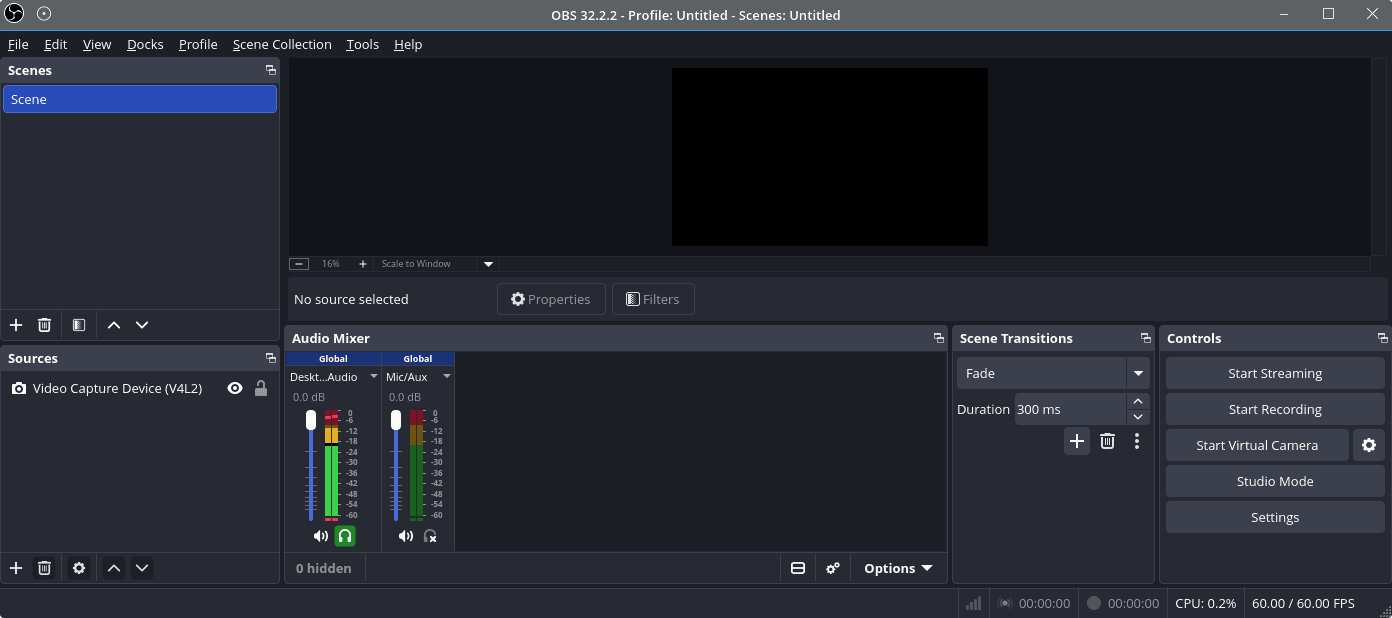
It combines capture, compositing, encoding and streaming in one interface, letting users build a production from multiple visual and audio sources rather than simply recording a single window. Scenes provide reusable layouts, while sources can include displays, windows, cameras, capture devices, images, text and media. The program is suitable for everything from straightforward screen recording to multi-scene live productions.
This is free and open source software.
Key Features
- Create any number of scenes and switch between them during recording or streaming.
- Combine display, window, camera, image, text, browser and media sources in a scene.
- Preview scene changes in Studio Mode before sending them to the live output.
- Apply video filters including chroma key, colour correction, masking, cropping and scaling.
- Apply audio filters such as noise suppression, noise gate, gain and compression.
- Use the integrated audio mixer to control individual sources independently.
- Configure transitions between scenes and assign transition behaviour to specific scene changes.
- Record locally while streaming, with separate controls for recording and broadcast output.
- Use hardware-supported video encoders where suitable drivers and hardware are available.
- Arrange and resize sources directly on the preview canvas.
- Create source groups and nested scenes for more complex production layouts.
- Assign hotkeys to scene switching, source visibility, recording, streaming and other actions.
- Extend functionality through plugins and scripts.
- Store different production setups as profiles and scene collections.
- Configure output resolution, frame rate, bitrate and recording format.
- Cross-platform support – runs on Linux, macOS, and Windows.
Website: github.com/obsproject/obs-studio
Support:
Developer: OBS Project and contributors
License: GNU General Public License v2.0
OBS is written in C and C++. Learn C with our recommended free books and free tutorials. Learn C++ with our recommended free books and free tutorials.
Related Software
| Screen Recorders | |
|---|---|
| OBS Studio | Complete video recording and live streaming solution |
| GPU Screen Recorder | Minimizes system performance by recording using the GPU only |
| vokoscreenNG | Easy to use screencast creator |
| Kooha | Simple GTK-based app to “elegantly record your screen” |
| screenkey | Screencasting software inspired by Screenflick |
| FFmpeg | Record, convert and stream audio and video |
| SimpleScreenRecorder | Easy to use screencast creator |
| wf-recorder | Utility for wlroots-based Wayland compositors |
| Casterr | Screen recorder, editor and video browse |
| Green Recorder | Simple screen recorder supporting Xorg and Wayland |
| Blue Recorder | Simple screen recorder written in Rust |
| wl-screenrec | wlroots screen recording, featuring hardware encoding |
| peek | Animated GIF screen recorder |
| wayfarer | Screen recorder for GNOME / Wayland / Pipewire |
| ScreenStudio | Streaming made easy |
| Kazam | Well designed and easy to use interface |
Read our verdict in the software roundup.
 Explore our carefully curated directory of recommended free and open source software, covering every major software category. Explore our carefully curated directory of recommended free and open source software, covering every major software category.The directory forms part of our extensive collection of articles for Linux enthusiasts. It includes hundreds of detailed reviews, together with free and open source alternatives to proprietary software from companies such as Google, Microsoft, Apple, Adobe, IBM, Cisco, Oracle, and Autodesk. LinuxLinks also covers interesting projects worth exploring, Linux-compatible hardware, free programming books and tutorials, and much more. Know a useful free and open source Linux application that we haven’t covered? Tell us about it using our submission form. |
Please read our Comment Policy before commenting.