

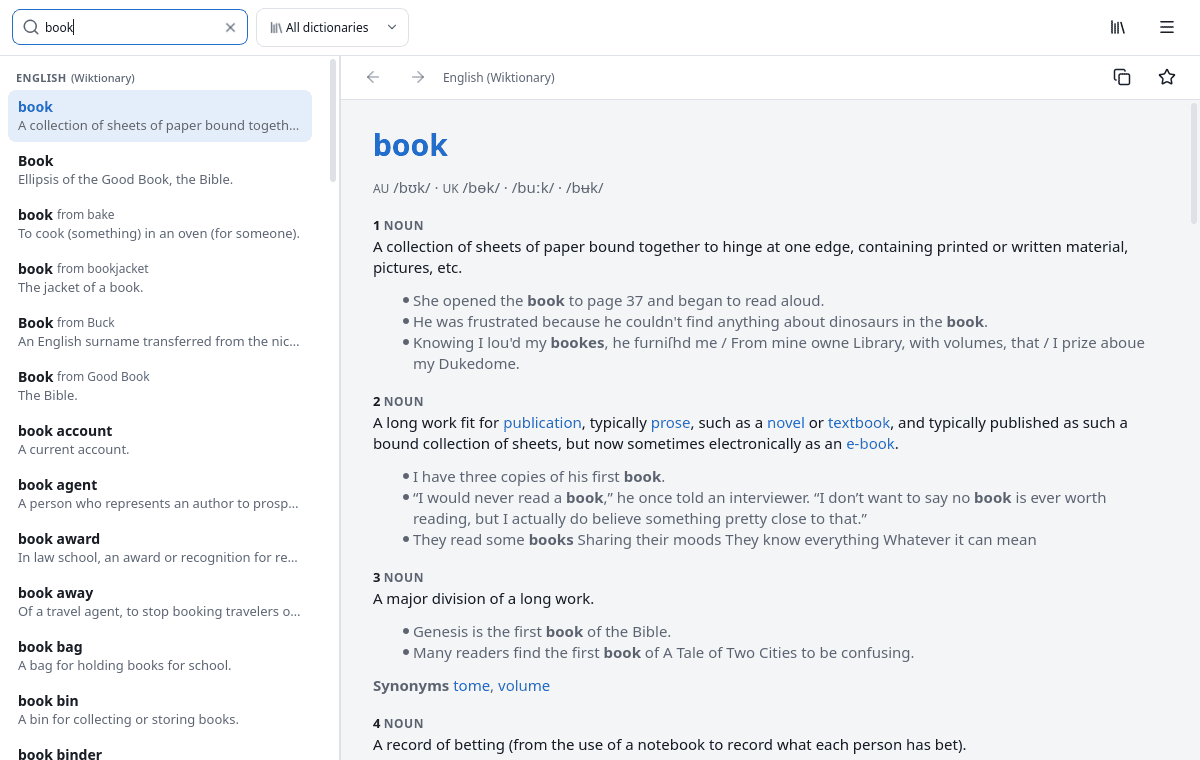
Omnidict is an offline dictionary application for Linux desktops. Built with Qt 6, it provides access to more than 600 downloadable dictionaries covering hundreds of languages. Users can download the dictionaries they need and search them without an internet connection.
The application brings together dictionaries from sources including Wiktionary, WordNet and FreeDict. It supports bilingual dictionaries, synonyms, antonyms and language-specific resources for Japanese, Chinese and Korean.
Searching is straightforward, with results appearing as you type. Omnidict also recognises inflected word forms, provides spelling suggestions and supports wildcard searches. A global keyboard shortcut lets users look up selected text from other applications without switching to the main window.
This is free and open source software.
Key Features
- Access more than 600 dictionaries covering hundreds of languages.
- Search downloaded dictionaries without an internet connection.
- Instant search results grouped by dictionary.
- Supports Wiktionary, WordNet, FreeDict, JMdict, CC-CEDICT and Kengdic.
- Accent-insensitive searching and recognition of inflected word forms.
- Wildcard searching and full-text searches within definitions.
- Spelling suggestions for misspelled words.
- Quick lookup of selected text from other applications using a keyboard shortcut.
- Save favourite words and browse recent lookups.
- Manage dictionary downloads, updates and search order.
- Light and dark themes with adjustable text size.
- System tray integration and optional automatic startup.
Website: github.com/keshavbhatt/omnidict
Support:
Developer: Keshav Bhatt (Ktechpit)
License: GNU General Public License v3.0
Omnidict is written in C++ and Python. Learn C++ with our recommended free books and free tutorials. Learn Python with our recommended free books and free tutorials.
Related Software
| Dictionary Tools | |
|---|---|
| GoldenDict-ng | Advanced dictionary lookup program, supporting many formats |
| GoldenDict | Feature-rich tool offering translations of words and phrases |
| PyGlossary | Tool for converting dictionary files aka glossaries |
| OpenDict | Supports popular computer dictionary formats including Slowo and Mova |
| xfce4-dict | Client program to query dictionaries |
| SilverDict | Web-based alternative to GoldenDict |
| Wordbook | Offline English-English dictionary application built for GNOME |
| Quick Lookup | Simple GTK dictionary application |
| sdcv | Simple cross-platform text-base utility |
| AyanDict | Basic dictionary app |
| Slob Dictionary | Flexible GTK dictionary application supporting multiple dictionary formats |
| dictd | Dictionary database server implementing the DICT protocol |
| charcoal | Command line dictionary that's an alternative to wudao-dict |
| tuidict | Fast FreeDict dictionary TUI with search-as-you-type |
| rdict | Offline CLI dictionary using data from wiktionary. |
| Kotoba | Japanese – English dictionary |
Read our verdict in the software roundup.
 Explore our carefully curated directory of recommended free and open source software, covering every major software category. Explore our carefully curated directory of recommended free and open source software, covering every major software category.The directory forms part of our extensive collection of articles for Linux enthusiasts. It includes hundreds of detailed reviews, together with free and open source alternatives to proprietary software from companies such as Google, Microsoft, Apple, Adobe, IBM, Cisco, Oracle, and Autodesk. LinuxLinks also covers interesting projects worth exploring, Linux-compatible hardware, free programming books and tutorials, and much more. Know a useful free and open source Linux application that we haven’t covered? Tell us about it using our submission form. |
Please read our Comment Policy before commenting.