

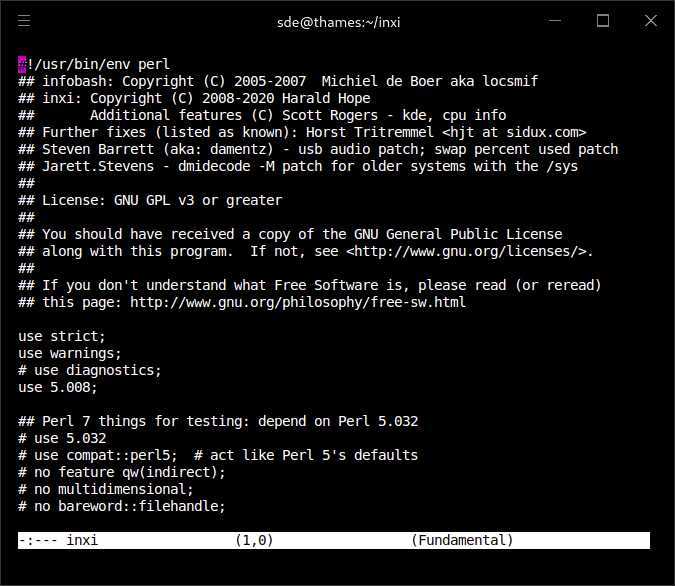
mg is a compact Emacs-like text editor derived from MicroEMACS and the editor maintained by OpenBSD. It provides familiar GNU Emacs keyboard conventions in a smaller application intended for terminal-based editing.
The portable version maintained by Joachim Wiberg extends the OpenBSD editor with additional functionality while retaining its relatively small footprint. It supports UTF-8 text, language-aware editing and a growing collection of commands for working with source code and Git repositories.
Unlike GNU Emacs, mg does not provide an extensive Lisp-based extension environment. Its configuration is based on editor commands and keybindings, with the ~/.mg file allowing users to customise behaviour. It is particularly suitable for users who prefer Emacs-style interaction but want a smaller terminal editor for programming, system administration and everyday text manipulation.
This is free and open source software.
Key Features
- GNU Emacs-style keyboard bindings and editing commands.
- Multiple editing buffers with horizontal and vertical window splitting.
- UTF-8 support for entering, displaying and editing multibyte characters.
- Support for double-width CJK characters in compatible terminals.
- Syntax highlighting for C, C++, Go, Python, shell scripts, Markdown, YAML, configuration files and other formats.
- Automatic selection of editing modes using filenames and interpreter directives.
- Language-specific indentation and whitespace handling.
- Regular-expression searching and replacement.
- Visual selection, including keyboard-based region selection.
- Rectangle editing and registers for storing text and editing information.
- Multiple undo operations and familiar kill and yank commands.
- Integrated directory editing mode.
- Project-aware commands for navigating source trees.
- Integration with Git for working with tracked files and version-control operations.
- Support for ctags, Emacs tags, cross-reference navigation and cscope.
- Background compilation and grep commands with navigable results.
- Go editing commands for formatting, building, testing and running code.
- Auto-revert mode for monitoring changes to files.
- Tail mode for following changes to growing files.
- Minibuffer editing, command history and substring-based completion.
- Configurable line wrapping and automatic text filling.
- Built-in quick-reference help and an interactive tutorial.
- Customisable keyboard bindings and startup settings through ~/.mg.
- Cross-platform support – runs on Linux and macOS.
Website: github.com/troglobit/mg
Support: Alternative Fork – GitHub Code Repository
Developer: Dave Conroy (original author), OpenBSD contributors and Joachim Wiberg
License: Public domain
mg is written in C. Learn C with our recommended free books and free tutorials.
Since mg is written completely in C, there is currently no language in which extensions can be written; however, keys can be rebound and certain parameters can be changed in startup files.
Related Software
| Emacs-like Text Editors | |
|---|---|
| TeXmacs | High quality scientific word processor and typesetting program |
| Lem | General-purpose editor/IDE |
| vile | Combines aspects of the Emacs and vi editors |
| Zile | Customizable, self-documenting real-time display editor |
| Remacs | Community-driven port of Emacs to Rust |
| JOE | Joe's Own Editor with no code used from Emacs |
| Textbringer | Emacs-like text editor written in Ruby |
| QEmacs | Small but powerful UNIX editor |
| mg | Small, fast, and portable Emacs-like editor |
| ce | Small, fast, Emacs-like text editor |
| JOVE | Jonathan's Own Version of Emacs. Supports many ancient systems |
| Ymacs | Emacs-like code and text editor that runs in a web browser |
| MicroEmacs | Compact Emacs-like text editor |
Read our verdict in the software roundup.
 LinuxLinks helps you discover the best free and open source software for Linux. Explore our extensive collection of recommended applications, including alternatives to popular proprietary software. We also publish software reviews, Linux tutorials, hardware reviews, free programming books and articles covering the wider open source community. Browse our Linux resources to discover more. Know a useful free and open source Linux application we haven't covered? Suggest a program for inclusion. Has your software been featured on LinuxLinks? Display one of our Featured on LinuxLinks badges on your website or GitHub README. |
Please read our Comment Policy before commenting.