

Kokoro is an open-weight text-to-speech (TTS) model designed to generate natural-sounding speech from written text. It is relatively lightweight, runs locally, and supports a range of voices and languages without requiring access to a hosted service.
For this article, I’m running Kokoro locally on Ubuntu 26.04.
Installation
Ubuntu 26.04 ships with Python 3.14.4, which is currently too new for Kokoro’s Python dependencies. Rather than altering Ubuntu’s system Python, I installed Kokoro in a separate Python 3.12 virtual environment using uv.
First install the required system packages:
$ sudo apt update
$ sudo apt install curl espeak-ng libsndfile1
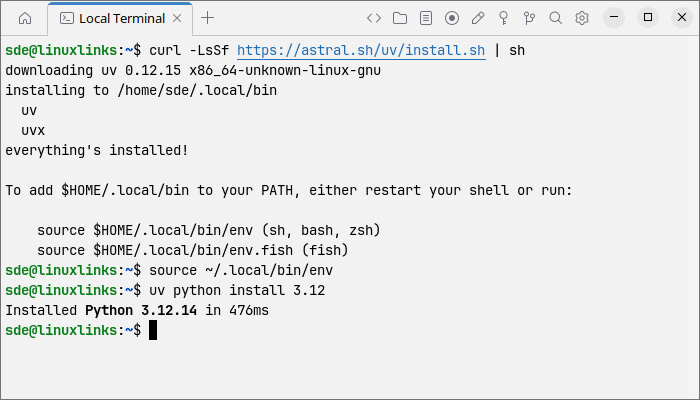
Next install uv:
$ curl -LsSf https://astral.sh/uv/install.sh | sh
Load uv into the current shell:
$ source ~/.local/bin/env
I can then use uv to install Python 3.12 without replacing or otherwise interfering with Ubuntu’s system Python:
$ uv python install 3.12
Create a dedicated Python 3.12 virtual environment for Kokoro:
$ uv venv --python 3.12 ~/kokoro-venv
Activate the environment:
$ source ~/kokoro-venv/bin/activate
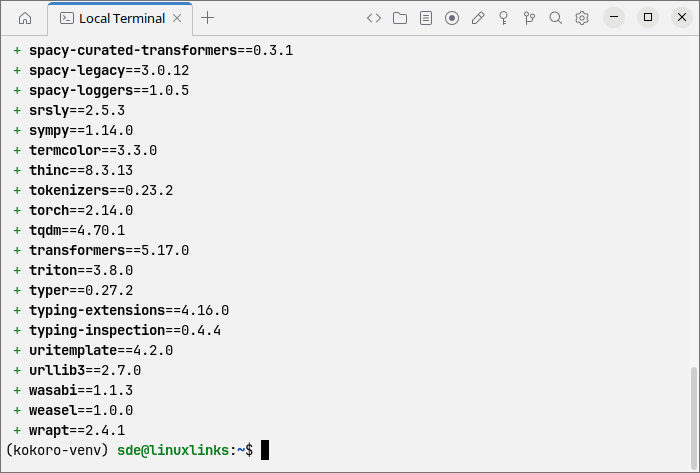
With the virtual environment active, install Kokoro and the SoundFile Python package:
$ uv pip install "kokoro>=0.9.4" soundfile
In Operation
The simplest way to test the model is to generate a WAV file using the KPipeline API.
Create a test file:
$ nano ~/kokoro-test.py
Paste this into the test file.
from kokoro import KPipeline
import soundfile as sf

pipeline = KPipeline(lang_code='b')

text = "Hello. This is Steve at Linuxlinks. This is a simple test of Kokoro text to speech running on Ubuntu Linux."

generator = pipeline(
    text,
    voice='bm_george',
    speed=1
)

for i, (gs, ps, audio) in enumerate(generator):
    print("Text:", gs)
    print("Phonemes:", ps)
    sf.write(f"/home/sde/kokoro-test-{i}.wav", audio, 24000)

print("Finished.")
Save the file, and run:
$ python ~/kokoro-test.py
On the first run, the model/voice data will be downloaded.
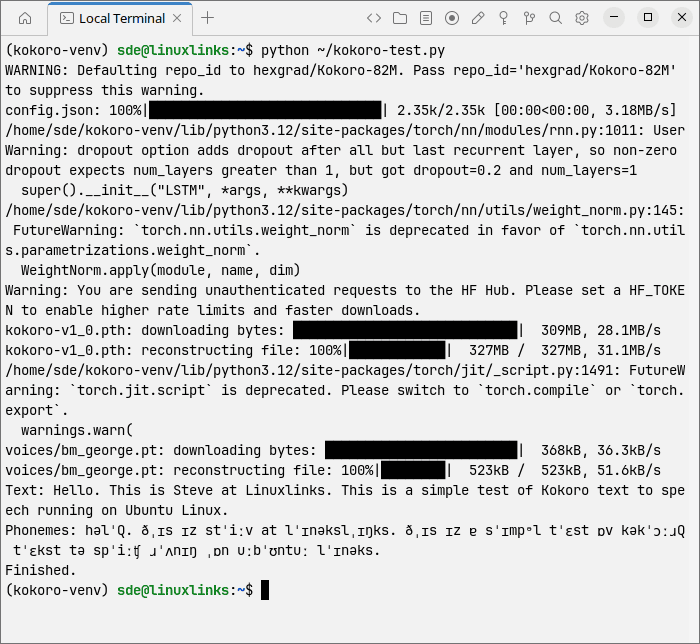
The script converts the supplied text into speech and saves the generated audio as a WAV file. With the example above, the file is written to /home/sde/kokoro-test-0.wav at a sample rate of 24 kHz. If Kokoro splits longer text into multiple segments, each segment is saved as a separate numbered WAV file.
Kokoro offers 54 built-in voices covering American and British English, Spanish, French, Hindi, Italian, Japanese, Brazilian Portuguese, and Mandarin Chinese. British English includes four female voices (bf_alice, bf_emma, bf_isabella, bf_lily) and four male voices (bm_daniel, bm_fable, bm_george, bm_lewis).
I’ve amended my script. Let’s hear some spoken text by Emma.
Other useful functionality:
- Adjustable speech speed: the speed parameter controls delivery rate without changing the input text.
- Custom pronunciation: words can be assigned explicit phoneme pronunciations, useful for names, acronyms and unusual technical terms.
- Prosody control: punctuation and stress markers can influence pauses, emphasis and intonation, although the degree of control is less sophisticated than full SSML-based systems.
- Longer text handling: KPipeline splits input into manageable segments and generates audio sequentially, so it is suitable for passages substantially longer than a single model context.
- Command-line operation: Kokoro also includes a CLI that can take text directly, read a text file or stdin, select the language/voice/speed, and write a WAV file.
- Small model: Kokoro has only 82 million parameters, one of its main attractions compared with much larger TTS models, and its weights are Apache 2.0 licensed.
Summary
Kokoro is an impressive lightweight TTS model that combines good speech quality with modest hardware requirements. It runs locally, offers a broad selection of voices and languages, and provides useful control over speed, pronunciation and longer passages.
Installation on Ubuntu 26.04 needs a little extra work because of the distribution’s newer Python version, but using a separate Python 3.12 environment keeps the setup clean and self-contained.
For users looking for an open-weight, locally run TTS solution, Kokoro is well worth investigating.
Website: github.com/hexgrad/kokoro
Support:
Developer: hexgrad
License: Apache License 2.0
Kokoro has Python and JavaScript implementations. Learn JavaScript with our recommended free books and free tutorials. Learn Python with our recommended free books and free tutorials.
Related Software
| Speech Tools | |
|---|---|
| Piper | Fast, local neural text to speech system |
| Bark | Transformer-based text-to-audio model. |
| sherpa-onnx | Speech-to-text and text-to-speech software |
| Coqui TTS | Offers pretrained models in more than 1,100 different languages |
| Dia | 1.6B parameter text to speech model |
| Tortoise | Multi-voice text-to-speech system trained with an emphasis on quality |
| Festival | General multi-lingual speech synthesis system |
| PraatSpeechAnalyser | Software for speech analysis and synthesis |
| Chatterbox | Family of text-to-speech models |
| Speech Note | Speech to Text, Text to Speech and Machine Translation |
| Mimic 3 | Lightweight Text to Speech engine |
| OrcaScreenReader | Scriptable screen reader |
| MeloTTS | High-quality multi-lingual text-to-speech library |
| Parler-TTS | Lightweight text-to-speech (TTS) model |
| Flite | Small, fast run time text to speech synthesis engine |
| RHVoice | Gives the visually impaired a synthesis voice with their screen reader |
| eSpeak NG | Continuation of the eSpeak project |
| eSpeak | Speech synthesizer using a formant synthesis method |
| Orpheus-TTS-FastAPI | High-performance self-hosted text-to-speech server |
| Gespeaker | GTK-based frontend for eSpeak |
| VoiceGen | Simple text-to-speech application |
| Glate | Google Translator and Text To Speech Service |
Read our verdict in the software roundup.
| Screen-readers | |
|---|---|
| Orca Screen Reader | Screen-reader which provides access to applications and toolkits |
| Liblouis | Braille translator, back-translator and formatter |
| Speakup | Kernel-based speech synthesizer driver suite |
| BRLTTY | Provides access to the console using a refreshable braille display |
| Emacspeak | Emacs extension that provides spoken output |
| Odilia | Rust-based screen reader |
| Fenrir | Fast, flexible and efficient speech access for Linux text consoles |
| TDSR | Lightweight speech access for navigating Linux virtual consoles |
| SBW | Text editor with support for braille input |
 Explore our carefully curated directory of recommended free and open source software, covering every major software category. Explore our carefully curated directory of recommended free and open source software, covering every major software category.The directory forms part of our extensive collection of articles for Linux enthusiasts. It includes hundreds of detailed reviews, together with free and open source alternatives to proprietary software from companies such as Google, Microsoft, Apple, Adobe, IBM, Cisco, Oracle, and Autodesk. LinuxLinks also covers interesting projects worth exploring, Linux-compatible hardware, free programming books and tutorials, and much more. Know a useful free and open source Linux application that we haven’t covered? Tell us about it using our submission form. |
Please read our Comment Policy before commenting.