

The Jupyter Notebook is an open-source server-client web application that allows you to create and share documents containing live code, equations, visualizations and explanatory text.
Jupyter notebooks are a series of “cells” containing executable code, or markdown, the popular HTML markup language for prose descriptions. They have LaTeX support for mathematical equations with MathJax.
The notebook’s two main components are its kernels and a dashboard. A kernel runs and introspects the user’s code. The Jupyter Notebook App has a kernel for Python code, but there are also kernels available for many other programming languages.
Jupyter Notebook installs the IPython kernel. This allows working on notebooks using the Python programming language.
Uses include data cleaning and transformation, numerical simulation, statistical modeling, machine learning and a lot more.
Key Features
- Highly customizable.
- Support for over 40 programming languages, including those popular in Data Science such as Python, R, Julia, and Scala.
- In-browser editing for code, using the Markdown markup language, with automatic syntax highlighting, indentation, and tab completion/introspection.
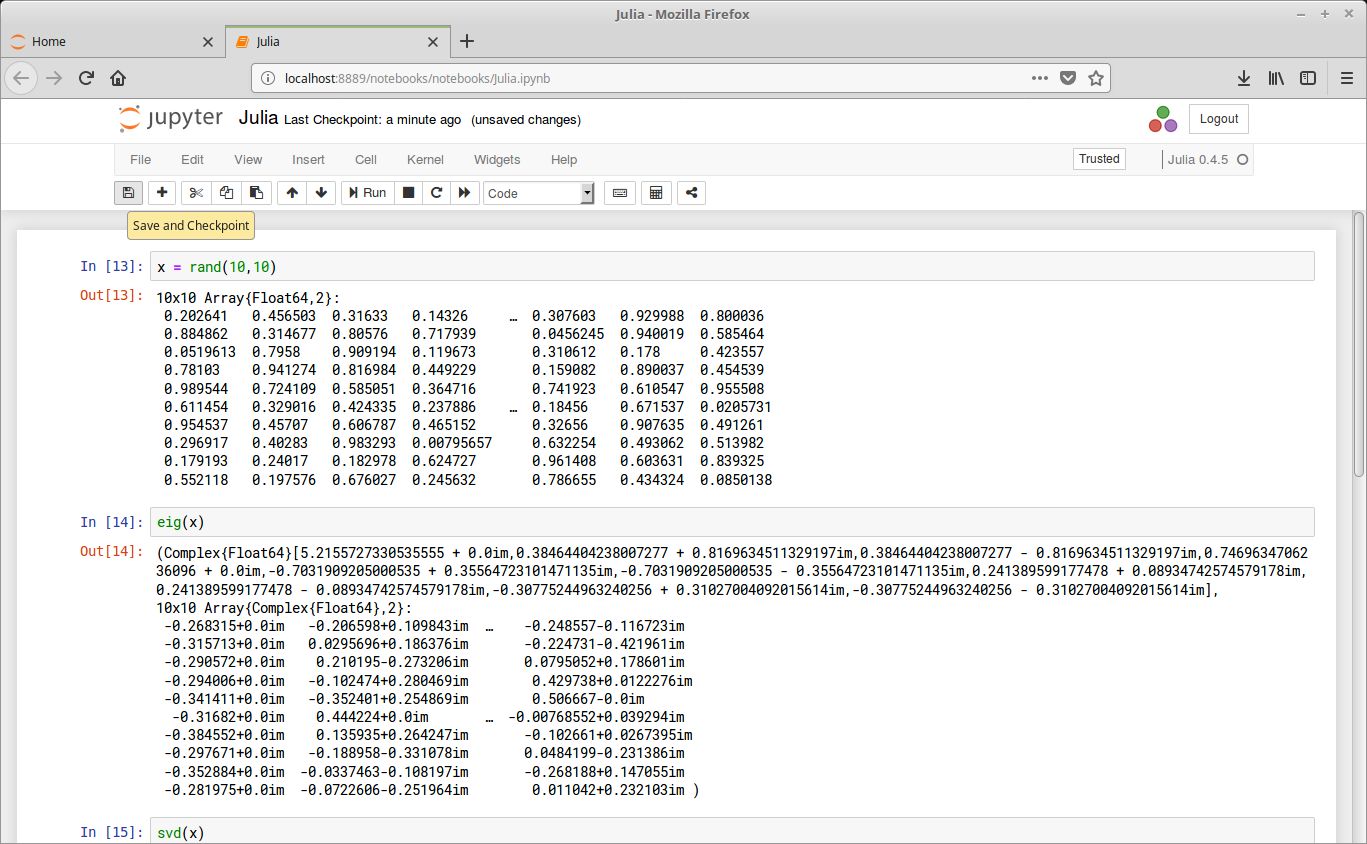
- Execute code from the browser, with the results of computations attached to the code which generated them.
- Display the result of computation using rich media representations, such as HTML, LaTeX, PNG, SVG, etc. For example, render publication-quality figures inline with the matplotlib library.
- Author narrative text using the Markdown markup language.
- The ability to easily include mathematical notation within markdown cells using LaTeX, and rendered natively by MathJax.
- Notebooks can be committed to version control repositories such as git and the code sharing site GitHub.
- Export notebooks to HTML, reStructuredText, LaTeX, PDF, and slide shows.
Jupyter runs code in many programming languages, Python is a requirement (Python 3.3 or greater, or Python 2.7). Installing Acaconda is the recommended installation method.
Website: jupyter.org
Support: Documentation, Blog
Developer: Many
License: Modified BSD license
Related Software
| Notebook software | |
|---|---|
| JupyterLab | The next generation user interface for Project Jupyter |
| RStudio | Integrated development environment (IDE) for R |
| Jupyter Notebook | Web-based notebook environment for interactive computing |
| Positron | Next-generation data science IDE |
| marimo | Reactive Python notebook |
| Apache Zeppelin | Multi-purpose notebook |
| IPython | Rich architecture for interactive computing |
| euporie | Terminal interface for Jupyter notebooks and kernels |
| Polynote | Experimental polyglot notebook environment |
| Livebook | Interactive and collaborative code notebooks |
| nteract | Notebooks on your Desktop |
| Pluto | Simple reactive notebooks for Juli |
| Cantor | Frontend for mathematical and scientific software |
| Pretzel | Billed as a modern replacement for Jupyter Notebooks |
| Spark Notebook | Interactive and reactive data science using Scala and Spark |
| BeakerX | Kernels and extensions to the Jupyter interactive computing environment |
Read our verdict in the software roundup.
 Explore our carefully curated directory of recommended free and open source software, covering every major software category. Explore our carefully curated directory of recommended free and open source software, covering every major software category.The directory forms part of our extensive collection of articles for Linux enthusiasts. It includes hundreds of detailed reviews, together with free and open source alternatives to proprietary software from companies such as Google, Microsoft, Apple, Adobe, IBM, Cisco, Oracle, and Autodesk. LinuxLinks also covers interesting projects worth exploring, Linux-compatible hardware, free programming books and tutorials, and much more. Know a useful free and open source Linux application that we haven’t covered? Tell us about it using our submission form. |
Please read our Comment Policy before commenting.