
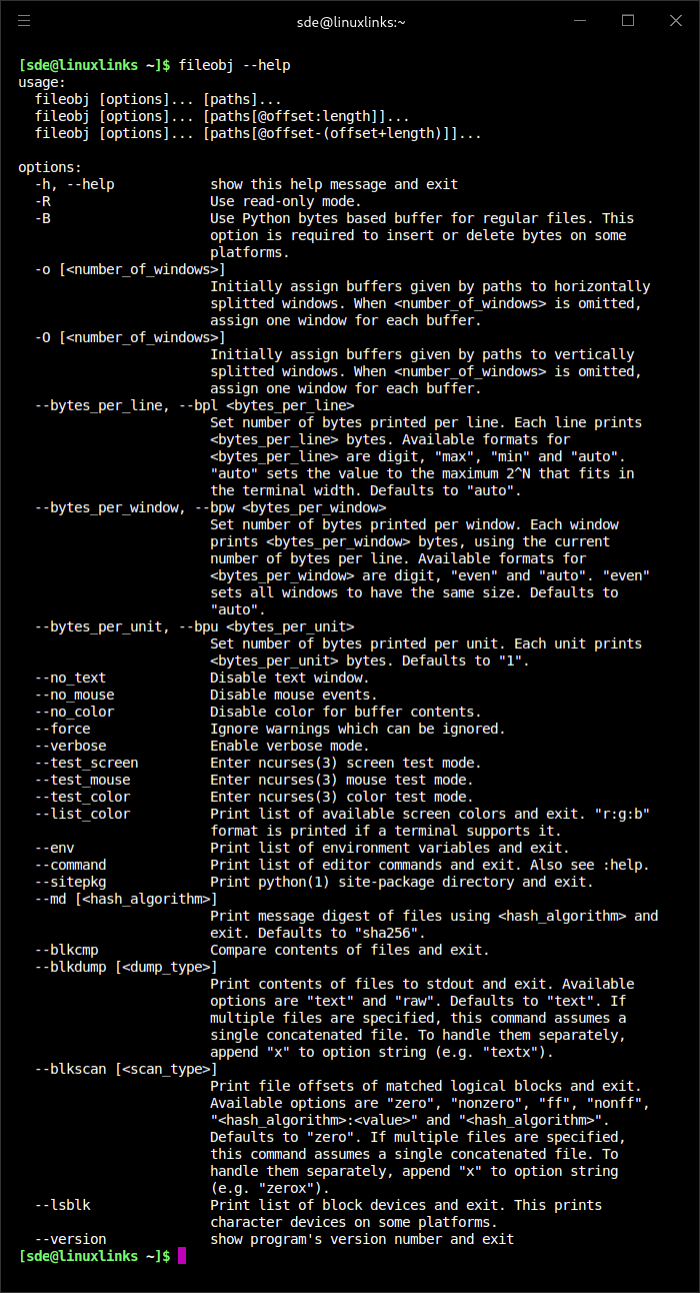
fileobj is an ncurses-based hex editor with a vi-style interface. It is designed for keyboard-driven binary editing and supports regular files as well as block devices.
The program can work with only part of a file by specifying an offset and length, which is useful when examining large files or disk images. It also supports several buffers and windows, allowing different parts of binary data to be inspected during the same session.
Its command set covers both basic byte manipulation and more specialised binary-analysis tasks while retaining familiar vi-inspired navigation.
This is free and open source software.
Key Features
- Provides an ncurses terminal interface with vi-style controls.
- Edits data in hexadecimal or ASCII form.
- Supports insertion, replacement and deletion of data.
- Offers cut, copy and paste operations.
- Provides undo and redo support.
- Supports visual selections for operating on byte ranges.
- Can load only a selected portion of a file by offset and length.
- Supports multiple buffers within the same session.
- Supports multiple windows for viewing binary data.
- Can work directly with block devices and raw disks.
- Maps binary data to C structures for interpreting structured content.
- Provides commands and options for scanning blocks of data.
- Can concatenate input data for inspection.
- Includes test modes for checking ncurses screen, colour and mouse behaviour.
- Runs on Linux and other Unix-like operating systems.
- Offers experimental Windows support with some feature limitations.
- Provides extensive command-line options, commands and configurable environment variables.
Website: github.com/kusumi/fileobj
Support:
Developer: Tomohiro Kusumi
License: BSD 2-Clause ‘Simplified’ License
fileobj is written in Python. Learn Python with our recommended free books and free tutorials.
Related Software
| Console-Based Hex Editors | |
|---|---|
| hexyl | Colored command-line hex viewer |
| hyx | Minimalistic hex editor |
| hexedit | View and edit hexadecimal files |
| hexer | Multi-buffer editor for binary files |
| dz6 | Terminal hex editor with Vim-inspired key bindings |
| hx | Hex editor using plain C and POSIX libs |
| poke | Extensible editor for inspecting and modifying structured binary data |
| Hextazy | Colorful hexadecimal editor |
| HexPatch | Interactive TUI for viewing, editing and patching binary files |
| hexhog | Configurable hex viewer and editor |
| DHEX | ncurses-based hex editor with diff mode |
| fileobj | ncurses based hex editor |
| vbl | Terminal-based hexadecimal viewer and editor for binary files |
| HexMe | Written in C++ that uses the Curses library |
| hexcurse-ng | Written in C |
| ddhx | Simple multi-platform modal text UI hex editor |
| bvi | Based on the vi text editor |
| XVI | Hex editor using ncurses |
| Hexit | Minimalistic hex editor |
Read our verdict in the software roundup.
 LinuxLinks helps you discover the best free and open source software for Linux. Explore our extensive collection of recommended applications, including alternatives to popular proprietary software. We also publish software reviews, Linux tutorials, hardware reviews, free programming books and articles covering the wider open source community. Browse our Linux resources to discover more. Know a useful free and open source Linux application we haven't covered? Suggest a program for inclusion. Has your software been featured on LinuxLinks? Display one of our Featured on LinuxLinks badges on your website or GitHub README. |
Please read our Comment Policy before commenting.