
Choosing a time for an international meeting gets fiddly when one person is several hours ahead and another is several hours behind. Seasonal clock changes can upset a slot that worked the week before.
Timezones puts your cities on a shared timeline. You can try a meeting time and see the corresponding local time in every city at a glance. The desktop interface uses GTK 4 and libadwaita.
This is free and open source software.
Installation
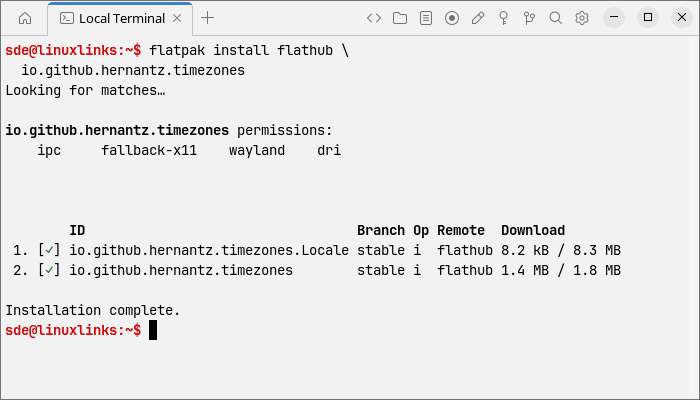
I’m reviewing version 1.1.0 on CachyOS. If you have Flatpak set up, you can install Timezones from Flathub.
flatpak install flathub \
  io.github.hernantz.timezones
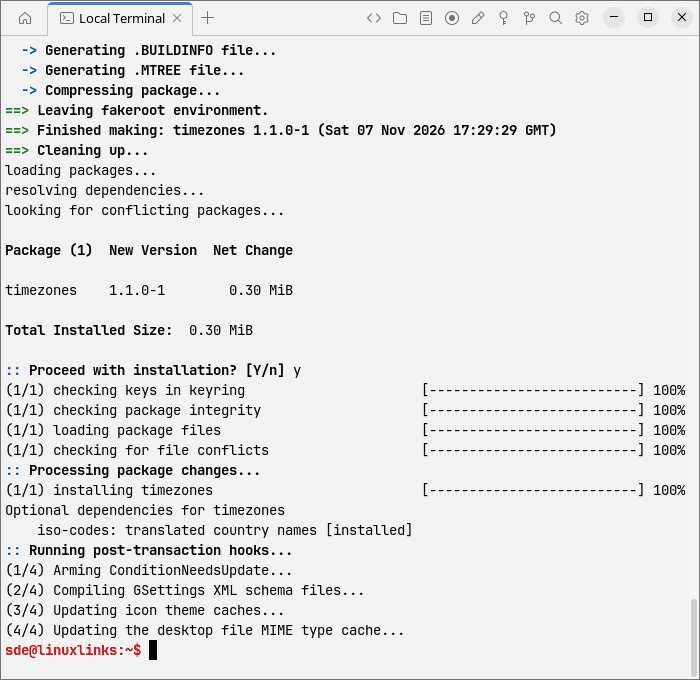
CachyOS and other Arch-based distributions can also use the Arch User Repository package. Install it with yay.
yay -S timezones
The developer provides a COPR repository for Fedora 43 and later. The project’s own Flatpak repository and source build instructions are also covered in the project’s installation guide.
In Operation
Timezones starts with an empty list on a fresh installation. Use the add button to search by city, country, time zone abbreviation or IANA identifier such as Europe/London. The search covers around 400 time zones and uses libgweather for additional city names.
Each city gets a row with its local time and an hour-by-hour strip. The first city you add becomes the reference for the timeline and for the offsets shown beside the other cities. To change it, choose Set as reference timezone from another city’s row menu.
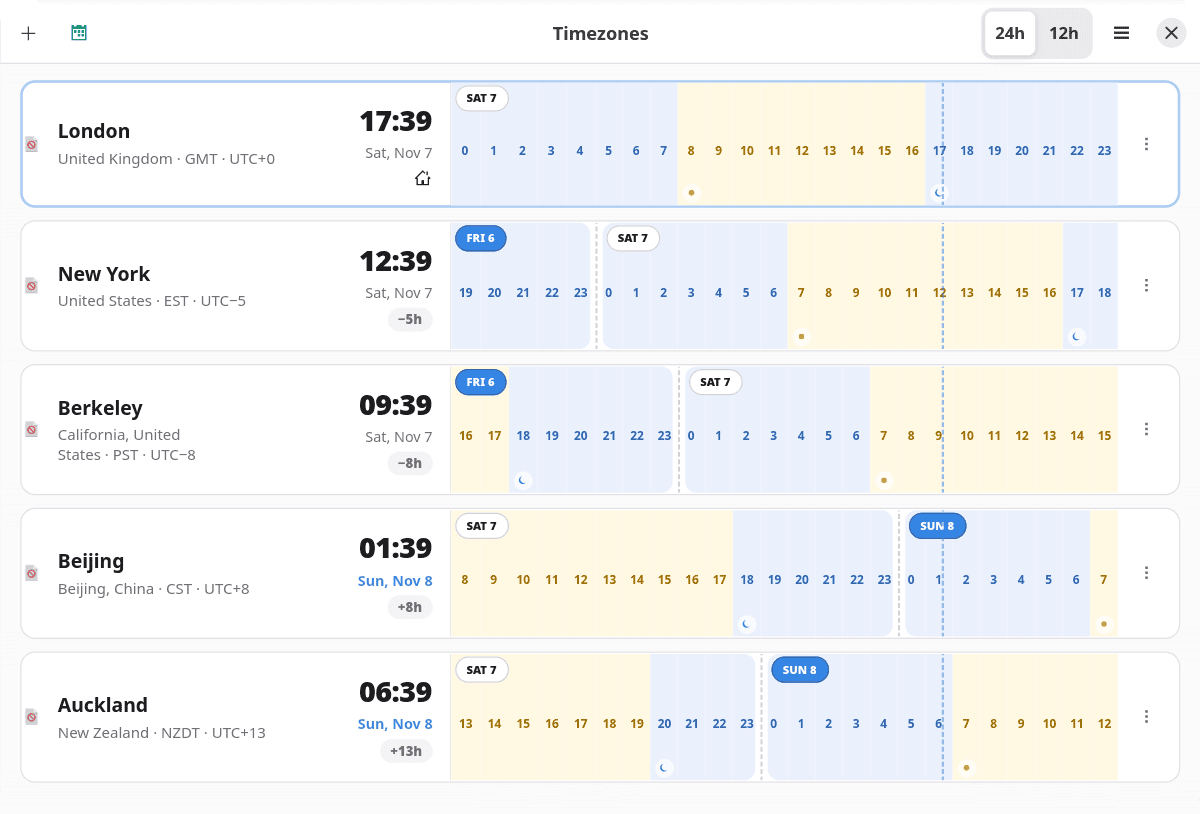
Move the pointer along the timeline to preview the local times, then click to pin the comparison on screen. You can also Tab to the timeline and use the left and right arrow keys to move in 15-minute steps. Enter or Space pins the selection, and Esc clears it.
Use the calendar button to compare times on another date. On 10 November 2026, for example, 16:00 in London is 11:00 in New York and 01:00 the following day in Tokyo. A date marker on the Tokyo row flags the rollover.
Daylight shading follows each city’s coordinates, with markers for sunrise and sunset. Timezones also flags seasonal clock changes. When the clocks go back in New York, the two occurrences of 01:30 are distinguished by EDT and EST.
Once you’ve pinned a time, you can copy the local times to the clipboard as text, with a date beside any city on a different day from the reference. Calendar export opens a 30-minute .ics event in the default calendar-file handler, with the city-by-city comparison in the description. You can adjust the duration and add attendees in your calendar.
Drag the rows to reorder them and give cities labels such as “Office” or “Family”. Rows can also be reordered from Preferences. Timezones supports 12- and 24-hour clocks, light and dark themes, and the option to follow the system appearance. You can switch off daylight shading and offset indicators. In a narrow window, each timeline sits below its city details.
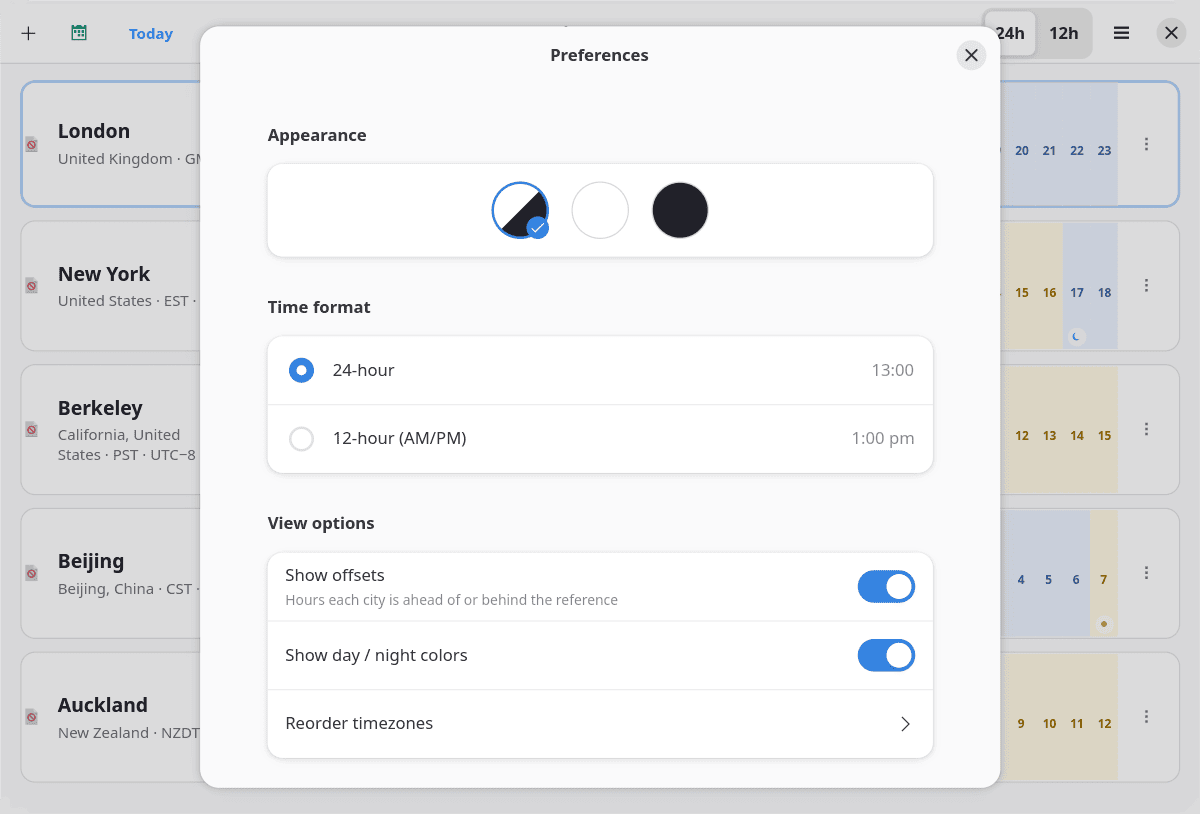
The city list, labels and reference are saved locally. A native installation uses ~/.config/timezones/cities.json by default.
Summary
Timezones is at its best when I’m weighing up a few possible meeting times. It’s quick to try another slot, and the plain-text export is handy when we’re still settling on a time in a group chat. The interface is slick and easy to use.
I’d like a working-hours overlay I could set for each city. That would help me narrow down the options before checking everyone’s availability in a calendar.
The useful ps_mem reports that memory usage is reasonable, hovering around 130MB.
Website: github.com/hernantz/timezones
Support:
Developer: Hernan Lozano
License: GNU General Public License v3.0
Timezones is written in Python. Learn Python with our recommended free books and free tutorials.
Related Software
| GUI Clocks | |
|---|---|
| KClock | Convergent clock application for KDE Plasma |
| GNOME Clocks | Stopwatch, timer, alarms, and multiple clocks |
| QTalarm | Qt based alarm clock |
| catclock | xclock with an enhanced cat mode |
| svg-clock | Analog clock using Scalable Vector Graphics |
| retro | Customizable clock widget |
| multiClock | Track the time around the world |
| Alarm Clock | Fully-featured alarm clock for your GNOME panel or equivalent |
| xdaliclock | Advanced xclock substitute |
| dclock | Displays the time in digital format only |
| Lumalarm | Smart alarm clock that wakes your computer from sleep |
| Hyprclock | Customisable clock application for the Hyprland window manager |
Please read our Comment Policy before commenting.