
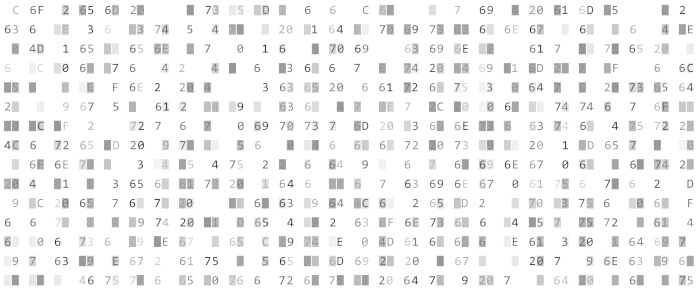
HexPatch is a terminal-based binary patcher and editor aimed at low-level inspection and modification of executable files.
Rather than treating binaries solely as streams of bytes, the program brings architecture-aware analysis and patching tools into the same keyboard-driven interface. This makes it particularly relevant to reverse engineering, vulnerability research, binary modification and debugging, while remaining usable from a Linux terminal or remote shell session.
This is free and open source software.
Key Features
- Disassembles machine instructions directly within the editing workflow.
- Assembles replacement instructions for creating binary patches.
- Supports COFF, ELF, Mach-O, PE and XCOFF executable formats.
- Handles architectures including x86, x86-64, ARM, AArch64, MIPS, PowerPC, RISC-V, S390x, SPARC64 and eBPF.
- Provides architecture-aware instruction highlighting.
- Lets users work with virtual addresses as well as raw file positions.
- Can edit files residing on remote systems through SSH and SFTP.
- Supports SSH public-key authentication as an alternative to passwords.
- Provides text and symbol searching to help locate relevant binary content.
- Offers a text-oriented view alongside its lower-level binary inspection facilities.
- Supports Lua plugins for extending file-format handling and other functionality.
- Allows a custom plugins directory to be selected from the command line.
- Provides configurable settings for adapting the interface and behaviour.
- Includes internationalisation support with multiple interface translations.
- Runs on Linux and other major desktop operating systems.
Website: github.com/Etto48/HexPatch
Support:
Developer: Ettore Ricci
License: GNU Affero General Public License v3.0
HexPatch is written in Rust. Learn Rust with our recommended free books and free tutorials.
Related Software
| Console-Based Hex Editors | |
|---|---|
| hexyl | Colored command-line hex viewer |
| DHEX | ncurses-based hex editor with diff mode |
| hexedit | View and edit hexadecimal files |
| hyx | Minimalistic hex editor |
| hexer | Multi-buffer editor for binary files |
| hx | Hex editor using plain C and POSIX libs |
| Hextazy | Colorful hexadecimal editor |
| hexhog | Configurable hex viewer and editor |
| fileobj | ncurses based hex editor |
| HexMe | Written in C++ that uses the Curses library |
| hexcurse-ng | Written in C |
| ddhx | Simple multi-platform modal text UI hex editor |
| bvi | Based on the vi text editor |
| XVI | Hex editor using ncurses |
| Hexit | Minimalistic hex editor |
Read our verdict in the software roundup.
| Alternatives to hexdump | |
|---|---|
| hexyl | Colored command-line hex viewer |
| DHEX | ncurses-based hex editor with diff mode |
| hexedit | View and edit hexadecimal files |
| hyx | Minimalistic but powerful hex editor |
| hexer | Multi-buffer editor for binary files |
| xxd | Make a hexdump or do the reverse |
| hx | Hex editor using plain C and POSIX libs |
 Explore our carefully curated directory of recommended free and open source software, covering every major software category. Explore our carefully curated directory of recommended free and open source software, covering every major software category.The directory forms part of our extensive collection of articles for Linux enthusiasts. It includes hundreds of detailed reviews, together with free and open source alternatives to proprietary software from companies such as Google, Microsoft, Apple, Adobe, IBM, Cisco, Oracle, and Autodesk. LinuxLinks also covers interesting projects worth exploring, Linux-compatible hardware, free programming books and tutorials, and much more. Know a useful free and open source Linux application that we haven’t covered? Tell us about it using our submission form. |
Please read our Comment Policy before commenting.