

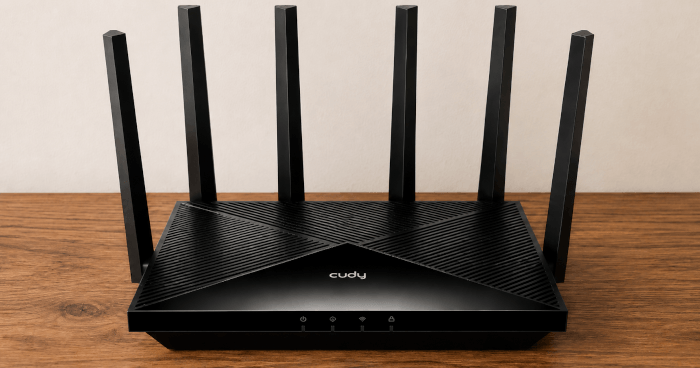
This is a review of the Cudy WR11000, a tri-band Wi-Fi 7 router with 2.4GHz, 5GHz, and 6GHz wireless, plus four 2.5GbE ports. It’s marketed as a BE11000-class router, which refers to its theoretical aggregate wireless speed class rather than the model name. That makes it more interesting than a typical ISP router, especially for anyone with a 2Gbps full-fibre connection and Linux systems with modern wireless hardware.
The Cudy WR11000 can be expanded into a mesh system using Cudy Mesh, although it’s not supplied as a ready-made router-and-satellite kit.
My comparison point is the Zyxel EX5601, a very capable Wi-Fi 6 AX6000 router and a much stronger baseline than many ISP-supplied routers in the UK. It offers good 5GHz performance, 2.5GbE WAN, one 2.5GbE LAN port, and coverage that will be sufficient for many homes. That gives the Cudy a stern test. It isn’t enough for the WR11000 to look better on a specification sheet; it needs to show that Wi-Fi 7, 6GHz, and its richer multi-gigabit networking bring a meaningful improvement in everyday Linux use. 6GHz is excellent close to the router and often superb in the same room, but it weakens more quickly through walls.
What Wi-Fi 7 adds
Wi-Fi 7 is the main reason to consider the WR11000 over the Zyxel EX5601. The Cudy supports the newer 802.11be standard, including wider channels and newer modulation. In practical terms, that means higher possible throughput, especially when using 6GHz.
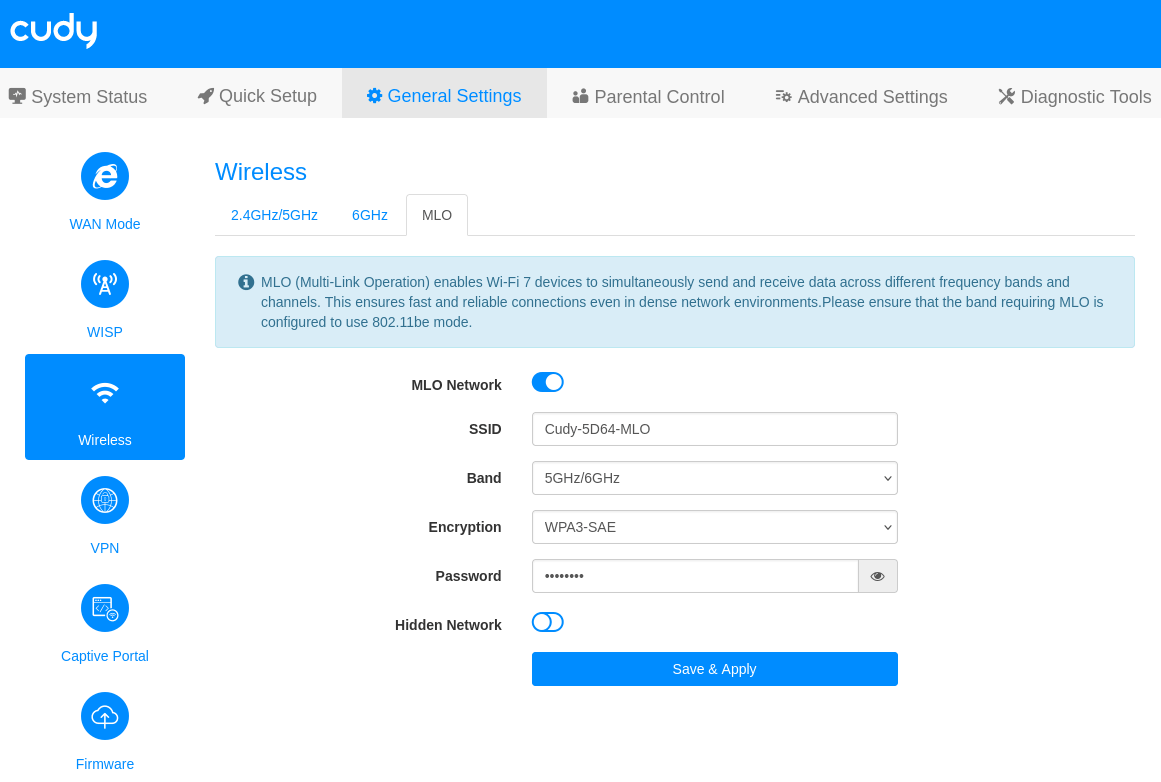
The most obvious Wi-Fi 7 feature is 320MHz channel width. Wi-Fi 6 tops out at 160MHz. Doubling the channel width can greatly increase peak speed, but only when the client, router, regulatory domain, and local wireless conditions allow it. Under Linux, this is something to verify with iw, not assume. The second important feature is 4K-QAM. This packs more data into each transmission than Wi-Fi 6’s 1024-QAM. The benefit is higher speed, but it needs a strong clean signal. It’s most likely to help near the router rather than through several walls. The third feature is MLO, or Multi-Link Operation. MLO lets a Wi-Fi 7 client use multiple links at the same time. On the Cudy, that means 5GHz and 6GHz, which can improve performance and latency.
The Cudy also supports features such as OFDMA, MU-MIMO, beamforming, and puncturing. These are about making better use of airtime and spectrum, particularly when multiple devices are active. They’re harder to demonstrate in a simple benchmark.
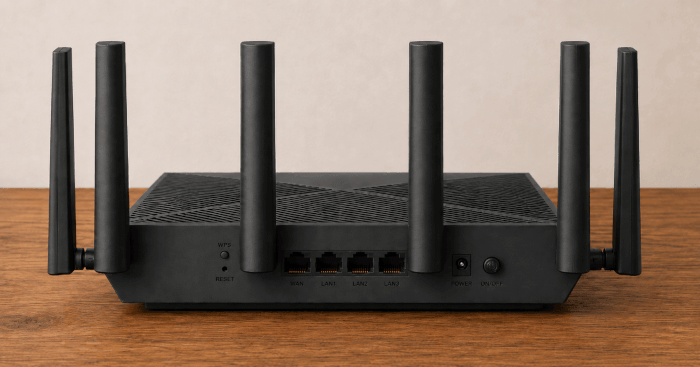
The extra 2.5GbE ports are also important. The Zyxel gives you one 2.5GbE LAN port. The Cudy gives you three 2.5GbE LAN ports when used as the main router. That’s a real advantage.
MLO is not enabled by default on the Cudy, but it’s worth switching on if you have Wi-Fi 7 clients. It shouldn’t be treated as a simple speed boost, though, so I also tested the router separately on 5GHz and 6GHz.
Linux testing
The WR11000 was tested from three locations: 5m from the router, a bedroom, and my home office. The bedroom is located directly above the room where the router sits, so this is mainly a floor/ceiling test rather than a long-distance test. The office is also upstairs, but it’s further away from the router and has an additional wall in the signal path, making it the more demanding real-world location. Bear in mind that the UK has the smallest house sizes on average in Europe.
I tested the router with three Wi-Fi 7 systems: the Minisforum MS-02 Ultra with an Intel Core Ultra 9 285HX, the Minisforum M2 with an Intel Core Ultra 7 356H, and the BOSGAME VTA-439 with an AMD Ryzen AI 9 HX 470. For brevity, I’m not going to show detailed results from every machine in all three locations.
I used Linux command-line tools including iperf3, ping, and iw to show throughput, latency, and the actual wireless link negotiated by Linux.
Next page: Page 2 – 5m from router line of sight
Pages in this article:
Page 1 – Introduction
Page 2 – 5m from router line of sight
Page 3 – Bedroom
Page 4 – Office
Page 5 – Power Consumption and Summary
Please read our Comment Policy before commenting.