

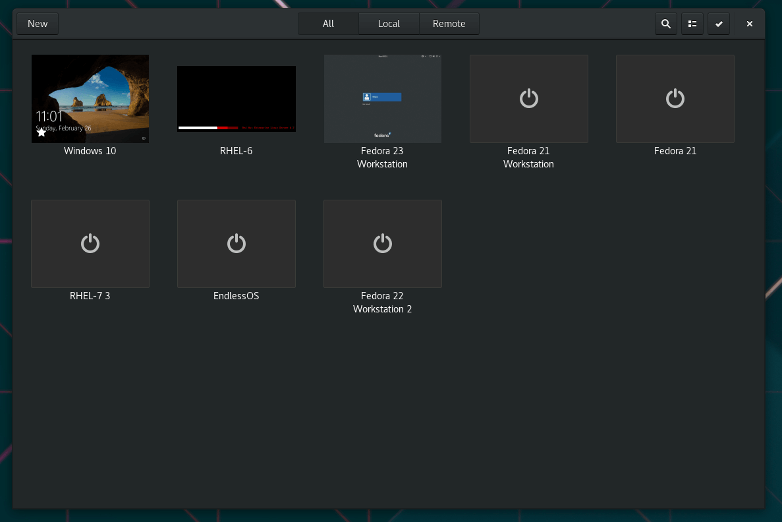
Boxes is a simple GNOME application to view, access, and manage remote and virtual systems.
Boxes is targeted towards a typical desktop end-user who wants either a very safe and easy way to try out new operating systems or new (potentially unstable) versions of her/his favorite operating system(s), or needs to connect to a remote machine (home-office connection being a typical use-case). For this reason, Boxes does not provide many of the advanced options to tweak virtual machines provided by virt-manager. Instead, Boxes focuses on getting things working out of the box with very little input from user.
This is free and open source software.
Features include:
- Select an operating system and let Boxes download and install it for you in a virtual machine.
- Download freely available operating systems.
- Automatically install CentOS Stream, Debian, Fedora, Microsoft Windows, OpenSUSE, Red Hat Enterprise Linux, and Ubuntu.
- Create virtual machines from operating system images with a couple of clicks.
- Limit the resources (memory and storage) your virtual machines consume from your system.
- Take snapshots of virtual machines to restore to previous states.
- Redirect USB devices from your physical machine into virtual machines.
- 3D acceleration for some of the supported operating systems.
- Automatically resize virtual machines displays to the window size.
- Share clipboard between your system and virtual machines.
- Share files to virtual machines by dropping them from your file manager into the Boxes window.
- Setup Shared Folders between your system and virtual machines.
Website: apps.gnome.org/Boxes
Support: GitLab Code Repository
Developer: Felipe Borges
License: GNU General Public License v2.0
Boxes is written in Vala. Learn Vala with our recommended free books and free tutorials.
This article was written with the help of a site visitor who completed this form. Help the site by suggesting new open source software.
Related Software
| Virtualization Tools | |
|---|---|
| VirtualBox | Powerful x86 and AMD64/Intel64 virtualization software |
| Quickemu | Wrapper for QEMU that automatically “does the right thing” |
| QEMU | Machine emulator and virtualizer |
| Multipass | Lightweight virtual machine manager |
| Boxes | View, access, and manage remote and virtual systems |
| virt-manager | Desktop tool for managing virtual machines via libvirt |
| Incus | Secure and powerful system container and virtual machine manager |
| Quickgui | Gaphical user interface for the Quickemu virtual machine manager. |
| Kudu | Create and manage QEMU virtual machines from the terminal |
| Cockpit Machines | Web interface for managing virtual machines |
| Cassowary | Run Windows virtual machine on Linux |
Read our verdict in the software roundup.
 Explore our carefully curated directory of recommended free and open source software, covering every major software category. Explore our carefully curated directory of recommended free and open source software, covering every major software category.The directory forms part of our extensive collection of articles for Linux enthusiasts. It includes hundreds of detailed reviews, together with free and open source alternatives to proprietary software from companies such as Google, Microsoft, Apple, Adobe, IBM, Cisco, Oracle, and Autodesk. LinuxLinks also covers interesting projects worth exploring, Linux-compatible hardware, free programming books and tutorials, and much more. Know a useful free and open source Linux application that we haven’t covered? Tell us about it using our submission form. |
Please read our Comment Policy before commenting.
My program of choice for running virtual machines. I use the Flatpak version on Debian.
I’m currently compiling a roundup of these Type-2 (hosted hypervisors) which will include Boxes.