

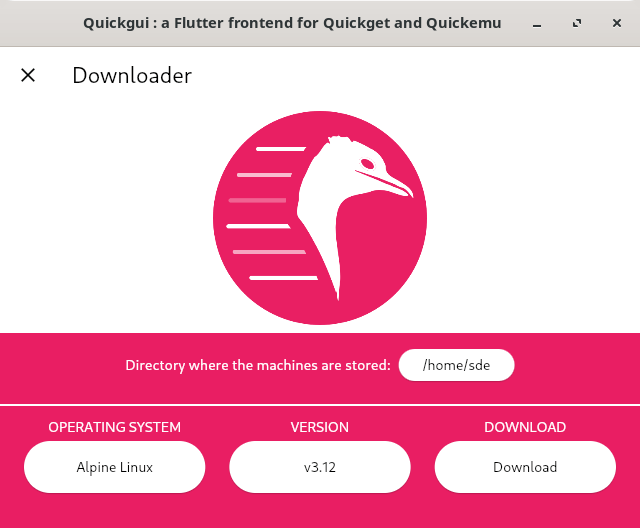
Quickgui is a graphical user interface for the Quickemu virtual machine manager.
Quickgui enables you to create and manage virtual machines from a simple and elegant interface. Nearly 1,000 operating systems supported including Windows, macOS, BSDs, and 100s of Linux distros. All with automated downloads and configuration.
This is free and open source software.
Features include:
- AppImage is available. Packages available for Debian/Ubuntu and Fedora.
Website: github.com/quickemu-project/quickgui
Support:
Developer: Quickemu Project
License: MIT License
Quickgui is written in Dart. Learn Dart with our recommended free books and free tutorials.
Related Software
| Virtualization Tools | |
|---|---|
| VirtualBox | Powerful x86 and AMD64/Intel64 virtualization software |
| Quickemu | Wrapper for QEMU that automatically “does the right thing” |
| QEMU | Machine emulator and virtualizer |
| Multipass | Lightweight virtual machine manager |
| Boxes | View, access, and manage remote and virtual systems |
| virt-manager | Desktop tool for managing virtual machines via libvirt |
| Incus | Secure and powerful system container and virtual machine manager |
| Quickgui | Gaphical user interface for the Quickemu virtual machine manager. |
| Kudu | Create and manage QEMU virtual machines from the terminal |
| Cockpit Machines | Web interface for managing virtual machines |
| Cassowary | Run Windows virtual machine on Linux |
Read our verdict in the software roundup.
 LinuxLinks helps you discover the best free and open source software for Linux. Explore our extensive collection of recommended applications, including alternatives to popular proprietary software. LinuxLinks helps you discover the best free and open source software for Linux. Explore our extensive collection of recommended applications, including alternatives to popular proprietary software.We also publish software reviews, Linux tutorials, hardware reviews, free programming books and articles covering the wider open source community. Browse our Linux resources to discover more. Know a useful free and open source Linux application we haven't covered? Suggest a program for inclusion. Has your software been featured on LinuxLinks? Display one of our Featured on LinuxLinks badges on your website or GitHub README. |
Please read our Comment Policy before commenting.