

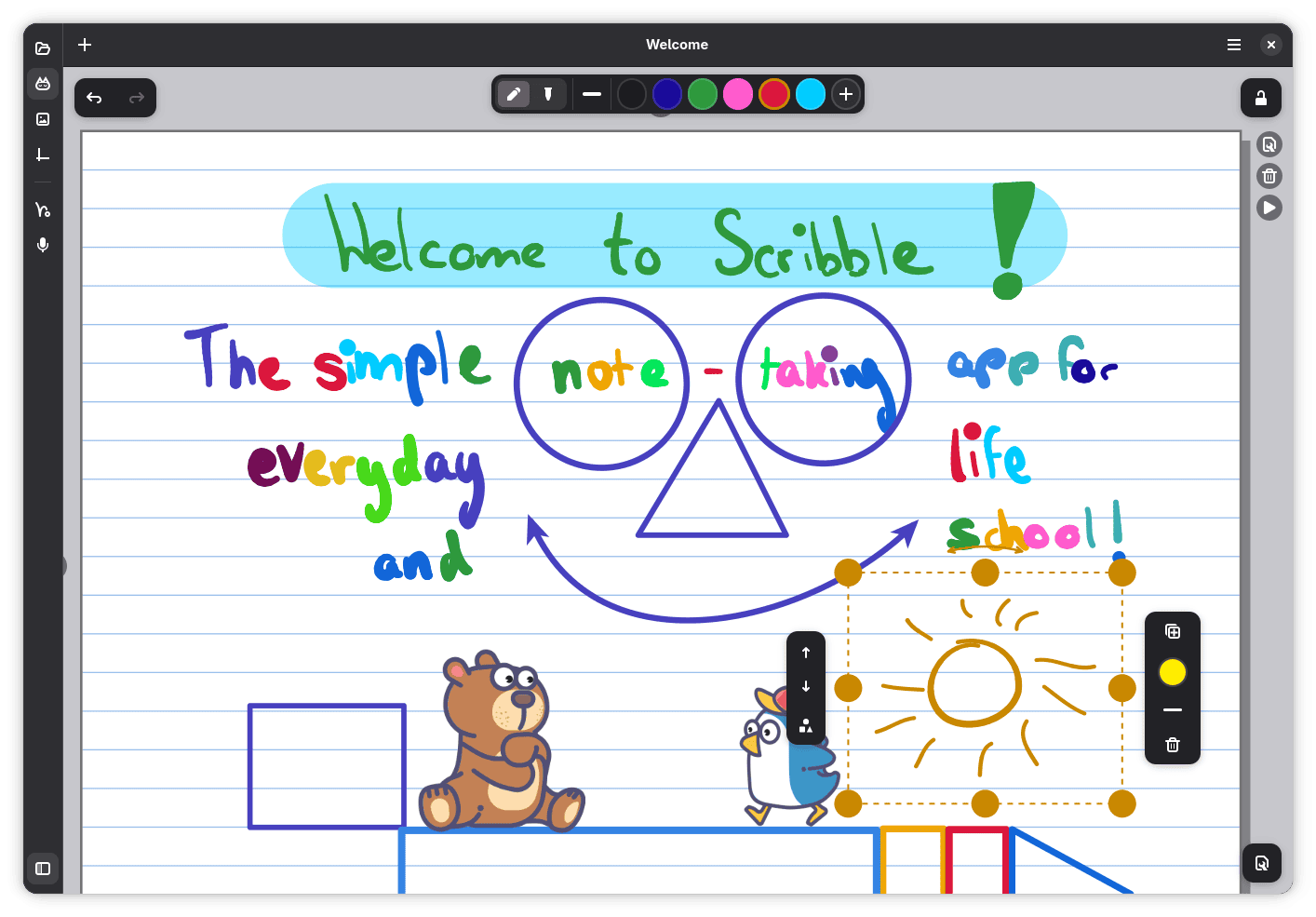
Scribble is a handwriting application designed primarily for schoolchildren to take notes, complete homework and work through exercises using a pen or stylus.
The application provides a flexible canvas that behaves much like a digital notebook. It is particularly useful for subjects where handwriting, mathematical notation and diagrams are more practical than typing. Students can work directly on worksheets, while teachers can use the same tools to explain concepts and present worked examples.
Scribble combines freehand drawing with tools for manipulating objects and organising pages. Its interface accommodates both touch-based interaction and conventional desktop input, making it suitable for computers with or without a touchscreen.
This is free and open source software.
Key Features
- Freehand writing and drawing using a stylus, graphics tablet, touchscreen, touchpad or mouse.
- Pen, highlighter and eraser tools with adjustable colours and pen sizes.
- Choose ruled, squared, music and other school-paper backgrounds.
- Import PDF worksheets and write directly over their pages.
- Recognise hand-drawn shapes, arrows and diagrams by holding the pen still after drawing.
- Select, move, resize and rotate drawings, with alignment guides for positioning objects.
- Use lasso and rectangular selection tools to manipulate handwritten content.
- Add pictures, stickers, sticky notes and coordinate grids to documents.
- Crop pictures, apply a text-enhancing filter and insert images from the clipboard.
- Save selected drawings as reusable stickers.
- Zoom extensively and organise documents into multiple reorderable pages.
- Plot multiple mathematical functions on a coordinate system.
- Record lectures and other audio directly into documents, with playback and speed controls.
- Present pages as slides with thumbnail navigation and animation controls.
- Export completed documents to PDF.
- Open multiple documents in separate windows.
- Built-in help explaining drawing, selection and navigation gestures.
Website: codeberg.org/petsoi/scribble
Support:
Developer: Peter Sonntag
License: GNU General Public License v3.0
Scribble is written in Rust. Learn Rust with our recommended free books and free tutorials.
Related Software
| Handwritten GUI Notes Apps | |
|---|---|
| Xournal++ | Handwriting notetaking software with PDF annotation support |
| Rnote | Sketch and take handwritten notes |
| Saber | Notes app built for handwriting |
| SpeedyNote | Built for classic tablet PCs, low-resolution screens, and vintage hardware. |
| Butterfly | Provides a simple UI with powerful customization. |
| Lorien | Infinite canvas drawing/note-taking app |
| Write | Designed for note-taking, brainstorming, and sketching. |
| Writernote | Take notes in an intelligent way |
Read our verdict in the software roundup.
 LinuxLinks helps you discover the best free and open source software for Linux. Explore our extensive collection of recommended applications, including alternatives to popular proprietary software. We also publish software reviews, Linux tutorials, hardware reviews, free programming books and articles covering the wider open source community. Browse our Linux resources to discover more. Know a useful free and open source Linux application we haven't covered? Suggest a program for inclusion. Has your software been featured on LinuxLinks? Display one of our Featured on LinuxLinks badges on your website or GitHub README. |
Please read our Comment Policy before commenting.