

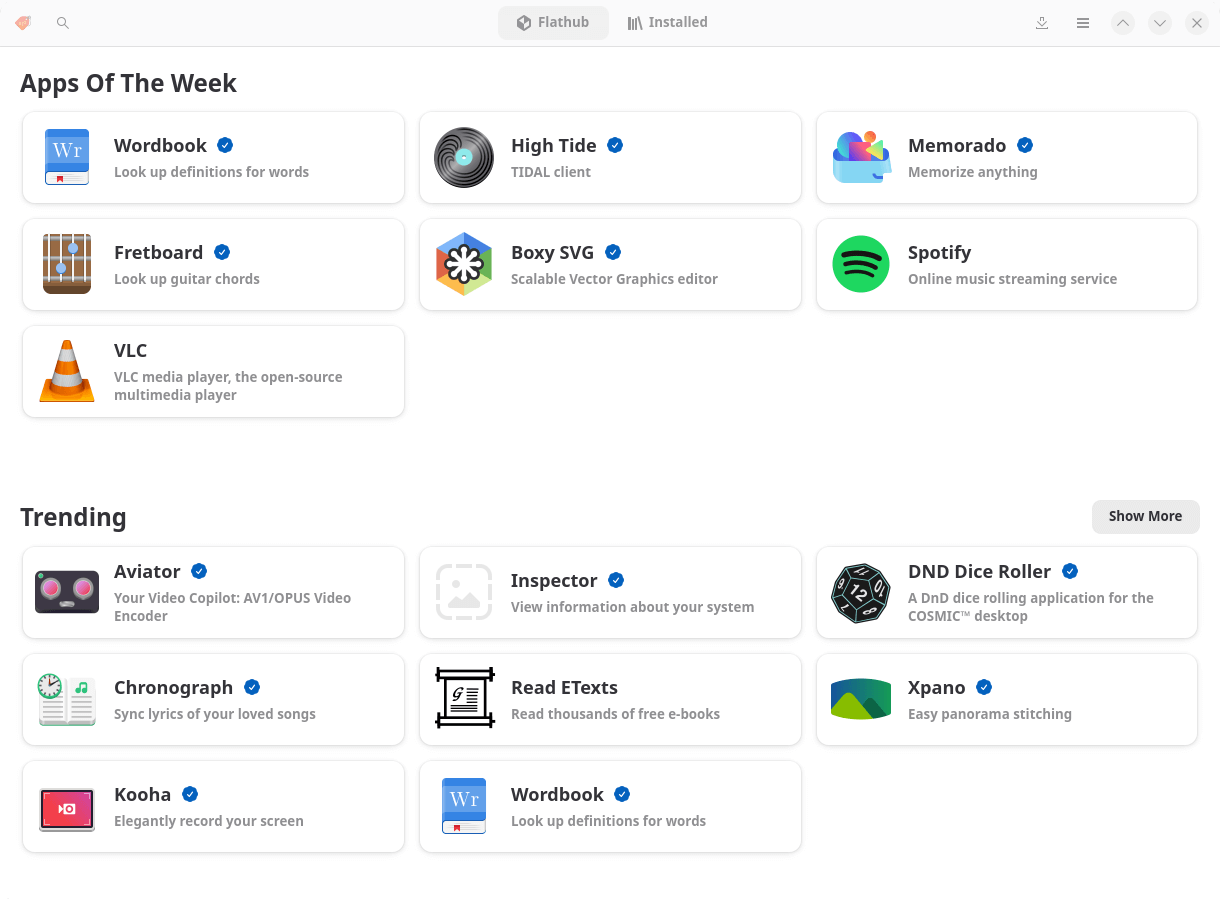
Bazaar is a graphical application store for Linux with a focus on discovering, installing and managing software distributed through Flatpak repositories, particularly Flathub. Its interface provides a convenient way to explore software, inspect application details and manage installed packages.
The application offers browsing by category, searching and curated software collections. Users can sign in to their Flathub account to access and manage their favourite applications. Application pages provide screenshots, descriptions, permissions information and other details to help users make informed installation decisions.
Bazaar uses a highly concurrent architecture that separates background operations from its graphical interface. Multiple installations can be queued while users continue browsing. A unified Library page brings together installed applications, available updates and ongoing transactions. It also provides facilities for removing applications, inspecting storage usage and managing cached data.
The application integrates with GNOME Shell’s search functionality, allowing software to be discovered directly from the desktop. Support for KRunner extends its usefulness to KDE Plasma users. Bazaar also places an emphasis on supporting application developers, with integrated donation links and promotional facilities.
This is free and open source software.
Key Features
- Discover and install applications and add-ons from Flatpak repositories, particularly Flathub.
- Browse software by category and explore curated application collections.
- Search applications using an interface that prioritises relevant results.
- Sign in to a Flathub account to view and manage favourite applications.
- Inspect application descriptions, screenshots and permissions before installation.
- Queue multiple installations while continuing to browse the catalogue.
- Manage installed applications, available updates and active transactions from a unified Library page.
- View installed application versions and associated runtime information.
- View and remove user-scoped Flatpak installations.
- Install local Flatpak bundles and handle Flatpak reference files.
- View and delete application caches to recover storage space.
- Cancel supported installation and update transactions.
- Display warnings when application updates request additional permissions.
- Integrate with GNOME Shell search and KDE Plasma’s KRunner.
- Support configurable curated collections for Linux distributors.
- Display donation opportunities that help users support application developers.
- Provide an adaptive interface suitable for different window sizes.
Website: gitlab.gnome.org/World/bazaar
Support:
Developer: The Bazaar Contributors
License: GNU General Public License v3.0
Bazaar is written in C. Learn C with our recommended free books and free tutorials.
Related Software
| Flatpak Tools | |
|---|---|
| Warehouse | Versatile GNOME-based toolbox for managing Flatpaks |
| Flatseal | Graphical utility to review and modify permissions |
| Flatpak KCM | Flatpak Permissions Management |
| malcontent | Implements parental controls support |
| Flatsweep | Flatpak leftover cleaner |
| Easy Flatpak | Manage flatpaks with a simple GUI |
| bauh | Graphical interface that lets you manage your software. |
| FlatSync | Synchronize flatpak applications between devices |
| Bazaar | App store for GNOME |
| jdFlatpakSnapshot | Create snapshot of a Flatpak’s data |
| Outlet | Application management client for Flatpak |
Read our verdict in the software roundup.
 Explore our carefully curated directory of recommended free and open source software, covering every major software category. Explore our carefully curated directory of recommended free and open source software, covering every major software category.The directory forms part of our extensive collection of articles for Linux enthusiasts. It includes hundreds of detailed reviews, together with free and open source alternatives to proprietary software from companies such as Google, Microsoft, Apple, Adobe, IBM, Cisco, Oracle, and Autodesk. LinuxLinks also covers interesting projects worth exploring, Linux-compatible hardware, free programming books and tutorials, and much more. Know a useful free and open source Linux application that we haven’t covered? Tell us about it using our submission form. |
Please read our Comment Policy before commenting.