

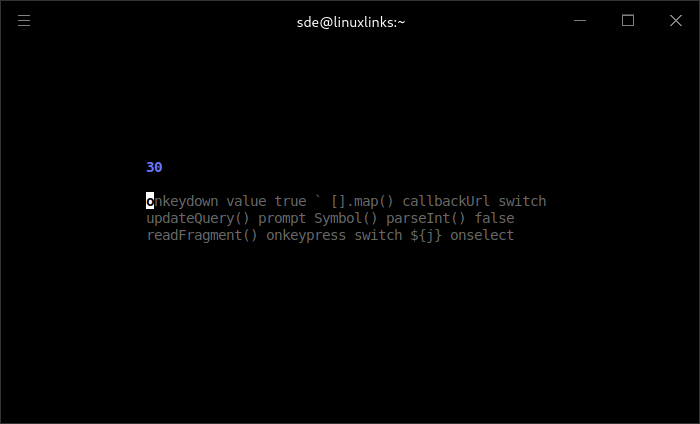
typtea is a terminal-based typing speed tester aimed at users who want to practise typing ordinary text and programming vocabulary. Its interface is deliberately minimal, displaying a continuously scrolling stream of words and measuring typing performance as the exercise progresses.
The program includes English vocabulary alongside collections associated with numerous programming languages. This makes it useful for developers who want to become more comfortable typing technical keywords, identifiers and syntax-related terms. Users can select a collection and specify how long the exercise should run.
Rather than presenting a fixed passage, typtea generates words continuously. The display scrolls through a small number of lines, keeping the typing area compact and making it suitable for quick practice sessions in a terminal window.
This is free and open source software.
Key Features
- Terminal typing exercises with words-per-minute and accuracy measurements.
- English vocabulary collection for general typing practice.
- Typing collections covering more than 30 programming and technical languages.
- Practice material for languages including C, C++, Go, Java, JavaScript, Python, Rust, Ruby and TypeScript.
- Additional collections for SQL, HTML, CSS, JSON, YAML, Bash and other technical formats.
- Continuous word generation during exercises.
- Scrolling typing display showing three lines of text.
- Configurable test duration.
- Choose a vocabulary collection before beginning a test.
- Typing metrics calculated using conventional speed-testing formulas.
- Correct mistakes using backspace during a session.
- Restart a completed exercise from the keyboard.
Website: github.com/ashish0kumar/typtea
Support:
Developer: Ashish Kumar
License: MIT License
typtea is written in Go. Learn Go with our recommended free books and free tutorials.
Related Software
| TUI Typing Tutors | |
|---|---|
| ttyper | Supports languages including English, German, Norwegian, Ukrainian, Spanish |
| Smassh | TUI based typing test application inspired by MonkeyType |
| GitType | Turn your source code into typing challenges |
| toipe | Trusty terminal typing tester |
| typioca | Minimal terminal based typing speed tester |
| GNU Typist | Simple ncurses touch typing tutor |
| tt | Terminal based typing test |
| typtea | Typing speed tester supporting dozens of programming languages |
| Typeracer | Terminal typing game |
| thokr | Sleek typing TUI with visualized results and historical logging |
| toofan | Terminal typing practice tool |
| Couik | Terminal-based typing test |
| OctoType | TUI typing trainer made with Ratatui |
| typomat | Command-line typing practice tool |
| Termitype | Feature-rich typing test with detailed performance statistics |
| typa | Minimal typing speed test focused on quick practice sessions |
| Textype | Supports structured lessons, sentence practice, code typing |
| olagem | Terminal based typing speed test |
Read our verdict in the software roundup.
 LinuxLinks helps you discover the best free and open source software for Linux. Explore our extensive collection of recommended applications, including alternatives to popular proprietary software. We also publish software reviews, Linux tutorials, hardware reviews, free programming books and articles covering the wider open source community. Browse our Linux resources to discover more. Know a useful free and open source Linux application we haven't covered? Suggest a program for inclusion. Has your software been featured on LinuxLinks? Display one of our Featured on LinuxLinks badges on your website or GitHub README. |
Please read our Comment Policy before commenting.