

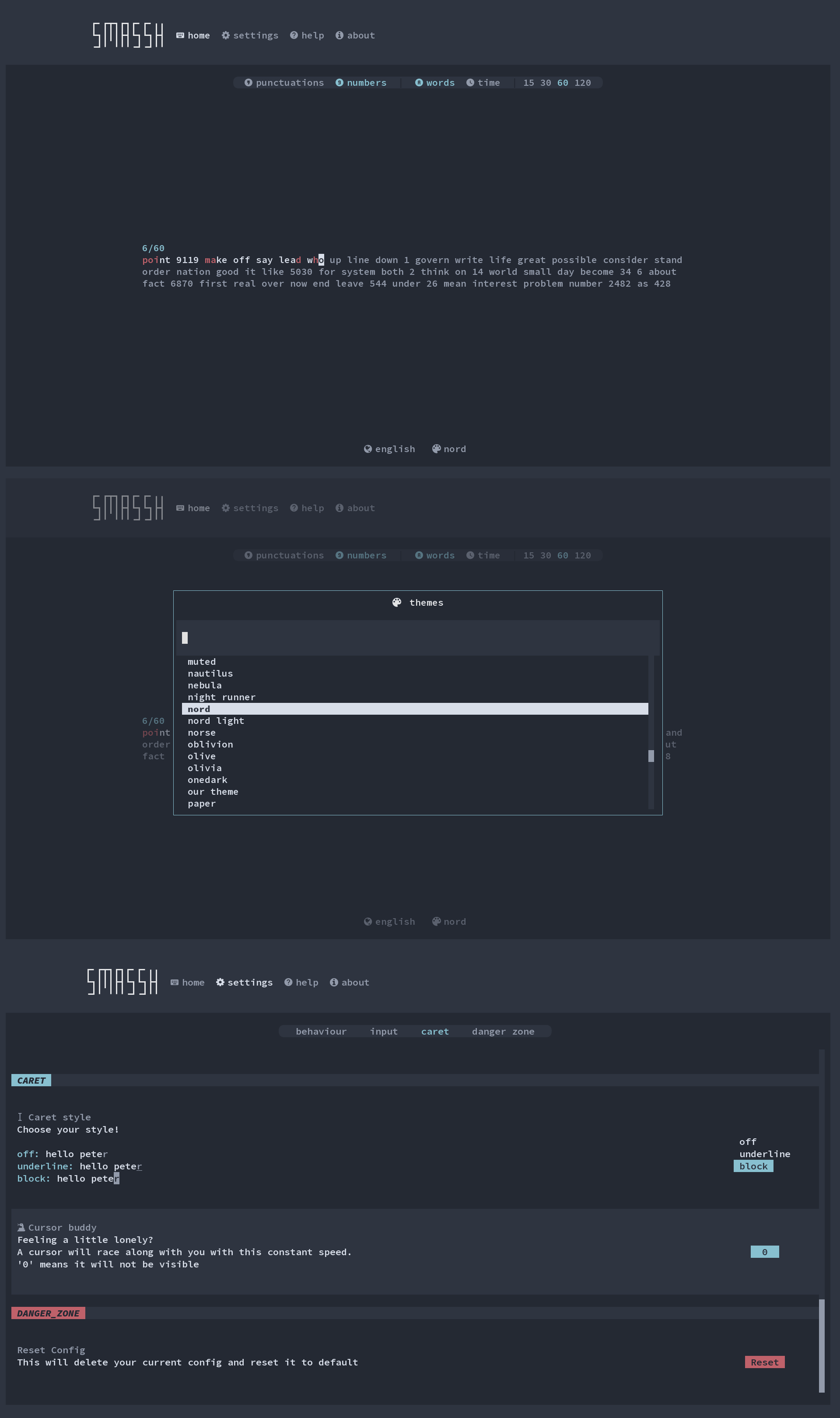
Smassh is a terminal-based typing test inspired by Monkeytype, the online typing practice application. It brings a similar emphasis on configurable exercises and visual presentation to a text user interface, allowing users to practise without opening a web browser.
The application offers several ways to control the difficulty and behaviour of a typing session. Users can practise against a time limit or complete a specified number of words, with settings that change how mistakes are displayed and corrected. These options make it suitable for both straightforward speed tests and more demanding accuracy exercises.
Smassh also provides an extensive selection of appearance settings. Users can change themes and cursor behaviour while working, allowing the interface to be adapted to different terminal environments and personal preferences.
This is free and open source software.
Key Features
- Timed typing tests and word-count-based exercises.
- Interactive terminal interface with immediate visual feedback.
- Real-time comparison of typing speed carets.
- Multiple language dictionaries for typing practice.
- Built-in themes for changing the interface appearance.
- Change styles and settings during a typing session.
- Blind mode that hides typing mistakes during the exercise.
- Optional capital letters within generated test material.
- Customisable caret styles.
- Confidence mode that prevents using backspace.
- Cursor Buddy option for an additional moving cursor indicator.
- Configurable difficulty controlling the treatment of incorrect keystrokes.
- Force Correct mode requiring mistakes to be corrected before proceeding.
- Minimum accuracy, burst speed and overall speed thresholds.
- Tab-based test resetting.
- Cross-platform support – runs on Linux, macOS, and Windows.
Website: github.com/kraanzu/smassh
Support:
Developer: Murli Tawari
License: GNU General Public License v3.0
Smassh is written in Python. Learn Python with our recommended free books and free tutorials.
Related Software
| TUI Typing Tutors | |
|---|---|
| ttyper | Supports languages including English, German, Norwegian, Ukrainian, Spanish |
| Smassh | TUI based typing test application inspired by MonkeyType |
| GitType | Turn your source code into typing challenges |
| toipe | Trusty terminal typing tester |
| typioca | Minimal terminal based typing speed tester |
| GNU Typist | Simple ncurses touch typing tutor |
| tt | Terminal based typing test |
| typtea | Typing speed tester supporting dozens of programming languages |
| Typeracer | Terminal typing game |
| thokr | Sleek typing TUI with visualized results and historical logging |
| toofan | Terminal typing practice tool |
| Couik | Terminal-based typing test |
| OctoType | TUI typing trainer made with Ratatui |
| typomat | Command-line typing practice tool |
| Termitype | Feature-rich typing test with detailed performance statistics |
| typa | Minimal typing speed test focused on quick practice sessions |
| Textype | Supports structured lessons, sentence practice, code typing |
| olagem | Terminal based typing speed test |
Read our verdict in the software roundup.
 LinuxLinks helps you discover the best free and open source software for Linux. Explore our extensive collection of recommended applications, including alternatives to popular proprietary software. We also publish software reviews, Linux tutorials, hardware reviews, free programming books and articles covering the wider open source community. Browse our Linux resources to discover more. Know a useful free and open source Linux application we haven't covered? Suggest a program for inclusion. Has your software been featured on LinuxLinks? Display one of our Featured on LinuxLinks badges on your website or GitHub README. |
Please read our Comment Policy before commenting.