
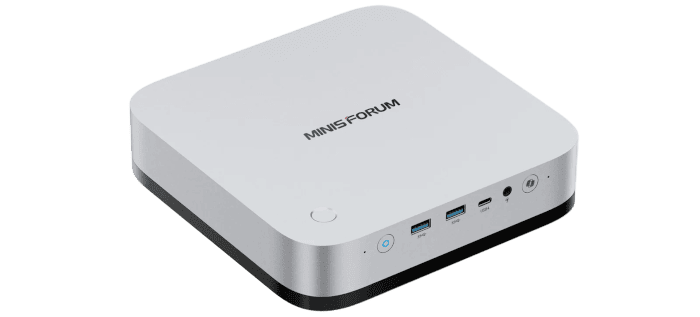
For this part of my Minisforum M2 Pro series, I’m running large language models (LLMs) locally to answer questions and help with coding tasks. I used Lemonade Server to test Qwen3 4B alongside two larger models, Qwen3.6 35B-A3B MTP and Ornith 1.5 35B-A3B. I wanted to find out how long each takes to start replying, how quickly it generates an answer and how much memory it uses.
My M2 Pro-358H has an Intel Core Ultra X7 358H processor with Arc B390 integrated graphics featuring 12 Xe3 cores. I used that GPU to run all three models. The GPU shares the machine’s 32GB of LPDDR5X memory, running at 7467 MT/s, with Linux and my other applications. Fitting a larger model into memory is therefore only part of the question: I also want enough memory left to keep using the desktop comfortably. I covered the hardware in the first article in this series.
What is a large language model?
An LLM is a model trained on large amounts of text to generate responses to prompts. If I ask one to explain a shell command, it writes a reply in pieces called tokens. A token can be a word, part of a word or a punctuation mark. The question, any earlier messages and the reply all take up space in the context window.
A model’s parameters are numerical values learned during training, including the weights that determine how it processes information. The two larger models have roughly 35 billion parameters. They use a mixture-of-experts design, which means around 3 billion parameters are active for each token. That’s where the A3B in their names comes from. Different experts can be selected for each token, so the full set of weights still needs to be available.
I used GGUF versions of all three models with llama.cpp, the software that runs them. Quantisation reduces the space the weights take up on disk and in memory. The Q4 builds I used store many of their weights at around four bits. I start with the file size when working out whether a model will fit, then allow extra space for the context cache and working buffers.
Lemonade Server
Lemonade Server downloads the models and starts the engine that runs them. I can chat with a model in the browser or connect another application to its OpenAI-compatible API. I used the llama.cpp Vulkan backend to run the models on the Arc B390.
Installation
On CachyOS, install Lemonade Server with pacman and start its systemd service.
sudo pacman -S lemonade-server
sudo systemctl enable --now lemond
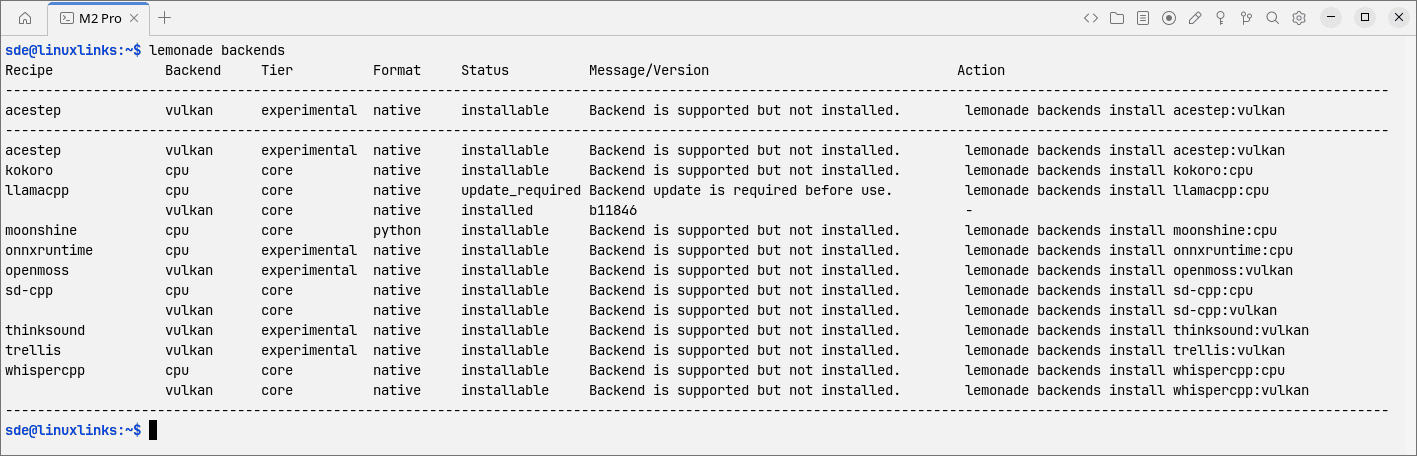
With the service running, open http://localhost:13305 in your browser. Back in the terminal, the first command lists the available backends. The second installs the Vulkan build of llama.cpp.
lemonade backends
lemonade backends install llamacpp:vulkan
Qwen3 4B (Q4_0)
At about 2.4GB, Qwen3 4B is a small download compared with the two 35B models and a good way to check that Vulkan is working.
lemonade pull Qwen3-4B-GGUF
lemonade run Qwen3-4B-GGUF \
  --llamacpp vulkan --ctx-size 4096
The run command opens the browser chat. Try asking the model to explain the difference between a hard link and a symbolic link.
Qwen3.6 35B-A3B MTP (UD-Q4_K_M)
Qwen3.6 was my general-purpose 35B model. The Unsloth quantisation I used takes up 22.7GB on disk. Lemonade registers it under the name shown in the run command.
lemonade pull \
  unsloth/Qwen3.6-35B-A3B-MTP-GGUF:UD-Q4_K_M

lemonade run \
  user.Qwen3.6-35B-A3B-MTP-GGUF-UD-Q4_K_M \
  --llamacpp vulkan --ctx-size 4096
Ornith 1.5 35B-A3B (Q4_K_M)
I picked Ornith for the coding side. Its developers tuned it for coding agents that work with tools and repositories. The Q4_K_M build in Lemonade’s catalogue is a download of about 22.6GB.
lemonade pull Ornith-1.5-35B-A3B-GGUF
lemonade run Ornith-1.5-35B-A3B-GGUF \
  --llamacpp vulkan --ctx-size 4096
Benchmark setup
For each model I ran two chat tests with different reply lengths and three coding tests covering writing, explaining and debugging code. I used Vulkan and a 4,096-token context throughout, with five runs per scenario. The benchmarks measure speed and memory use.
I measured time to first token (TTFT) and how quickly new tokens arrived once the reply got going. I unloaded the active model before starting and saved the results as JSON so I could also compare how long each model took to finish its replies.
lemonade unload

lemonade bench \
  Qwen3-4B-GGUF \
  user.Qwen3.6-35B-A3B-MTP-GGUF-UD-Q4_K_M \
  Ornith-1.5-35B-A3B-GGUF \
  --backend vulkan --ctx-size 4096 --runs 5 \
  --scenarios chat-short --scenarios chat-long-output \
  --scenarios code-short --scenarios code-explain \
  --scenarios code-debug \
  --output m2-pro-lemonade.json
Results
| Scenario | Qwen3 4B Q4_0 |
Qwen3.6 35B-A3B MTP / UD-Q4_K_M |
Ornith 1.5 35B-A3B Q4_K_M |
|---|---|---|---|
| Short chat 20 output tokens |
36.8 tokens/s 108 ms |
35.9 tokens/s 1,260 ms |
31.1 tokens/s 1,125 ms |
| Long chat reply 256 output tokens |
37.7 tokens/s 108 ms |
32.9 tokens/s 1,213 ms |
31.0 tokens/s 1,171 ms |
| Short coding task 60 output tokens |
37.8 tokens/s 79 ms |
38.4 tokens/s 1,208 ms |
39.7 tokens/s 1,200 ms |
| Code explanation 128 output tokens |
37.3 tokens/s 198 ms |
35.5 tokens/s 1,514 ms |
36.9 tokens/s 1,494 ms |
| Code debugging 100 output tokens |
37.0 tokens/s 313 ms |
34.2 tokens/s 2,418 ms |
36.7 tokens/s 2,677 ms |
| Peak reported memory | 4.5 GB | 25.0 GB | 24.3 GB |
In the short coding test, Ornith’s faster generation saved less time than it lost waiting for the first token. It took about a second longer than Qwen3 4B to finish. In short chat, the two 35B models spent about two thirds of the run getting to the first token and took nearly three times as long as the 4B model to finish. For the longer chat reply, they took about a third longer. Most of the time on that test went into generating the answer.
There was little between Qwen3.6 and Ornith on the coding tasks. Their average completion times were very close on all three tasks, with differences smaller than the spread between runs. Qwen3.6 had its clearest lead on the longer chat reply, which it finished about half a second sooner. In short chat, a single slow Qwen3.6 run put Ornith ahead on average, while Qwen3.6 had the faster median.
The long chat reply came from fewer than 50 input tokens. The debugging prompt was the longest at 349 tokens for the two 35B models, nearly ten times the size of the short coding prompt. Both larger models took roughly twice as long to start replying on the debugging task as on the short coding task. These tests use short prompts, so they do not show how the models perform with long conversations or large amounts of source code.
Summary
The M2 Pro is quick enough for a chat with either 35B model, especially when I’m asking for a longer reply. For quick questions while I’m working, I’d keep Qwen3 4B loaded. It starts sooner, and Lemonade reported about a fifth as much memory use in my tests, leaving more of the shared 32GB for my browser, editor and other applications.
Articles in this series
| Minisforum M2 Pro-358H | |
|---|---|
| Introduction | Introduction to the series and interrogation of the machine |
| Benchmarks | Benchmarking the Minisforum M2 Pro |
| Power | Testing and comparing the power consumption |
| Compiling Software - Mini PC Performance Compared | Real-world compilation benchmarks comparing three mini PCs with Intel and AMD processors. |
| Lemonade and Local LLMs | Testing local LLM performance with Lemonade on the M2 Pro |
Please read our Comment Policy before commenting.