

Spacemacs is an extensible and customizable text editor, built on top of Emacs and using Vim keybindings. The goal of the project is to combine both Vim and Emacs editors, getting the best parts from each. Spacemacs was initially intended to be used by Vim users who want to go to the next level by using Emacs. But it’s perfectly usable by non Vim users by choosing the emacs editing style.
Spacemacs is billed as a new way to experience Emacs — a sophisticated and polished set-up focused on ergonomics, mnemonics and consistency.
Spacemacs can be used naturally by both Emacs and Vim users — you can even mix the two editing styles. Switching easily between input styles makes Spacemacs a great tool for pair-programming.
Spacemacs can also be launched in a daemon mode.
Spacemacs requires Emacs 24.4 or above.
Key Features
- Great documentation: access documentation in Emacs. There’s a great built-in tutorial.
- Beautiful GUI: distraction free UI and functional mode-line.
- Excellent ergonomics: all the key bindings are accessible by pressing the
space baroralt-m. - Integrate nicely with Evil states (Vim modes).
- Fast boot time: packages and configuration are lazy-loaded as much as possible.
- Mnemonic key bindings: commands have mnemonic prefixes like
SPC bfor all the buffer commands orSPC pfor the project commands. - Batteries included: discover hundreds of ready-to-use packages nicely organised in configuration layers following a set of conventions.
- Major difference between Spacemacs and regular text editor is states. Each state changes the way how the editor works.
- Two options for file navigation: inline navigation and built-in file manager. Inline navigation is used in Spacemacs confirmation dialogs and it’s very similar to the shell one. Build-in file manager is more user-friendly and allows you to check the file details.
- Layers – a set of packages and configuration options that greatly extends editor functionality in some way. There are layers for different programming languages, for example, or layers, providing additional tools (like IRC messaging, or integrated web browser). Some layers are already shipped with Spacemacs, the others can be added manually.
- Good file navigation with Neotree and Ranger.
Website: www.spacemacs.org
Support: GitHub Code Repository
Developer: Sylvain Benner and many contributors
License: GNU General Public License v3.0
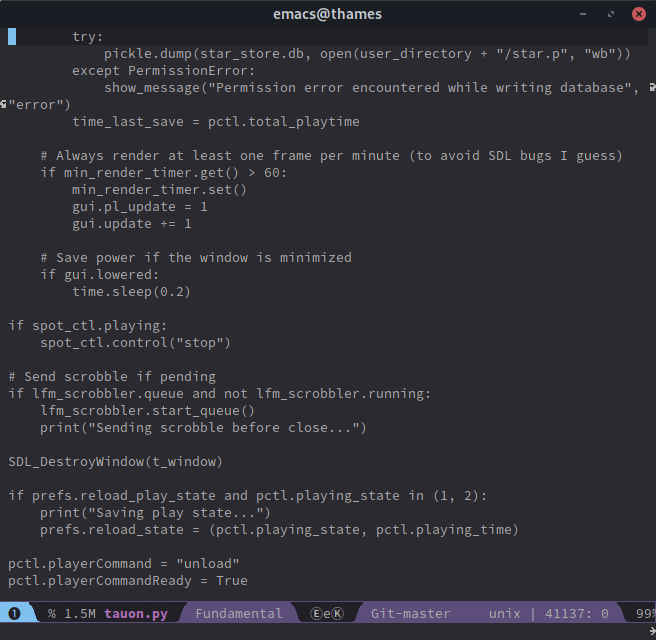
Spacemacs is written in Emacs Lisp. Learn Lisp with our recommended free books and free tutorials.
Related Software
| Configuration Framework for Emacs | |
|---|---|
| Doom Emacs | Highly polished configuration framework for Emacs |
| Spacemacs | Extremely polished configuration framework for Emacs |
| Prelude | Emacs distribution that aims to enhance the default Emacs experience |
| Purcell Emacs | Emacs configuration bundle with batteries included |
| Centaur Emacs | A Fancy and Fast Emacs Configuration |
| MinEmacs | Complete and fast Emacs configuration framework |
| minimal-emacs.d | Minimal Emacs starter kit |
| Crafted Emacs | Modular starter configuration for Emacs |
Read our verdict in the software roundup.
 Explore our carefully curated directory of recommended free and open source software, covering every major software category. Explore our carefully curated directory of recommended free and open source software, covering every major software category.The directory forms part of our extensive collection of articles for Linux enthusiasts. It includes hundreds of detailed reviews, together with free and open source alternatives to proprietary software from companies such as Google, Microsoft, Apple, Adobe, IBM, Cisco, Oracle, and Autodesk. LinuxLinks also covers interesting projects worth exploring, Linux-compatible hardware, free programming books and tutorials, and much more. Know a useful free and open source Linux application that we haven’t covered? Tell us about it using our submission form. |
Please read our Comment Policy before commenting.