
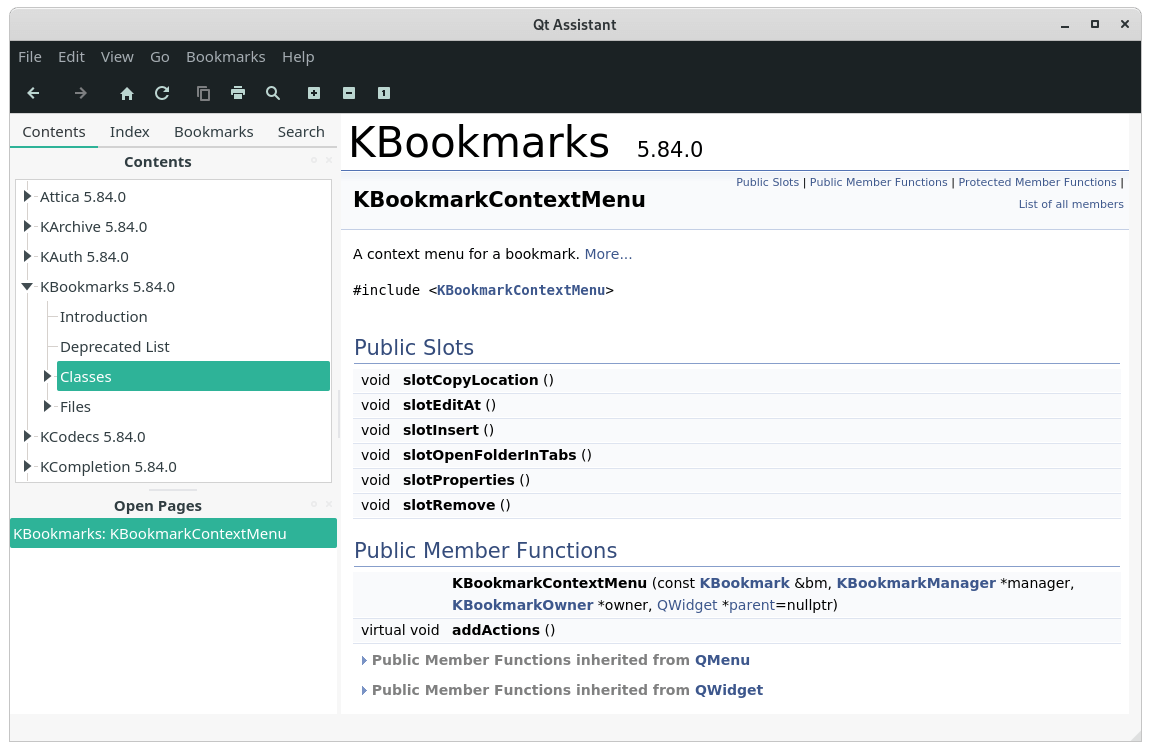
Qt Assistant is a tool for viewing on-line documentation in Qt help file format.
Qt Assistant works in a similar way to a Web browser. If you click hyperlinks (cross-references), the Documentation window will present the relevant page. You can bookmark pages of particular interest and you can click the Previous and Next toolbar buttons to navigate within the pages you have visited.
Although Qt Assistant can be used just like a Web browser to navigate through the documentation, Qt Assistant offers a powerful means of navigation that Web browsers do not provide. Qt Assistant uses an advanced full text search engine to index all the pages in each compressed help file so that you can search for particular words and phrases.
This is free and open source software.
Key Features
- Navigation windows for:
- Viewing a list of documents in Qt help format that are installed on the development host.
- Managing bookmarks.
- Searching for keywords in the index.
- Searching for information using a free text search function.
- Switching between open topics.
- Bookmarks
- Search for keywords.
- Free text search – Qt Assistant also provides full text searching for finding specific words in the documentation.
Website: doc.qt.io/qt-5/qtassistant-index.html
Support: Quick Guide
Developer: The Qt Company
License: GNU General Public License 2.0, 3.0
Qt Assistant is written in C++. Learn C++ with our recommended free books and free tutorials.
Related Software
| API Documentation Browsers | |
|---|---|
| DevDocs | API documentation browser written in Ruby and JavaScript |
| Zeal | Simple offline documentation browser |
| Qt Assistant | Tool for viewing on-line documentation in Qt help file format |
| Biblioteca | Browse and read GNOME documentation |
| Devhelp | Developer tool for browsing and searching API documentation |
| dedoc | Terminal-based viewer for DevDoc |
| dasht | Search API docs offline in your terminal or browser |
| Ferritin | Terminal-based Rust documentation viewer |
| quickDocs | Developer docs reader |
| Doc Browser | API documentation browser with support for DevDocs, Dash and Hoogle |
Read our verdict in the software roundup.
 Explore our comprehensive directory of recommended free and open source software. Our carefully curated collection spans every major software category. Explore our comprehensive directory of recommended free and open source software. Our carefully curated collection spans every major software category.This directory is part of our ongoing series of informative articles for Linux enthusiasts. It features hundreds of detailed reviews, along with open source alternatives to proprietary solutions from major corporations such as Google, Microsoft, Apple, Adobe, IBM, Cisco, Oracle, and Autodesk. You’ll also find interesting projects to try, hardware coverage, free programming books and tutorials, and much more. Discovered a useful open source Linux program that we haven’t covered yet? Let us know by completing this form. |
Please read our Comment Policy before commenting.