
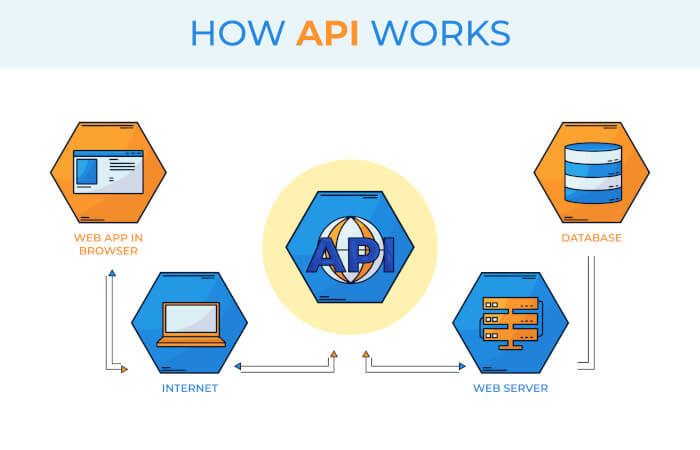
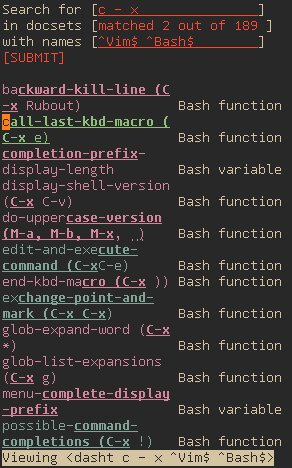
dasht is a collection of shell scripts for searching, browsing, and managing API documentation (in the form of 200+ offline documentation sets, courtesy of Dash for macOS) all from the comfort of your own terminal.
The name “dasht” is a portmanteau of Dash and the letter “t”, for terminal. Etymologically, “dasht” is Persian for plain, as in an flat expanse of land, which aptly characterizes the terminal environment where everything is text.
This is free and open source software.
Key Features
- Never leave your terminal.
- Local search engine for web browsers.
- Keep Dash docsets anywhere you like.
Website: github.com/sunaku/dasht
Support:
Developer: Suraj N. Kurapat
License: ISC license
dasht is written in Shell.
Related Software
| API Documentation Browsers | |
|---|---|
| DevDocs | API documentation browser written in Ruby and JavaScript |
| Zeal | Simple offline documentation browser |
| Qt Assistant | Tool for viewing on-line documentation in Qt help file format |
| Biblioteca | Browse and read GNOME documentation |
| Devhelp | Developer tool for browsing and searching API documentation |
| dedoc | Terminal-based viewer for DevDoc |
| dasht | Search API docs offline in your terminal or browser |
| Ferritin | Terminal-based Rust documentation viewer |
| quickDocs | Developer docs reader |
| Doc Browser | API documentation browser with support for DevDocs, Dash and Hoogle |
Read our verdict in the software roundup.
 LinuxLinks helps you discover the best free and open source software for Linux. Explore our extensive collection of recommended applications, including alternatives to popular proprietary software. We also publish software reviews, Linux tutorials, hardware reviews, free programming books and articles covering the wider open source community. Browse our Linux resources to discover more. Know a useful free and open source Linux application we haven't covered? Suggest a program for inclusion. Has your software been featured on LinuxLinks? Display one of our Featured on LinuxLinks badges on your website or GitHub README. |
Please read our Comment Policy before commenting.