

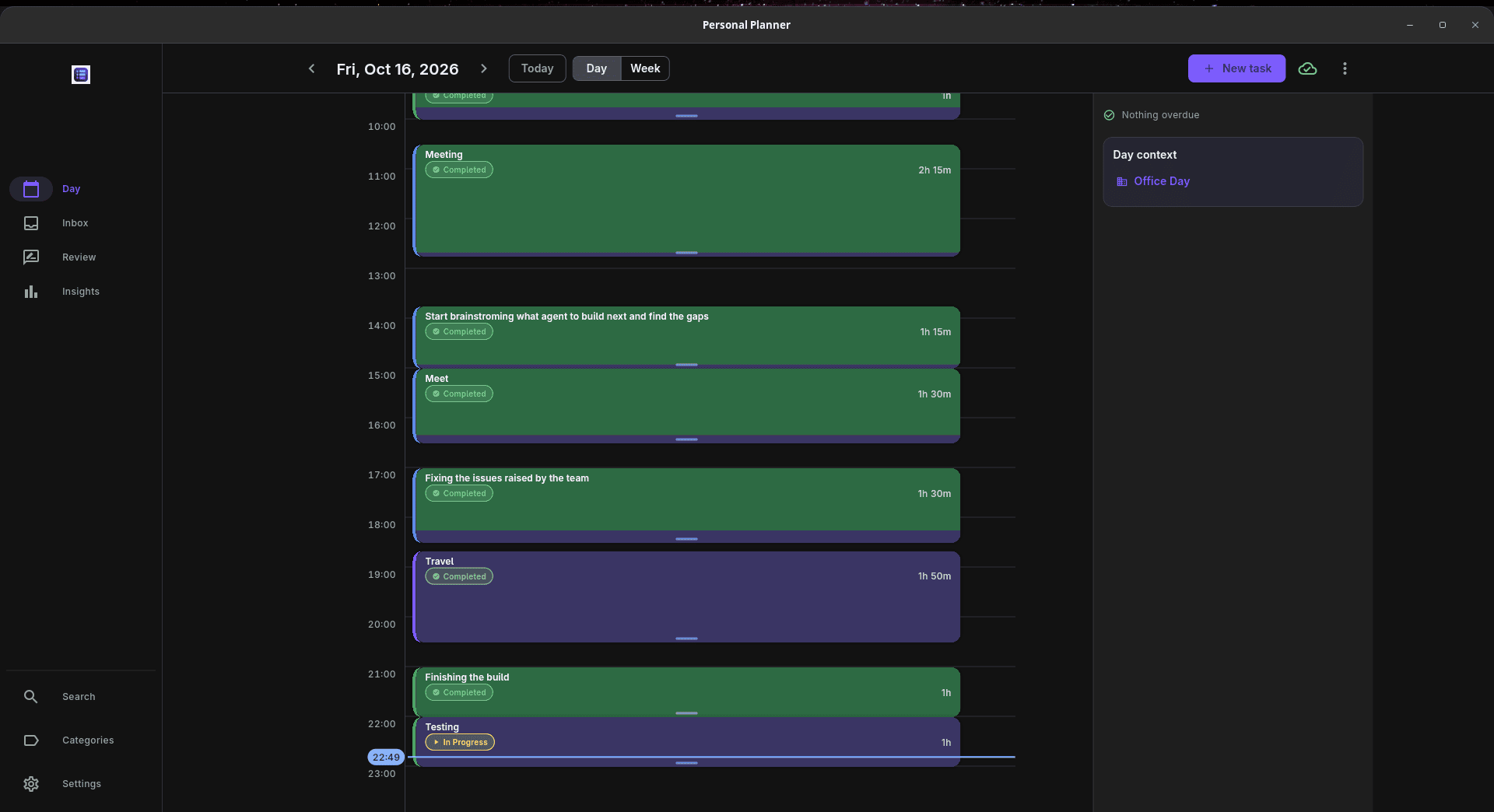
Personal Planner is a daily planning and time management application that compares scheduled work with the time actually spent on it. Rather than simply checking off completed tasks, it helps users understand where their time went and whether their original estimates were realistic.
Tasks are arranged along a timeline, and a timer records the actual duration of each activity. The results build a record that can inform future schedules and help identify patterns across days and weeks.
The application works offline without an account, storing its data locally. Optional synchronization allows multiple devices to share planner data using a Supabase project controlled by the user.
This is free and open source software.
Key Features
- Day and week views with draggable, resizable time blocks.
- Recurring activities, reusable planning templates, and colour-coded categories.
- Start, pause, resume, and stop timers; elapsed time is retained when the application closes.
- Daily and weekly reviews covering completed, skipped, and rescheduled work, with space for reflections.
- A historical overview for revisiting earlier days and weeks.
- Consistency heatmap showing activity over a year, including current and longest streaks.
- Experiments for tracking time spent on tagged activities against weekday and weekend targets.
- Inbox for collecting ideas and dividing them into dated sessions.
- Backlog of missed sessions that can be rescheduled rather than discarded.
- Keyword search across reviews, insights, and inbox entries.
- Backup and restore facilities for planner data.
- Pending offline changes are queued and synchronized when a connection is available.
- Reminders and timer notification controls on Linux and Android.
- Cross-platform support – runs on Linux, macOS, and Windows.
Website: github.com/Karthikshabari/PersonalPlanner
Support:
Developer: Karthik Shabari
License: MIT License
Personal Planner is written in Dart. Learn Dart with our recommended free books and free tutorials.
Related Software
| Graphical Task Managers | |
|---|---|
| Super Productivity | Todo app with timeboxing & time tracking capabilities |
| Makagiga | To-do manager, RSS reader, notepad, widgets, image viewer |
| Vikunja | To-do app to organize your life |
| TreeSheets | Free form data organizer |
| Planify | Keep track of all your tasks, projects, and goals |
| Lotti | AI-powered context manager |
| Task Coach | Friendly useful todo manager with composite tasks support |
| Zanshin | KDE software to manage your day to day actions |
| sleek | todo manager based on the todo.txt syntax |
| GTG | Personal tasks and TODO list items organizer |
| Kanri | Modern offline Kanban board |
| OpenTodoList | Simple todo and task management |
| Mindwtr | Getting Things Done (GTD) productivity system |
| Endeavour | Personal task manager for GNOME |
| Errands | Manage your tasks |
| WHPH | Productivity app |
| cfait | Take control of your TODO list |
| Aion-Task | Cyclic TODO task manager |
| Progressive | Keep track of your tasks |
| Tasks | Simple COSMIC task manager with reminders, search and organised lists |
| Finitodo | Graphical task/todo list manager |
| Diurnals | Get daily Todoist notifications |
| Nottodbox | Organize notes, to-dos and diaries |
| KomoDo | Todo manager |
| Autasker | Flexible offline task manager with scheduling, habits and daily planning |
| Reminduck | Simple reminder app |
| TowDow | Tasks and process management |
| Progress | Simple Kanban board manager |
| FromScratch | Auto-saving scratchpad built with Electron |
| Done | To-do lists reimagined |
Read our verdict in the software roundup.
 LinuxLinks helps you discover the best free and open source software for Linux. Explore our extensive collection of recommended applications, including alternatives to popular proprietary software. We also publish software reviews, Linux tutorials, hardware reviews, free programming books and articles covering the wider open source community. Browse our Linux resources to discover more. Know a useful free and open source Linux application we haven't covered? Suggest a program for inclusion. Has your software been featured on LinuxLinks? Display one of our Featured on LinuxLinks badges on your website or GitHub README. |
Please read our Comment Policy before commenting.