
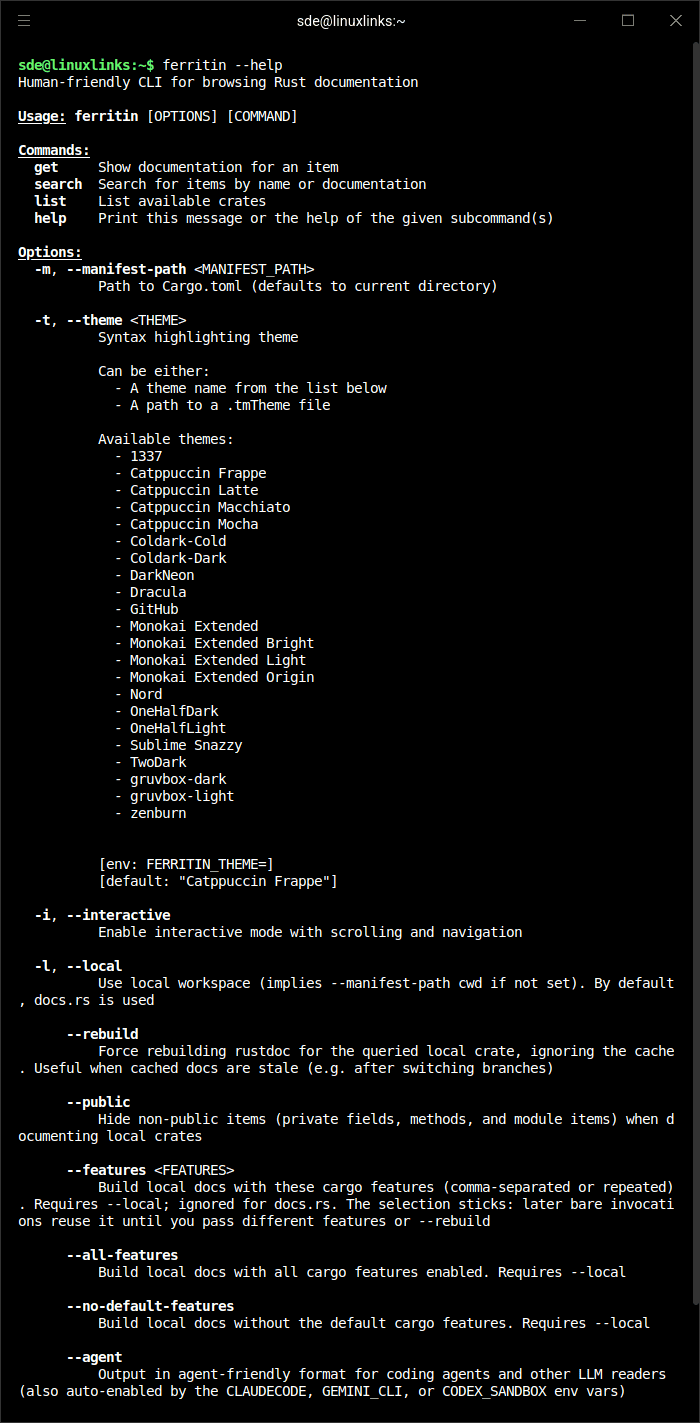
Ferritin is a terminal-based Rust documentation viewer. It reads rustdoc JSON output and displays Rust documentation directly in your terminal.
The software supports documentation for local workspace crates, the Rust standard library, and crates from crates.io. It offers both an interactive terminal interface and a command-line mode for quick documentation lookups.
This is free and open source software.
Key Features
- Browse Rust documentation interactively from the terminal.
- View documentation for local workspace crates, standard library components, and crates from crates.io.
- Search across all available crates or within a specific crate.
- Use a one-shot command-line interface for quick documentation lookups.
- Navigate with the keyboard or mouse.
- Provides syntax highlighting, Unicode box drawing, italics, and OSC 8 hyperlinks.
- Follow navigation history and a breadcrumb trail.
- Automatically detects terminal, plain text, and agent-oriented output formats.
- Offers structured JSON output for scripting and programmatic use.
- Caches downloaded documentation and lazily generated search indexes.
- Supports mouse hover previews in compatible terminals.
Website: github.com/jbr/ferritin
Support:
Developer: Jacob Rothstein
License: Apache License 2.0 / MIT License
Ferritin is written in Rust. Learn Rust with our recommended free books and free tutorials.
Related Software
| API Documentation Browsers | |
|---|---|
| DevDocs | API documentation browser written in Ruby and JavaScript |
| Zeal | Simple offline documentation browser |
| Qt Assistant | Tool for viewing on-line documentation in Qt help file format |
| Biblioteca | Browse and read GNOME documentation |
| Devhelp | Developer tool for browsing and searching API documentation |
| dedoc | Terminal-based viewer for DevDoc |
| dasht | Search API docs offline in your terminal or browser |
| Ferritin | Terminal-based Rust documentation viewer |
| quickDocs | Developer docs reader |
| Doc Browser | API documentation browser with support for DevDocs, Dash and Hoogle |
Read our verdict in the software roundup.
 Explore our carefully curated directory of recommended free and open source software, covering every major software category. Explore our carefully curated directory of recommended free and open source software, covering every major software category.The directory forms part of our extensive collection of articles for Linux enthusiasts. It includes hundreds of detailed reviews, together with free and open source alternatives to proprietary software from companies such as Google, Microsoft, Apple, Adobe, IBM, Cisco, Oracle, and Autodesk. LinuxLinks also covers interesting projects worth exploring, Linux-compatible hardware, free programming books and tutorials, and much more. Know a useful free and open source Linux application that we haven’t covered? Tell us about it using our submission form. |
Please read our Comment Policy before commenting.