
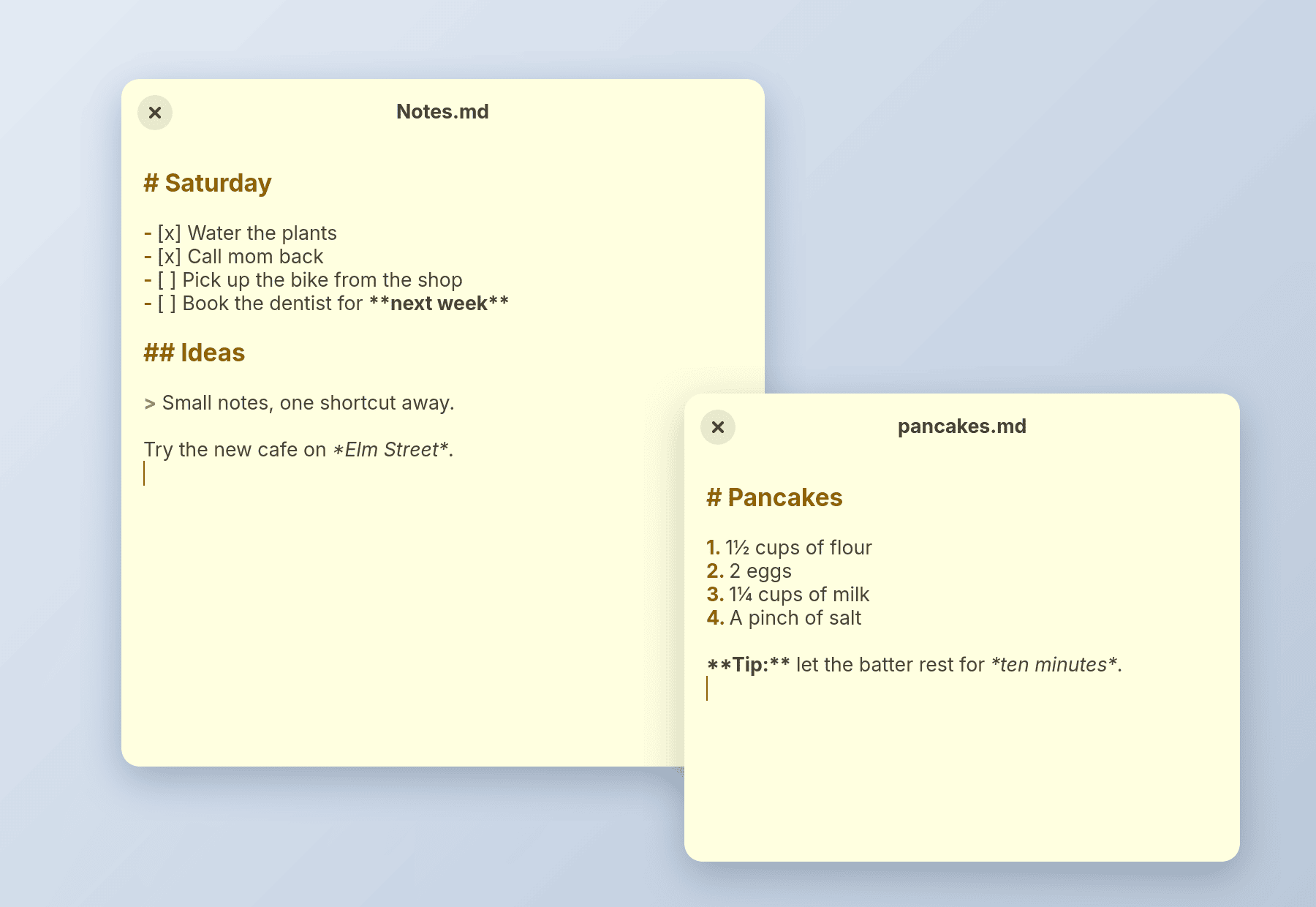
Pad is a lightweight sticky note application for the Linux desktop. It provides a simple way to capture reminders, ideas and other information in a floating window, automatically saving changes as you type.
The application takes a different approach from traditional sticky note managers. Instead of maintaining a database of notes, Pad works directly with text files. You can open the default note or specify an existing file, making it useful for quickly editing Markdown documents, configuration files and other text-based information.
Pad was formerly known as elementary-notes. It uses GTK4 and GtkSourceView to provide a streamlined interface with syntax highlighting and familiar text editing behaviour. Its design deliberately avoids accounts, synchronisation services and unnecessary interface controls.
This is free and open source software.
Key Features
- Create floating sticky note windows on the desktop.
- Automatically save changes half a second after typing stops.
- Save pending changes at least every five seconds during continuous editing.
- Save when switching to another application or closing a note.
- Open an existing text file as a sticky note using the command line.
- Open multiple files simultaneously, each in a separate window.
- Bring an already open file to the foreground instead of opening a duplicate window.
- Create a new file automatically when editing begins.
- Markdown syntax highlighting by default.
- Syntax highlighting for other recognised file types.
- Smart indentation, word wrapping and automatic indentation.
- Change the font size using Ctrl+Plus and Ctrl+Minus.
- Remember the dimensions of individual note windows.
- Restore window positions on X11 desktops.
- Display an error message when a file cannot be read or saved.
- Protect unreadable files against accidental overwriting.
- Configure the default note’s storage location.
- Operate entirely offline without accounts or tracking.
Website: github.com/mariocesar/pad
Support:
Developer: Mario-César
License: GNU General Public License v3.0
Pad is written in Vala. Learn Vala with our recommended free books and free tutorials.
Related Software
| Note Taking Software | |
|---|---|
| Sticky | Very simple utility offering a good range of features |
| PrimeNote | Modern and highly customizable sticky note application |
| NoteSH | Terminal-based sticky notes app |
| KNotes | A simple Qt-based application |
| Xpad | Sticky note application for jotting down things to remember |
| GloboNote | Simple and easy to use open source note taking application |
| Sticky Notes | Simple note taking program designed for GNOME |
| Notejot | Billed as a stupidly simple sticky notes applet. |
| MyNotes | Customizable sticky notes program |
| redthread | Sticky-note pegboard for your terminal |
| Jorts | Colourful sticky notes program |
| Indicator Stickynotes | Write reminders on notes |
| LinSticky | Modern sticky notes application |
| Clues | Sticky notes app with connections |
Read our verdict in the software roundup.
 LinuxLinks helps you discover the best free and open source software for Linux. Explore our extensive collection of recommended applications, including alternatives to popular proprietary software. We also publish software reviews, Linux tutorials, hardware reviews, free programming books and articles covering the wider open source community. Browse our Linux resources to discover more. Know a useful free and open source Linux application we haven't covered? Suggest a program for inclusion. Has your software been featured on LinuxLinks? Display one of our Featured on LinuxLinks badges on your website or GitHub README. |
Please read our Comment Policy before commenting.