
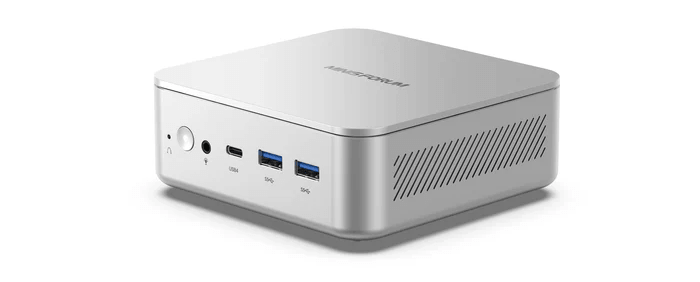
My review unit shipped with 32GB of single-channel memory. The benchmarks were run after adding a second 32GB SODIMM. Dual-channel memory significantly improves both GPU and memory performance.
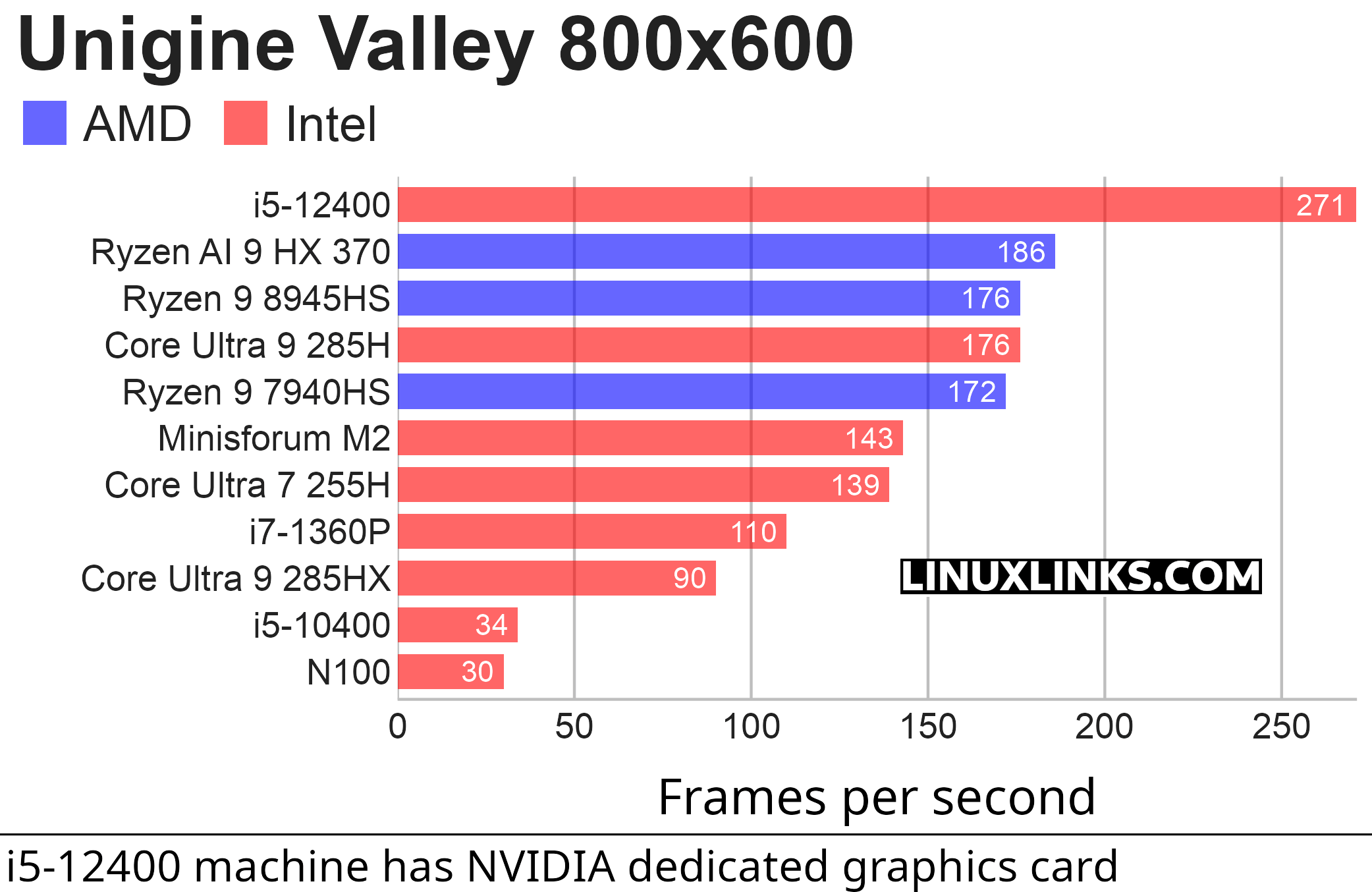
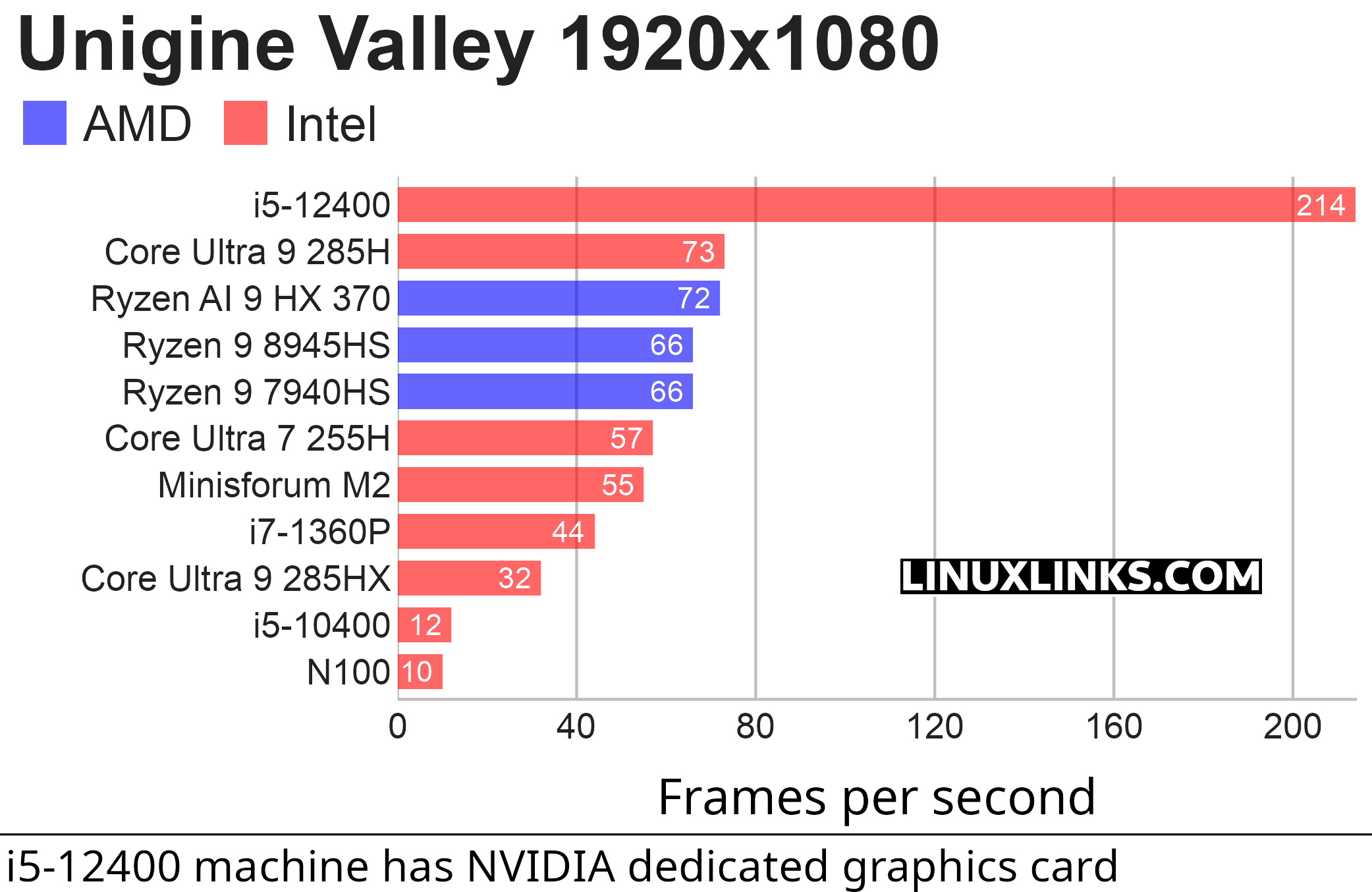
$ phoronix-test-suite benchmark unigine-valley
Unigine Valley is a 3D graphics benchmark. It renders a detailed outdoor valley scene with forests, mountains, lighting, shadows, water, clouds, depth of field, and camera fly-throughs, then reports performance in frames per second and a benchmark score. It’s useful because it gives a quick, repeatable way to compare GPU performance under Linux, especially for integrated graphics.
Unigine Valley shows that the Minisforum M2’s integrated graphics are capable, but not class-leading. At 800×600 it reaches 143 FPS, and at 1920×1080 it manages 55 FPS. That’s a solid result for light gaming, desktop effects, and older 3D workloads, but it trails the Ryzen 9 8945HS and Ryzen AI 9 HX 370 systems by a clear margin. The comparison needs context: the M2 uses the Intel Core Ultra 7 356H and doesn’t have Intel’s higher-end Arc B390 graphics. As a result, it shouldn’t be treated as Panther Lake’s strongest GPU configuration. The M2 is competent graphically, but its strongest arguments lie elsewhere, particularly CPU performance, NPU capability, and platform modernity rather than integrated gaming performance.
I included the i5-12400 system as a discrete-GPU reference point. It isn’t a direct comparison with the mini PCs’ integrated graphics, as that system uses a dedicated NVIDIA GeForce RTX 3060 Ti, but it helps show the gap between the iGPUs and a discrete graphics card. The annotation is important: the i5-12400 result reflects the RTX 3060 Ti, not Intel UHD integrated graphics.
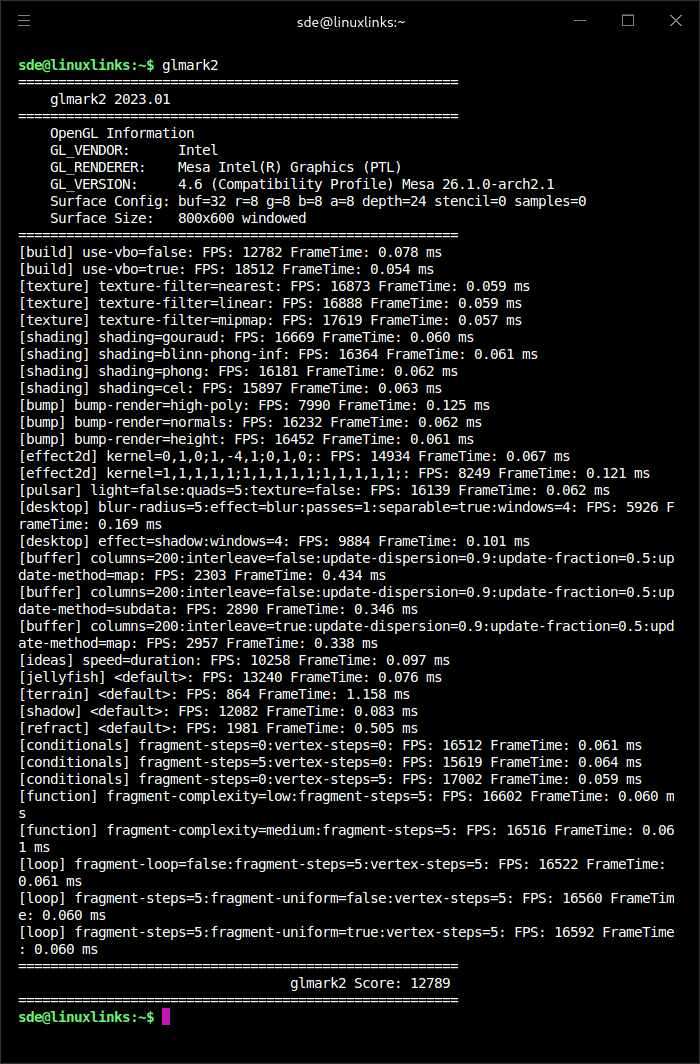
I also ran glmark2, an OpenGL 2.0 / OpenGL ES 2.0 benchmark, on the M2. Here are the results.
Pages in this article:
Page 1 – Introduction / Processor
Page 2 – Graphics
Page 3 – Memory
Page 4 – Disk and Summary
Complete list of articles in this series:
| MINISFORUM M2 Core Ultra 7 356H Mini PC | |
|---|---|
| Introduction | Introduction to the series and interrogation of the machine |
| NPU | Setting up and testing the NPU |
| Benchmarks | I run a series of benchmarks focusing on the CPU, GPU, Memory, and Disk performance |
| Power | Testing and comparing the power consumption |
| BIOS | In the world of computing, BIOS, which stands for Basic Input/Output System, plays a crucial role |
| Cores | A look at Intel’s hybrid architecture |
| Intel processors | P-Cores, E-Cores and LP E-Cores Compared Across 4 Intel Processors |
| NPU | NPU and Llama |
| Scheduling | Does Linux Schedule Panther Lake Correctly? |
| Next articles in the series will continue to focus on the machine's NPU | |
Please read our Comment Policy before commenting.