
IDLE (an acronym for Integrated DeveLopment Environment or Integrated Development and Learning Environment) is an integrated development environment (IDE) for Python. An IDE combines a program editor and a language environment as a convenience to the programmer. From version 1.5.2b1, IDLE has been included with the default implementation of Python. Many Linux distributions offer IDLE as an optional part of Python packaging.
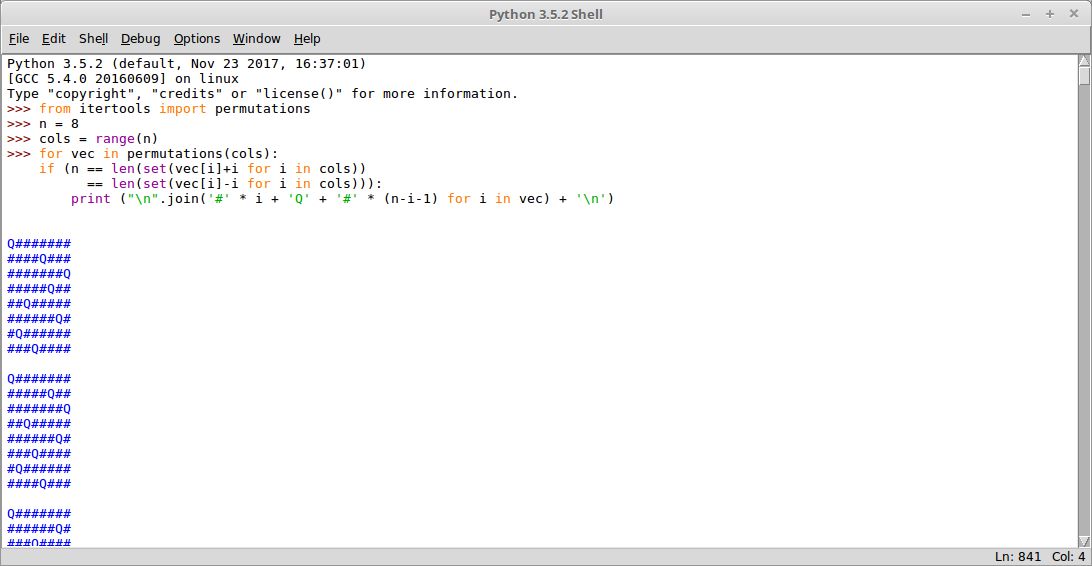
IDLE provides a programmer with a Python shell window, which gives them access to the Python interactive mode. It also has a file editor that lets the developer create and edit existing Python source files.
IDLE is coded purely in Python and the Tkinter GUI toolkit, and is therefore platform independent. Tkinter is Python’s de-facto standard GUI (Graphical User Interface) package. It’s a thin object-oriented layer on top of Tcl/Tk. Tkinter’s main benefits are speed and it’s often bundled with Python.
Key Features
- Python shell window (interactive interpreter) with colourizing of code input, output, and error messages (syntax highlighting).
- Multi-window text editor with multiple undo, Python colourizing, smart indent, call tips, auto completion, automatic indentation, and other features. Text colouring is performed in the background.
- Search within any window, replace within editor windows, and search through multiple files (grep).
- Integrated debugger with persistent breakpoints, stepping, call stack visibility, and viewing of global and local namespaces.
- Configuration, browsers, and other dialogs.
- Intentionally different from standard Python in order to aid development of Tkinter programs.
- Extension facility.
- Cross-platform support – supports Windows, Unix (including Linux), and Mac OS X operating systems.
Website: docs.python.org/3/library/idle.html
Support: GitHub Code Repository
Developer: Guido van Rossum and contributors
License: GNU General Public License v3.0
IDLE was the Python IDE we grew up with, but there are better IDEs now available for beginners. See the Python IDEs Home Page for my recommendations.
IDLE is written in Python. Learn Python with our recommended free books and free tutorials.
Related Software
| Open Source Python Shells | |
|---|---|
| IPython | Enhanced interactive Python shell |
| ptpython | Advanced Python Read-Eval-Print Loop |
| bpython | Fancy interface to the Python interpreter for Linux, BSD, OS X and Windows |
| IDLE | Integrated development environment for Python |
| DreamPie | Python shell which is designed to be reliable and fun |
Read our verdict in the software roundup.
| Python Integrated Development Environments | |
|---|---|
| PyCharm | Full-featured IDE. Two editions are available, one is open source software |
| Spyder | Python development environment providing MATLAB-like features |
| eric | Full featured Python editor and IDE, written in Python |
| Thonny | Tk-based IDE designed for novice programmers |
| PyDev | Python plugin for Eclipse |
| Leo | PIM, IDE and outliner |
| Pyzo | Interactive editor for scientific Python |
| PTK | Interactive environment for Python |
| IDLE | Python’s Integrated Development and Learning Environment |
Read our verdict in the software roundup.
 Explore our comprehensive directory of recommended free and open source software. Our carefully curated collection spans every major software category. Explore our comprehensive directory of recommended free and open source software. Our carefully curated collection spans every major software category.This directory is part of our ongoing series of informative articles for Linux enthusiasts. It features hundreds of detailed reviews, along with open source alternatives to proprietary solutions from major corporations such as Google, Microsoft, Apple, Adobe, IBM, Cisco, Oracle, and Autodesk. You’ll also find interesting projects to try, hardware coverage, free programming books and tutorials, and much more. Discovered a useful open source Linux program that we haven’t covered yet? Let us know by completing this form. |
Please read our Comment Policy before commenting.