

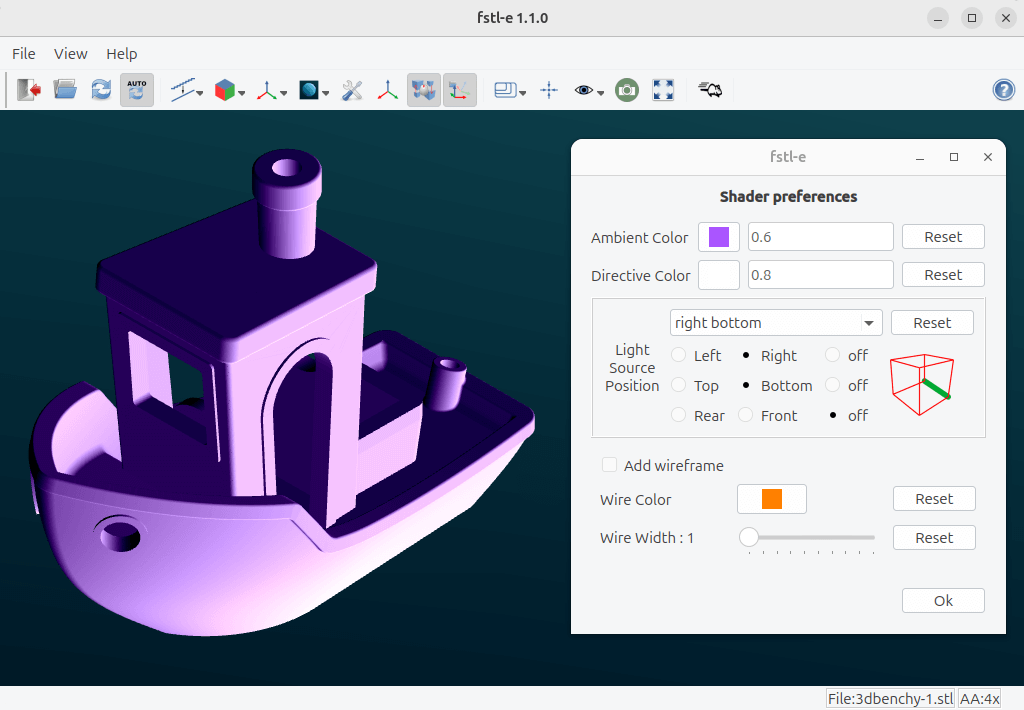
fstl-e is an enhanced version of fstl, the lightweight STL viewer originally developed by Matthew Keeter. Maintained by William Daniau, this fork retains the original application’s emphasis on fast rendering while introducing additional controls for examining 3D models.
The application is particularly useful when inspecting STL files produced by CAD applications or intended for 3D printing. It provides a straightforward graphical interface without the complexity of a full 3D modelling suite.
Compared with the original fstl, the fork offers more flexibility over lighting, camera navigation and the appearance of the viewport. These improvements make it easier to examine a model from different angles, inspect its geometry and prepare suitable views for presentation.
Several of its enhancements are designed around everyday usability, including quick access to predefined views, adjustable mouse movement and more convenient handling of recently opened files.
This is free and open source software.
Key Features
- Displays STL models with fast, hardware-accelerated rendering.
- Wireframe rendering allows the underlying triangle geometry to be inspected.
- Adjustable lighting, including control over the position of the light source.
- Configurable background colour for the model viewport.
- Anti-aliasing improves the appearance of rendered edges.
- Offers predefined camera views for examining models from standard directions.
- Choose between predefined rotation settings when switching between models.
- Recentre the view to restore a useful viewing position.
- Adjust mouse movement sensitivity for finer navigation.
- Provides viewport size presets, including a Full HD option.
- Status bar displays information about the current file and supports dragging the file into another application.
- Remembers the most recently used directory when opening files.
- Can open a directory of models from the command line.
- Cross-platform support – runs on Linux and Windows.
Website: github.com/wdaniau/fstl
Support:
Developer: William Daniau
License: MIT License
fstl-e is written in C++. Learn C++ with our recommended free books and free tutorials.
Related Software
| 3D Model Viewers | |
|---|---|
| ParaView | Data analysis and visualization application based on VTK |
| F3D | Fast and minimalist 3D viewer desktop application |
| MeshLab | Processes and edits 3D triangular meshes |
| Online 3D Viewer | Browser-based application for inspecting 3D models |
| Mayo | 3D CAD viewer and converter |
| fstl | Viewer for .stl files. It uses Qt |
| Castle Model Viewer | Supports 3D and 2D model formats |
| fstl-e | Fork of fstl with some fancy enhancements |
| Exhibit | 3D model viewer for the GNOME desktop |
| Tatlin | 3D STL and Gcode viewer |
| voxcii | Terminal-based ASCII 3D model viewer |
| dcat | Terminal-based 3D model viewer |
| Trophy | Terminal 3D model viewer |
| term3d | Terminal-based 3D model viewer |
Read our verdict in the software roundup.
 Explore our carefully curated directory of recommended free and open source software, covering every major software category. Explore our carefully curated directory of recommended free and open source software, covering every major software category.The directory forms part of our extensive collection of articles for Linux enthusiasts. It includes hundreds of detailed reviews, together with free and open source alternatives to proprietary software from companies such as Google, Microsoft, Apple, Adobe, IBM, Cisco, Oracle, and Autodesk. LinuxLinks also covers interesting projects worth exploring, Linux-compatible hardware, free programming books and tutorials, and much more. Know a useful free and open source Linux application that we haven’t covered? Tell us about it using our submission form. |
Please read our Comment Policy before commenting.