
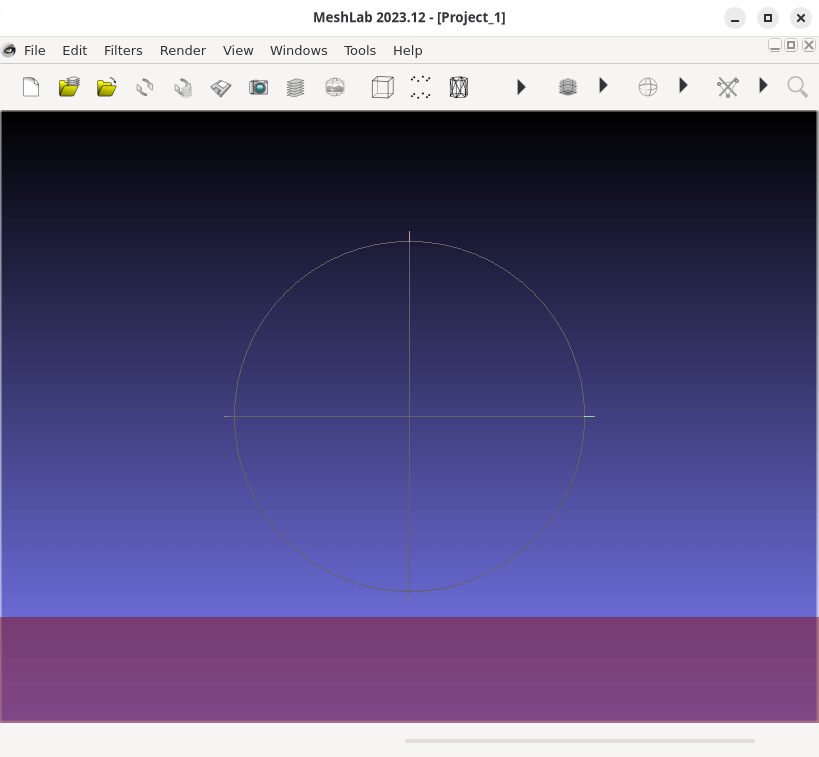
MeshLab is software that processes and edits 3D triangular meshes.
It provides a set of tools for editing, cleaning, healing, inspecting, rendering, texturing and converting meshes. It offers features for processing raw data produced by 3D digitization tools/devices and for preparing models for 3D printing.
MeshLab is mostly based on the open source C++ mesh processing library VCGlib developed at the Visual Computing Lab of ISTI – CNR. VCG can be used as a stand-alone large-scale automated mesh processing pipeline, while MeshLab makes it easy to experiment with its algorithms interactively.
This is free and open source software.
Key Features
- 3D Acquisition: Aligning – provides a powerful tool for moving the different meshes into a common reference system, able to manage large set of range-maps. MeshLab implements a fine tuned ICP one-to-one alignment step, followed by a global bundle adjustment error-distribution step. The alignment can be performed on meshes and point clouds coming from several sources, including active (both short- and long-range) scanners and 3D-from-image tools.
- 3D Acquisition: Reconstruction – provides several solutions to reconstruct the shape of an object, ranging from volumetric (Marching Cube) to implicit surfaces (Screened Poisson).
- 3D Acquisition: Color Mapping and Texturing – contains a pipeline for the alignment and projection of color information (from a set of uncalibrated images) onto a 3D model. Several automatic and assisted methods are provided to obtain a high quality color encoding, with both per-vertex or texture mapping.
- Cleaning 3D Models – offers a series of automatic, semi-manual and interactive filters to remove those geometric element generally considered “wrong” by most software and algorithms. It is possible to removing topological errors, duplicated and unreferenced vertices, small components, degenerated or intersecting faces, and many more geometrical and topological singularities. Using different automatic and interactive selection methods, is then possible to isolate and remove unwanted areas of your meshes and point clouds.
- Scaling, Positioning and Orienting – provides a variety of features to manipulate the scale, positioning and orientation of a 3D model, including basic transformation operations like translation/scaling/rotation, automatic re-centering and alignment to axis, geo-referencing with reference points, interactive manipulators for rotation/translation/scaling, and many others.
- Simplification, Refinement and Remeshing – offers different ways to simplify (decimate) triangulated surfaces, able to preserve geometrical detail and texture mapping, or to selectively reduce the number of points in a pointcloud. In other cases, the user may want to increase the number of triangles (or points): MeshLab also provides different subdivision schemes, remeshing and resampling filters to increase geometric complexity of 3D models, or to optimize point distribution and triangulation quality.
- Measurement, and Analysis.
- Visualization and Presentation – help in graphically present the peculiar characteristics of a 3D model. It is possible to control the camera perspective/orthographic view parameters, and use predefined canonical views. MeshLab also offers a high-resolution screenshot feature, extremely useful in creating a graphical documentation of a survey.
- Color Processing – manipulate the vertex and face colors using a series of photoshop-like filters (gamma, saturation, brightness, contrast, levels, smoothing, sharpening). Automatic filters are available to calculate Ambient Occlusion and Volumetric Obscurance and to map it to vertex or face color. It is also possible to explicitly write color functions, to highlight specific characteristics of the 3D model. MeshLab also offers a painting interface for vertex colors. Scalar values, possibly the result of a metric calculation on the 3D surface, may also be mapped on vertex/face color, to have a visual representation of that value.
- 3D Printing: Offsetting, Hollowing, Closing – besides exporting to STL (one of the most common formats for 3D printing), MeshLab can be used to prepare 3D models for printing by creating inner shells, resampling/remeshing the 3D model to make slicing easier, closing small holes to obtain watertight meshes, and flattening the bottom area to have a better platform adherence.
- Cross-platform support. It runs under Linux, macOS, and Windows.
Website: github.com/cnr-isti-vclab/meshlab
Support:
Developer: Paolo Cignoni
License: GNU General Public License v3.0
MeshLab is written in C++. Learn C++ with our recommended free books and free tutorials.
Related Software
| 3D Model Viewers | |
|---|---|
| ParaView | Data analysis and visualization application based on VTK |
| F3D | Fast and minimalist 3D viewer desktop application |
| MeshLab | Processes and edits 3D triangular meshes |
| Online 3D Viewer | Browser-based application for inspecting 3D models |
| Mayo | 3D CAD viewer and converter |
| fstl | Viewer for .stl files. It uses Qt |
| Castle Model Viewer | Supports 3D and 2D model formats |
| fstl-e | Fork of fstl with some fancy enhancements |
| Exhibit | 3D model viewer for the GNOME desktop |
| Tatlin | 3D STL and Gcode viewer |
| voxcii | Terminal-based ASCII 3D model viewer |
| dcat | Terminal-based 3D model viewer |
| Trophy | Terminal 3D model viewer |
| term3d | Terminal-based 3D model viewer |
Read our verdict in the software roundup.
 Explore our comprehensive directory of recommended free and open source software. Our carefully curated collection spans every major software category. Explore our comprehensive directory of recommended free and open source software. Our carefully curated collection spans every major software category.This directory is part of our ongoing series of informative articles for Linux enthusiasts. It features hundreds of detailed reviews, along with open source alternatives to proprietary solutions from major corporations such as Google, Microsoft, Apple, Adobe, IBM, Cisco, Oracle, and Autodesk. You’ll also find interesting projects to try, hardware coverage, free programming books and tutorials, and much more. Discovered a useful open source Linux program that we haven’t covered yet? Let us know by completing this form. |
Please read our Comment Policy before commenting.