

Introduction
The Das Keyboard 5QS Mark II is a full-size mechanical keyboard with a very clear identity. It doesn’t chase compact layouts, wireless convenience, hot-swappable switches, gasket mounting, or the latest enthusiast keyboard trends. Instead, it sticks to the classic Das Keyboard formula: a large 104-key layout, a serious desk presence, an anodized aluminum top panel, vivid RGB lighting, dedicated media controls, and a prominent volume knob.
This is a keyboard built for people who want a traditional productivity layout with a few modern touches. It’s big, wired, sturdy, and unapologetically desktop-focused.
Design and Build Quality
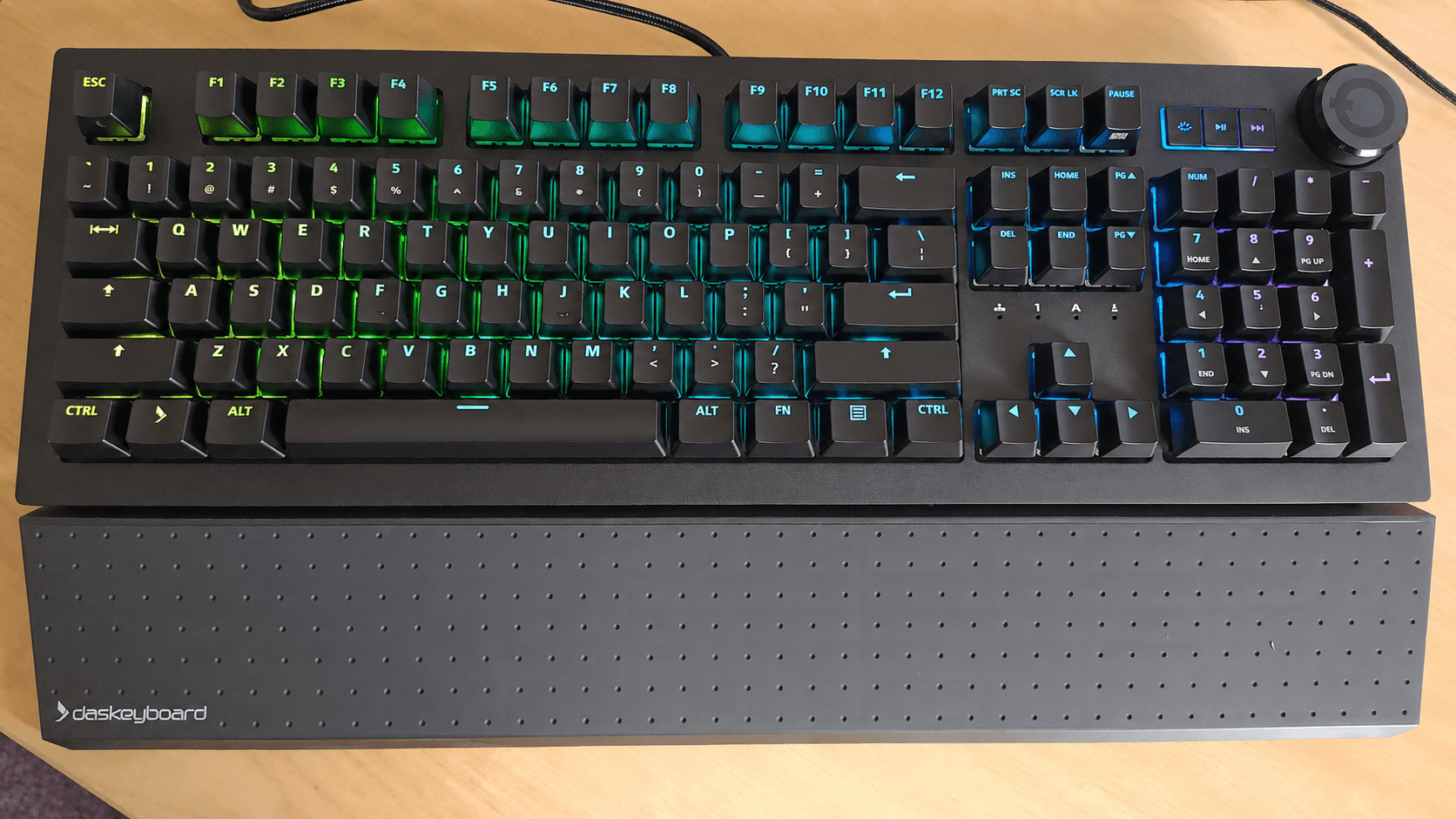
The 5QS Mark II looks and feels substantial. The anodized aluminum top panel gives the keyboard a premium finish, while the plastic bottom case helps keep the weight sensible. At 18 x 6 x 1.42 inches and around 3.3 pounds, it sits firmly on the desk and doesn’t slide around during heavy typing.
The design is restrained by gaming keyboard standards, but the RGB lighting gives it plenty of visual impact. The brushed top plate, black chassis, and bright key illumination combine well. It looks professional enough for an office, but not so plain that it disappears on a desk.
One disappointment is the permanently attached USB-A cable. The braided 6.5-foot cable is long and sturdy, but at this price, a detachable USB-C cable would feel far more modern and convenient.
This is a proper full-size keyboard, complete with function row, navigation cluster, arrow keys, and number pad. If you use spreadsheets, data entry tools, office applications, or keyboard shortcuts that depend on a full layout, the 5QS Mark II makes sense.
The dedicated media controls are useful, especially the large volume knob. It’s easy to locate by touch, smooth to use, and genuinely improves day-to-day convenience. The play/pause and track advance buttons are smaller, but still welcome.
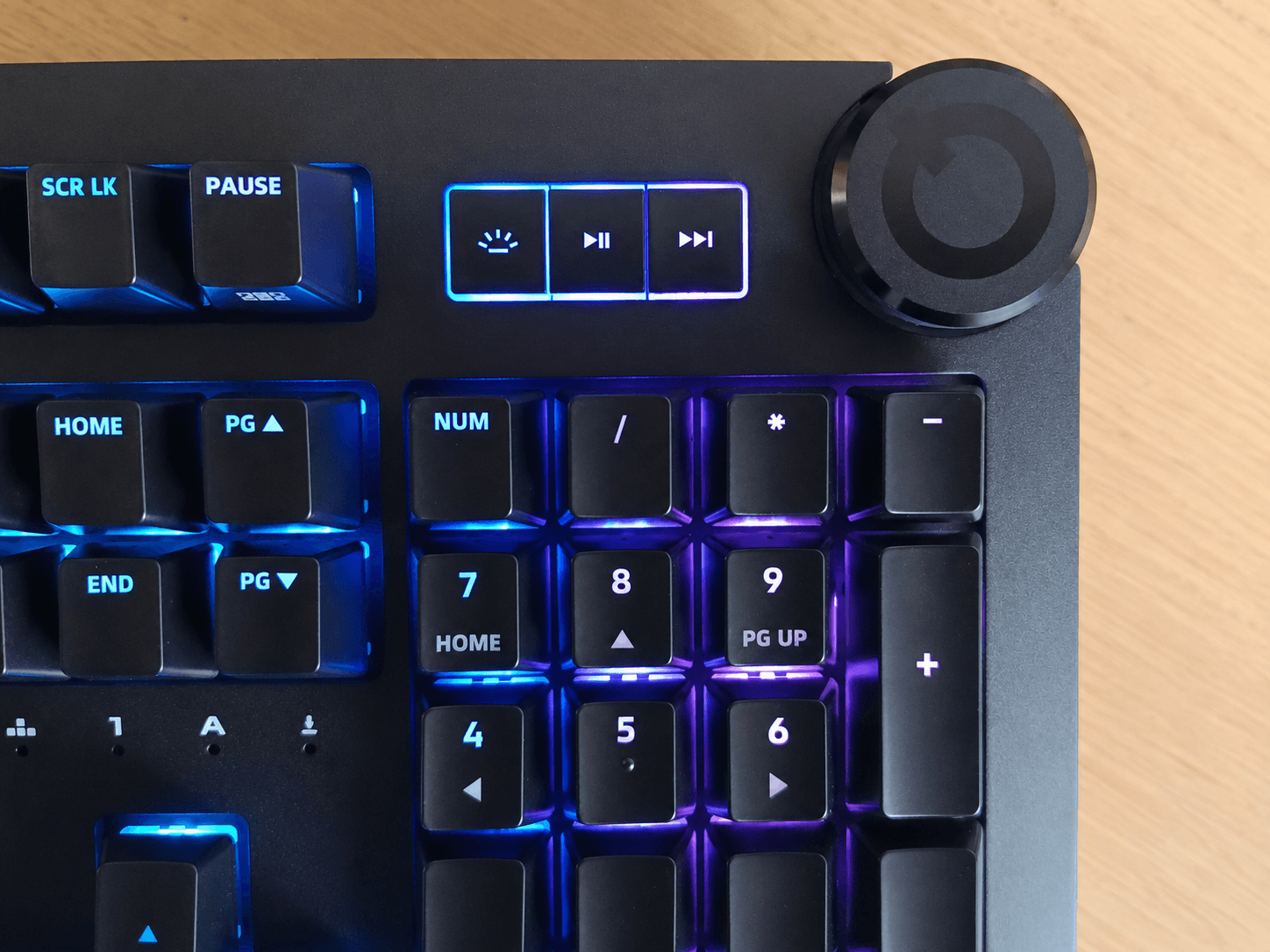
There’s no USB passthrough, no wireless mode, and no onboard storage, so the keyboard is less flexible than some rivals. Its strength is not versatility; it’s the traditional full-size desktop experience.
Typing Experience
The version tested with Cherry MX2A Brown switches is well suited to typing. The switches offer a light tactile bump without the noise of clicky switches, making them a good choice for writing, coding, editing, and general office work. I’ve spent the past few weeks using the keyboard to maintain the LinuxLinks website, and it’s been a joy to use.
The updated Cherry MX2A switches feel smoother than older Cherry MX designs. They’re not ultra-lubed enthusiast switches, and the keyboard doesn’t have the soft, tuned feel of some modern custom-inspired boards, but the typing experience is very comfortable and dependable.
The sound is more functional than luxurious. The keyboard includes sound-dampening foam, which helps, but it still doesn’t deliver the deep, refined acoustic profile found on some newer premium mechanical keyboards. Stabilized keys are acceptable rather than outstanding.
Next page: Page 2 – Q Software and Linux
Pages in this article:
Page 1 – Introduction / Typing Experience
Page 2 – Q Software and Linux
Page 3 – Verdict
Please read our Comment Policy before commenting.