
Security
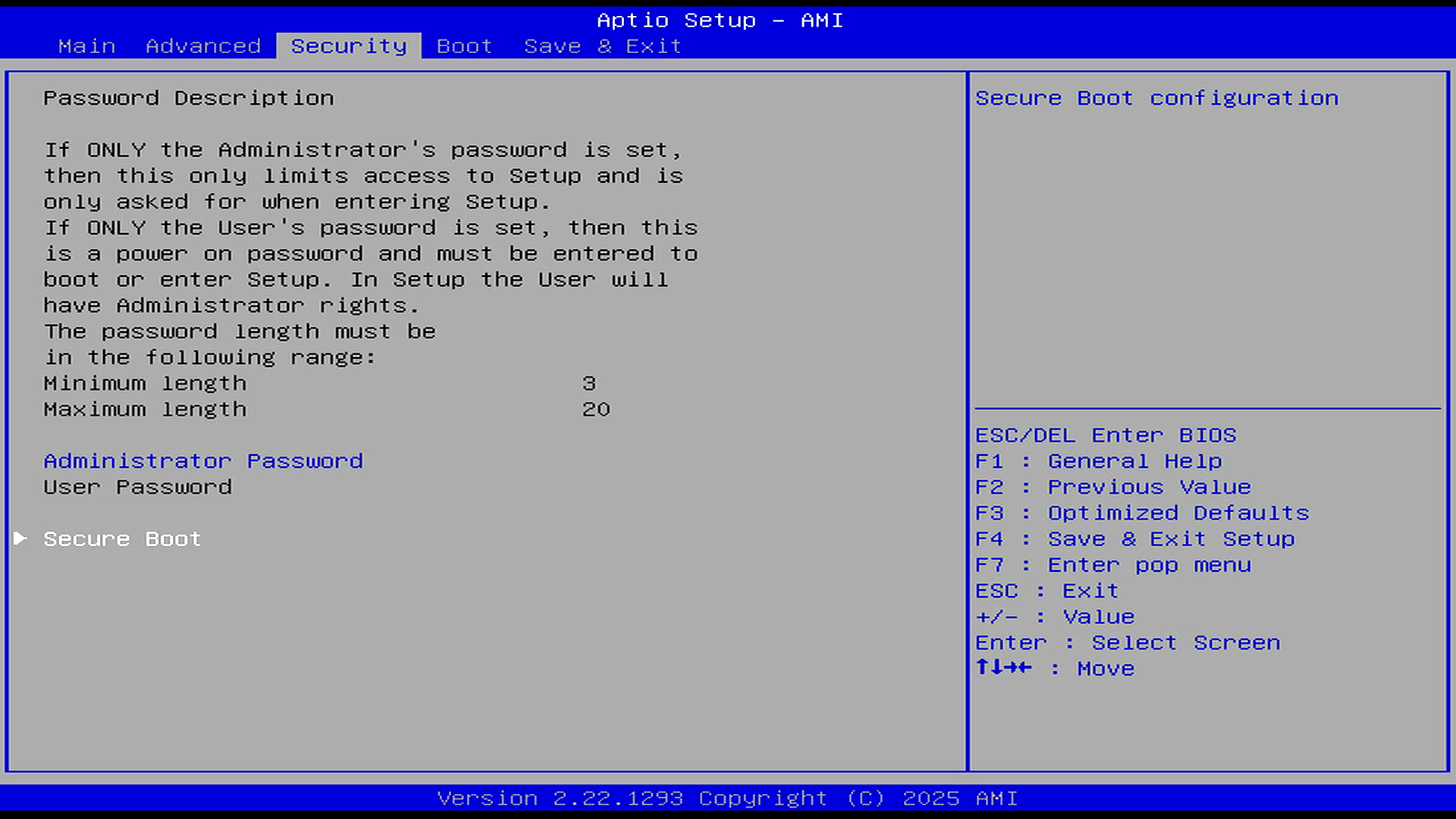
The Security tab is straightforward and Linux-friendly. It offers separate Administrator and User passwords, with the User password acting as a power-on password if configured.
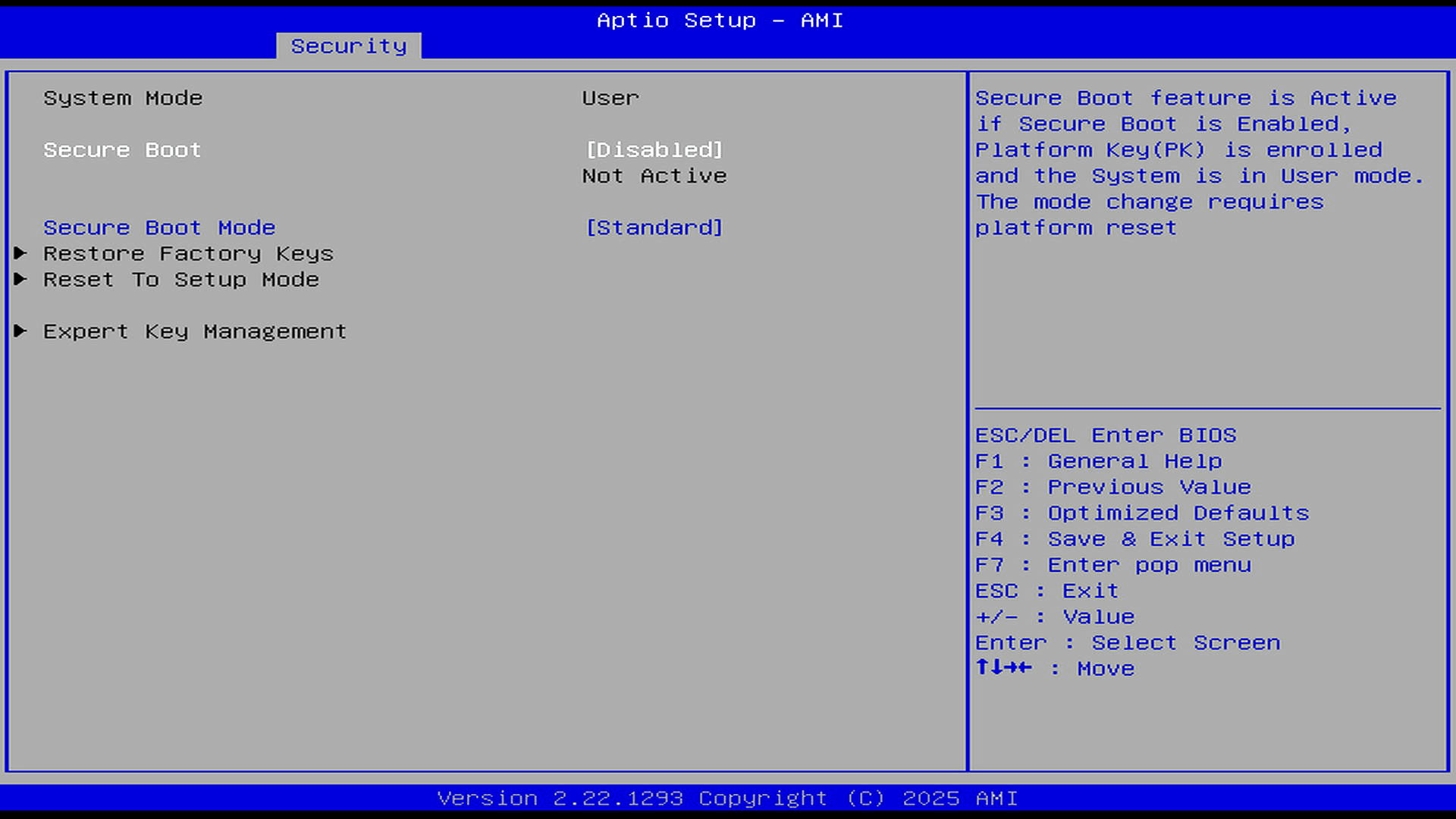
The key point is Secure Boot: the firmware is in User mode with standard Secure Boot key management available, but Secure Boot is disabled and not active. That’s a good default for Linux testing, as it avoids installation problems with unsigned kernels, third-party modules, DKMS drivers, or less common distributions.
It’s also useful that the BIOS still exposes proper Secure Boot controls: Standard Mode, Restore Factory Keys, Reset to Setup Mode, and Expert Key Management. Users who want Secure Boot can enable and manage it, but the default state favours compatibility and easy Linux installation.
Boot
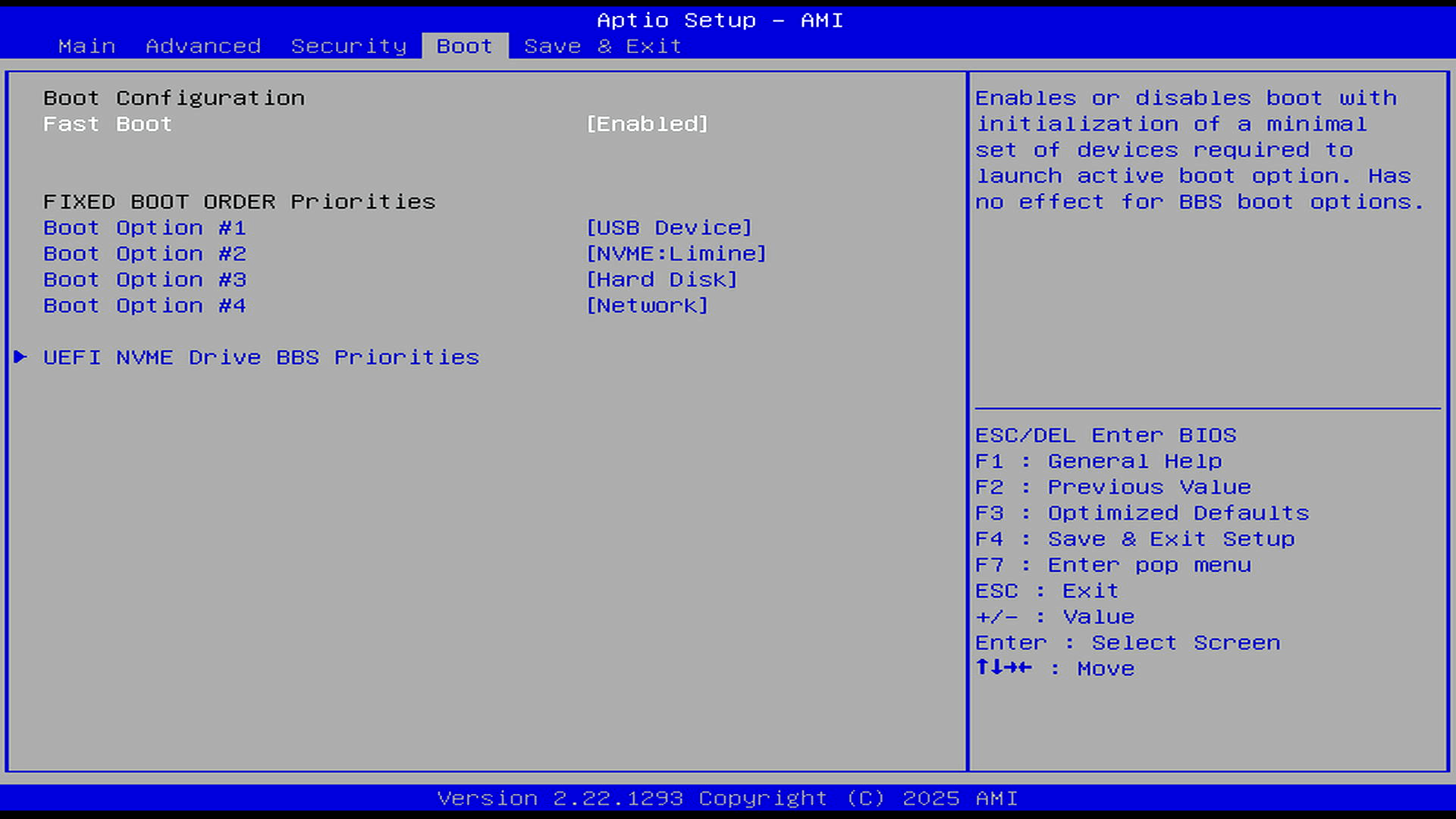
The Boot tab is simple but sensible for Linux testing. Fast Boot is enabled, and the fixed boot order puts USB Device first, followed by the internal NVMe drive, then hard disk, and finally network boot.
That’s a useful default, as it makes it easy to boot installation media or a live USB without changing much in the firmware. There’s also a separate UEFI NVMe Drive BBS Priorities submenu, so the internal NVMe boot order can be adjusted if more than one UEFI boot entry or NVMe device is present.
Overall, it’s a clean boot layout: USB-first for easy OS installation, NVMe second for normal daily use.
Note there are sections in the Advanced menu I haven’t shown. If there’s anything you want to see, drop a comment below.
Pages in this article:
Page 1 – Main and Advanced
Page 2 – Security and Boot
Complete list of articles in this series:
| Bosgame M7 Core Ultra 9 285H Mini PC | |
|---|---|
| Introduction | Introduction to the series and interrogation of the machine |
| Benchmarks | Benchmarking the Bosgame M7 Core Ultra 9 285H Mini PC |
| Power | Testing and comparing the power consumption |
| BIOS | In the world of computing, BIOS, which stands for Basic Input/Output System, plays a crucial role |
| Cores | Benchmarking the Bosgame M7’s Core Ultra 9 285H on Linux, comparing P-cores, E-cores and LP E-cores with Crafty, Coremark and smallpt. |
| Intel processors | P-Cores, E-Cores and LP E-Cores Compared Across 4 Intel Processors |
| More articles will be published next week | |
Please read our Comment Policy before commenting.
The BIOS on my desktop PC is so spartan in comparison.
I was hoping for a little analysis – not one piece of constructive criticism in this write-up. Is this just a marketing series?
No, it isn’t a marketing series.
This is an ongoing Linux review series, not a single-page verdict. The BIOS article you commented on is a focused look at the firmware, so its purpose is to show what the BIOS exposes, what’s configurable, and what matters from a Linux/testing perspective.
There’s already substantial analysis elsewhere in the series, including comparative benchmarks, graphics testing, memory and disk performance, and power-consumption testing against other mini PCs and desktop systems. Those articles don’t simply repeat specifications; they examine where the M7 performs well, where AMD systems are stronger, how Intel’s Arc 140T compares, how the 285H behaves in single-threaded and multi-threaded workloads, and what its idle/load power draw looks like.
Even in this BIOS article, there’s analysis rather than marketing copy: the conservative TCC Activation Offset, the fan trip points, the ability to tune cooling behaviour, the exposed CPU core controls, and the power-management options are all discussed because they affect thermals, noise, sustained performance, and testing flexibility.
A final judgement comes at the end of a series, once Linux compatibility, performance, power use, thermals, noise, hardware design, and any weaknesses have all been examined. Calling the series marketing because one BIOS-focused instalment isn’t a full teardown of every drawback ignores the wider work already published and the fact the series isn’t finished.
This is a very useful series. Unlike most YouTubers it comes across as both impartial and detailed. I’m looking forward to more articles. Maybe you can do a ROADMAP so I know what’s coming up?
Thanks for the detailed BIOS screenshots.