
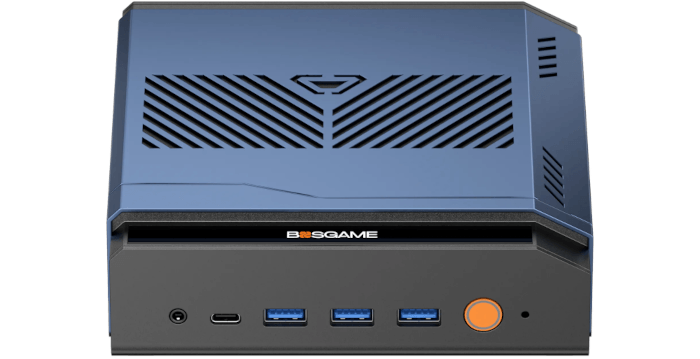
This is a new series looking at the Bosgame M7 Core Ultra 9 285H mini PC running Linux. In this series, I put this mini PC through its paces from a Linux perspective, comparing it with other systems, including desktops, to show how it really stacks up.
The Bosgame M7 is a recent addition to Bosgame’s wide range of mini PCs. This model is based on the Intel Core Ultra 9 285H processor with integrated Intel Arc 140T graphics. The processor has 16 cores and 16 threads with a CPU Mark of around 34,327. My machine came with 32GB of DDR5 5600MHz RAM and a 1TB PCIe 4.0 SSD, a configuration well-suited to heavy multitasking, development work, and media-rich workloads.
For this article in the series, I’m looking at the power consumption of the Bosgame M7 Core Ultra 9 285H (BOSGAME M7). I’ll compare it with six mini PCs and two desktop machines: the Bosgame M6 HX370 AI PC (BOSGAME M6), Bosgame M4 Plus Ryzen 9 7940HS (BOSGAME M4 Plus), Minisforum UM890 Pro (Ryzen 9 8945HS), ASRock Industrial NUC BOX-255H with an Intel Core Ultra 7 255H processor (Core Ultra 7 255H), Intel NUC i7-1360P (i7-1360P), DreamQuest Intel N100 (N100), and desktop machines with i5-10400 and i5-12400F processors.
Let’s start with idle power consumption.
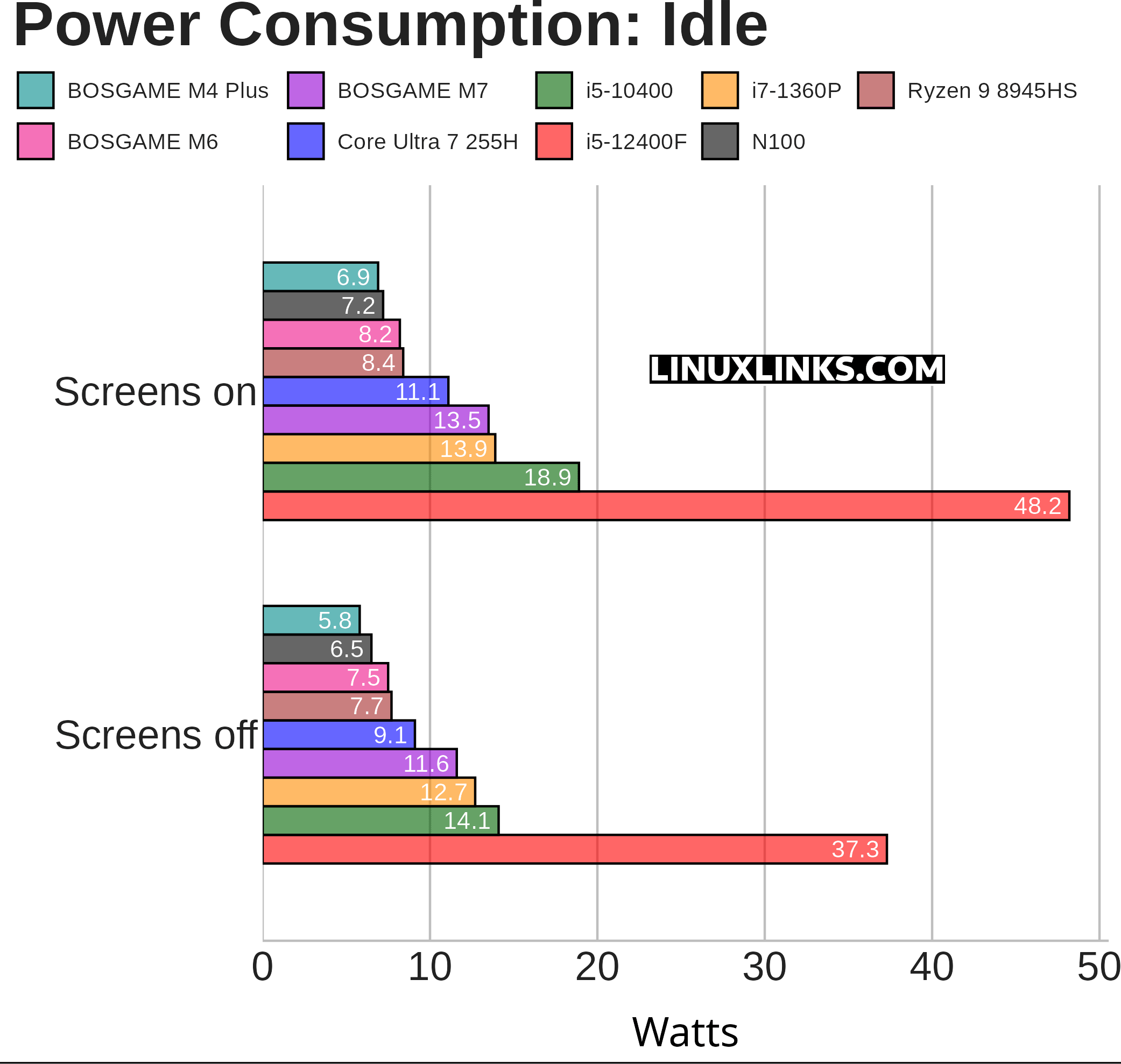
Overall, the Bosgame M7’s idle power consumption is in the range we’d expect for a higher-tier Core Ultra 9 285H mini PC.
At 13.5W with screens on and 11.6W with screens off, it draws a little more than the Core Ultra 7 255H system, but only by around 2.5W. That’s a modest increase given the M7’s faster processor and higher performance ceiling.
It can’t match the exceptionally low idle figures of the Bosgame M6 or M4 Plus, but it’s still comfortably ahead of the older desktop-class systems. The i5-12400F result is especially high, although that comparison needs context as the system uses a dedicated graphics card.
Notes about the chart:
- The chart measures the power consumption of each system (not just the CPU).
- The i5-12400F machine hosts a dedicated graphics card, whereas the other machines all have onboard graphics. Power consumption at idle is much higher with a dedicated graphics card, in this case an NVIDIA ASUS RTX 3060 Ti. The graphics card itself consumes 11W with the machine idle and two screens off, and 21W idle with two screens on, as reported by nvidia-smi..
- The Bosgame M7, Bosgame M4 Plus, Minisforum AI X1 Pro, i5-12400F, and i5-10400 machines offer BIOS power management options. These options are enabled. The other machines don’t offer equivalent BIOS power management. For the Bosgame M7, I’ve selected Quiet Power Mode in the BIOS.
- For the i5-10400 machine, the BIOS offers options to enable ASUS Performance Enhancement as well as Performance Mode. With both options enabled, the PC idles at 22.2W and 24.9W with both screens off and on respectively. Disabling these options therefore makes a significant difference.
- The Power Saver CPU governor is used.
- The machines are running Ubuntu.
Next page: Page 2 – Power Consumption With Light Usage
Pages in this article:
Page 1 – Power Consumption With System Idle
Page 2 – Power Consumption With Light Usage
Page 3 – Power Consumption With CPU Stressed
Page 4 – Electricity Costs
Complete list of articles in this series:
| Bosgame M7 Core Ultra 9 285H Mini PC | |
|---|---|
| Introduction | Introduction to the series and interrogation of the machine |
| Benchmarks | Benchmarking the Bosgame M7 Core Ultra 9 285H Mini PC |
| Power | Testing and comparing the power consumption |
| BIOS | In the world of computing, BIOS, which stands for Basic Input/Output System, plays a crucial role |
| Cores | Benchmarking the Bosgame M7’s Core Ultra 9 285H on Linux, comparing P-cores, E-cores and LP E-cores with Crafty, Coremark and smallpt. |
| Intel processors | P-Cores, E-Cores and LP E-Cores Compared Across 4 Intel Processors |
| More articles will be published next week | |
Please read our Comment Policy before commenting.
I’m not an expert on power testing, but this makes the M7 look a bit less impressive to me.
I always thought mini PCs were supposed to be really efficient, especially when just doing normal desktop stuff. So seeing it use quite a bit more power than some AMD mini PCs is a bit disappointing. Maybe the performance is great, but if it’s using more electricity all the time, that has to count against it.