

Gitu is a terminal user interface for Git inspired by Magit.
It’s designed to bring a keyboard-driven porcelain interface to the command line, giving users a structured way to inspect repository state and carry out common Git tasks without leaving the terminal.
This is free and open source software.
Key Features
- Supports staging and unstaging at file, hunk, and line level.
- Provides commit viewing and can open the configured editor at a specific line.
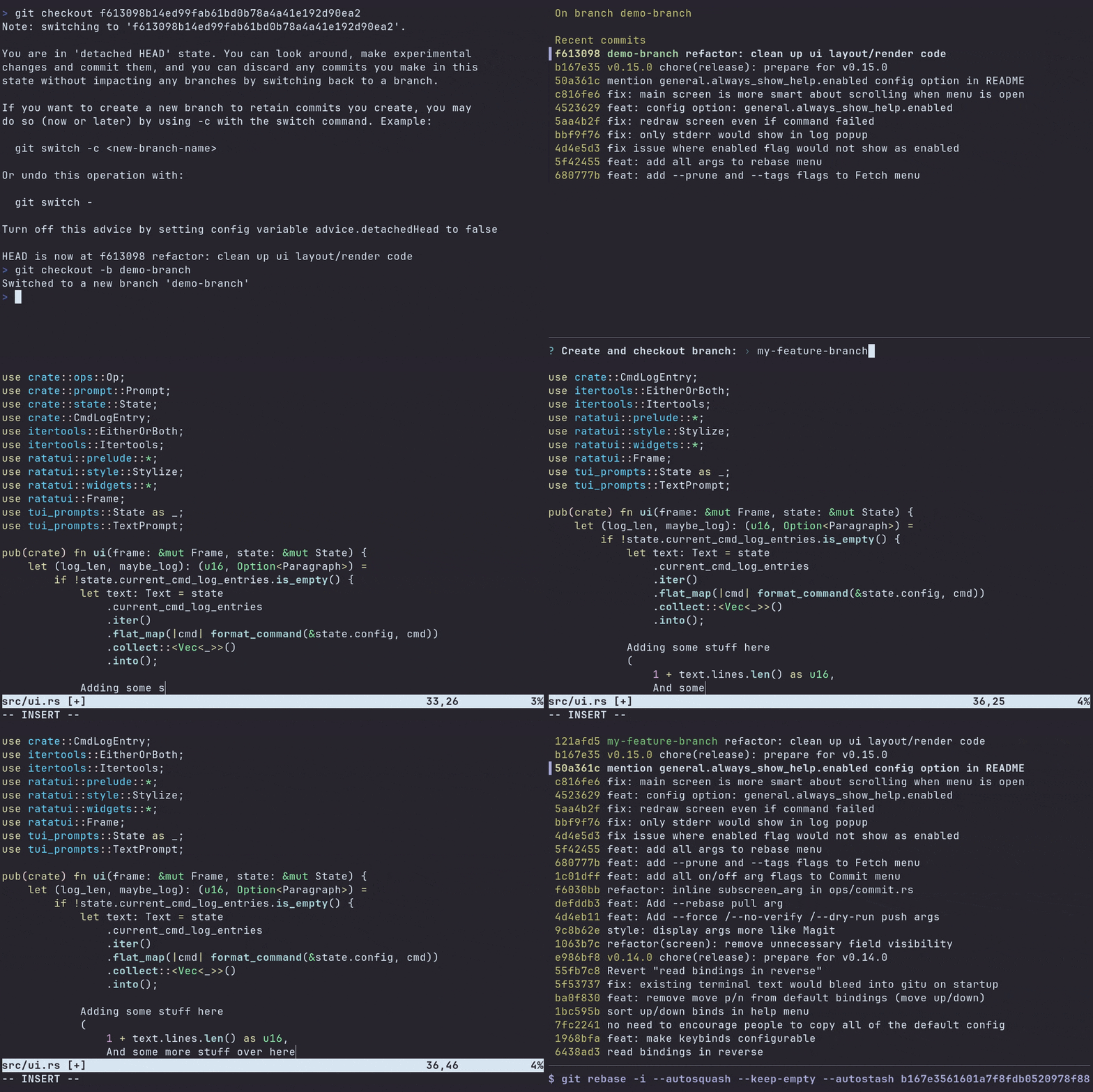
- Includes branch management with checkout and creation of new branches.
- Handles commit workflows including standard commits, amend, and fixup operations.
- Supports fetch, pull, and push with configured upstream or pushDefault settings.
- Offers log views for the current branch and other histories.
- Includes rebase operations such as abort, continue, autosquash, and interactive rebase.
- Supports reset modes including soft, mixed, and hard reset.
- Includes stash operations such as save, pop, apply, and drop.
- Provides Vim-like keybindings inspired by Magit, with an optional help menu.
- Supports configuration through a TOML file in the standard user config directory.
- Cross-platform support – runs under Linux, macOS, and Windows.
Website: github.com/altsem/gitu
Support:
Developer: altsem
License: MIT License
Gitu is written in Rust. Learn Rust with our recommended free books and free tutorials.
Related Software
| Text-Based Git Clients | |
|---|---|
| lazygit | Simple yet hugely popular terminal UI for git commands, written in Go |
| GitUI | Offers the comfort of a GUI git client but right in your terminal |
| Fugitive | Vim plugin for Git |
| Magit | Inspect and modify your Git repositories with Emacs |
| tig | ncurses-based Git repository browser |
| Neogit | Git interface plugin for Neovim inspired by Magit |
| forgit | Utility for using git interactively |
| Gitu | TUI Git client inspired by Magit |
| ggc | Go Git CLI |
| GRV | Git Repository Viewer |
| bit | Experimental modernized git CLI |
| pygitzen | Python-native terminal-based Git client |
| gitin | Commit, branch, status explorer for Git |
| Froggit | Modern, minimalist Git TUI |
Read our verdict in the software roundup.
 Explore our carefully curated directory of recommended free and open source software, covering every major software category. Explore our carefully curated directory of recommended free and open source software, covering every major software category.The directory forms part of our extensive collection of articles for Linux enthusiasts. It includes hundreds of detailed reviews, together with free and open source alternatives to proprietary software from companies such as Google, Microsoft, Apple, Adobe, IBM, Cisco, Oracle, and Autodesk. LinuxLinks also covers interesting projects worth exploring, Linux-compatible hardware, free programming books and tutorials, and much more. Know a useful free and open source Linux application that we haven’t covered? Tell us about it using our submission form. |
Please read our Comment Policy before commenting.