

ggc is a Git command-line utility written in Go that combines conventional subcommands with an interactive command selector. It provides a more approachable way to perform common Git operations without requiring developers to abandon their existing terminal workflows.
Users can execute commands directly or open a searchable interface for choosing operations. The application also supports workflows that combine several Git tasks, helping reduce the repetition involved in common development activities.
This is free and open source software.
Key Features
- Traditional command-line mode supports direct execution of individual Git operations.
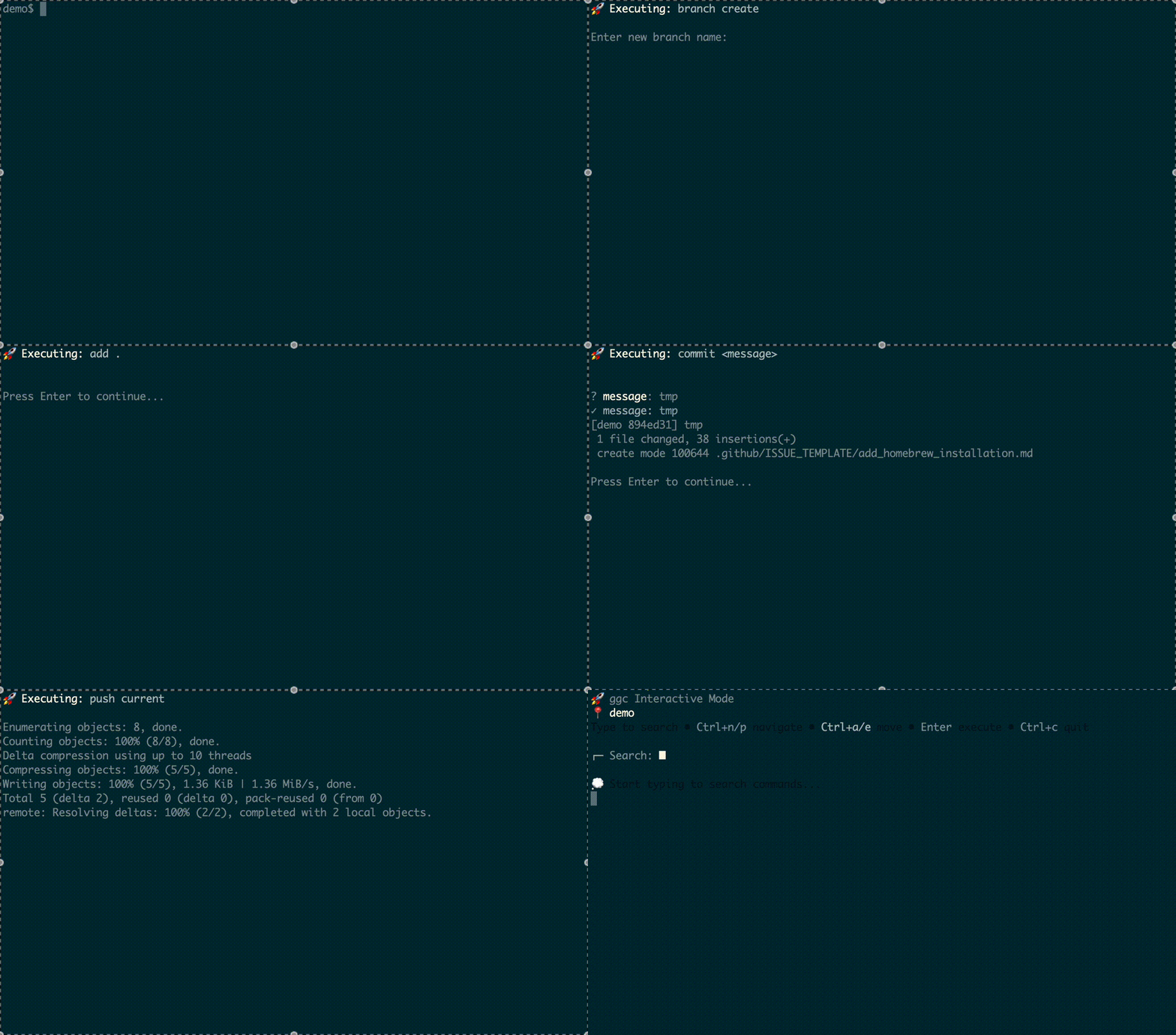
- Interactive mode provides incremental searching for locating commands without memorising their full syntax.
- Command selectors offer a structured way to navigate available Git functionality.
- Supports common operations including adding files, viewing history, committing, pulling and pushing.
- Interactive file selection simplifies choosing which changes to stage.
- Branch selection facilities reduce the need to type or remember complete branch names.
- Interactive prompts assist with entering commit messages and other command parameters.
- Multi-command workflows combine related operations such as staging, committing and pushing changes.
- Composite commands provide shortcuts for tasks that would otherwise require several steps.
- Command aliases allow frequently used operations to be invoked more efficiently.
- Supports user-defined keybindings and selectable keyboard profiles.
- Keyboard profiles include default, Emacs, vi and readline-style mappings.
- YAML configuration provides a mechanism for customising behaviour.
- Shell completion is available for Bash, Zsh and fish.
- Cross-platform support – runs on Linux, macOS, and Windows.
Website: github.com/bmf-san/ggc
Support:
Developer: Kenta Takeuchi
License: MIT License
ggc is written in Go. Learn Go with our recommended free books and free tutorials.
Related Software
| Text-Based Git Clients | |
|---|---|
| lazygit | Simple yet hugely popular terminal UI for git commands, written in Go |
| GitUI | Offers the comfort of a GUI git client but right in your terminal |
| Fugitive | Vim plugin for Git |
| Magit | Inspect and modify your Git repositories with Emacs |
| tig | ncurses-based Git repository browser |
| Neogit | Git interface plugin for Neovim inspired by Magit |
| forgit | Utility for using git interactively |
| Gitu | TUI Git client inspired by Magit |
| ggc | Go Git CLI |
| bit | Experimental modernized git CLI |
| pygitzen | Python-native terminal-based Git client |
| gitin | Commit, branch, status explorer for Git |
| Froggit | Modern, minimalist Git TUI |
| Gitwig | Keyboard-driven terminal interface for managing Git repositories |
Read our verdict in the software roundup.
 LinuxLinks helps you discover the best free and open source software for Linux. Explore our extensive collection of recommended applications, including alternatives to popular proprietary software. LinuxLinks helps you discover the best free and open source software for Linux. Explore our extensive collection of recommended applications, including alternatives to popular proprietary software.We also publish software reviews, Linux tutorials, hardware reviews, free programming books and articles covering the wider open source community. Browse our Linux resources to discover more. Know a useful free and open source Linux application we haven't covered? Suggest a program for inclusion. Has your software been featured on LinuxLinks? Display one of our Featured on LinuxLinks badges on your website or GitHub README. |
Please read our Comment Policy before commenting.