

hledger-tui is a terminal-based application for viewing and analysing financial information stored in hledger journals. It provides a visual interface for exploring expenses, assets, account balances and financial statistics without leaving the terminal.
The application is built with Python and the Textual framework. It uses hledger to retrieve accounting information and presents the results through navigable tables, charts and summary views.
Rather than concentrating on entering and editing transactions, hledger-tui focuses on helping users understand their financial position. Its charts make it easier to identify spending patterns, compare balances and follow changes over time.
The interface is largely keyboard-driven, making it particularly appealing to people who prefer working in a terminal. Users can explore different reporting periods, investigate individual accounts and examine the underlying financial data in greater detail.
This is free and open source software.
Key Features
- Expense analysis – examine spending by category with bar charts and configurable account filters.
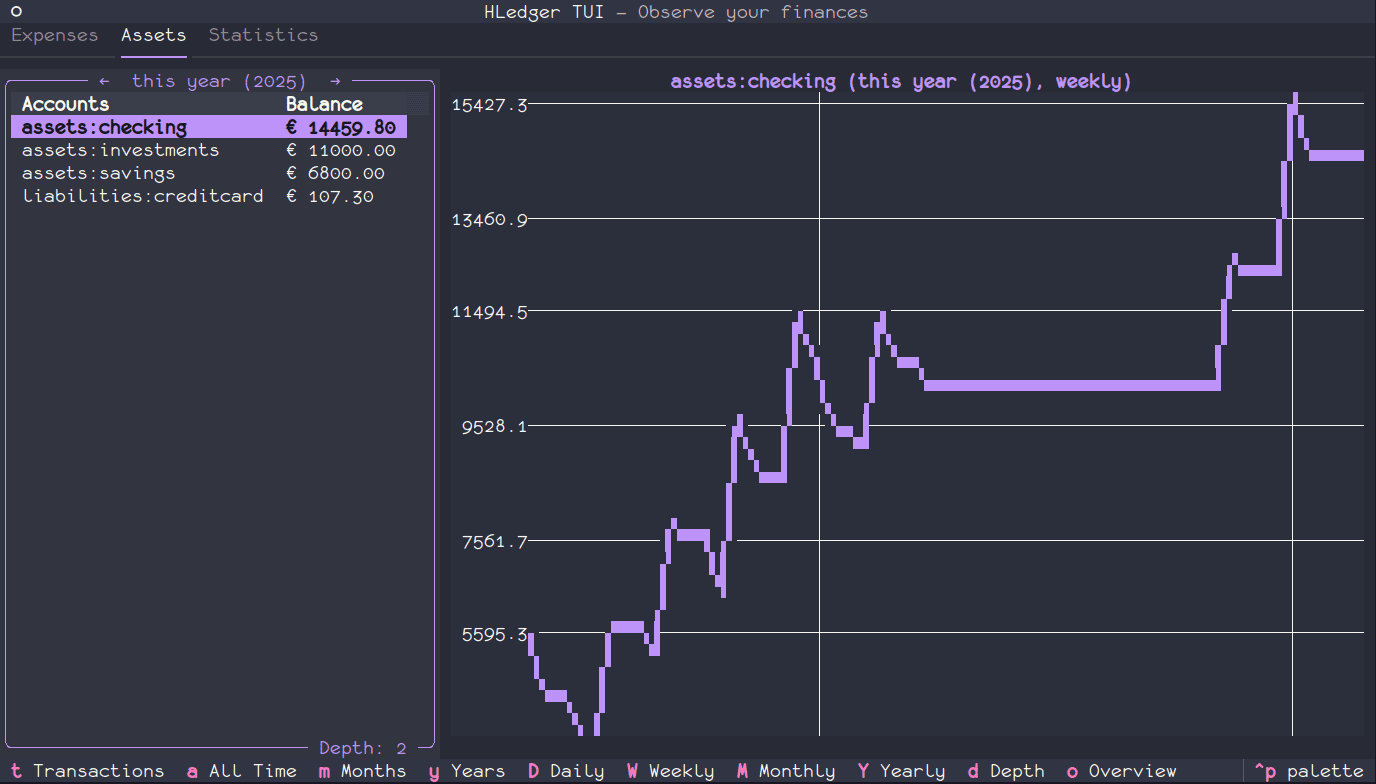
- Asset monitoring – track asset balances over time using interactive line charts.
- Financial statistics – view account summaries, commodity information and transaction statistics.
- Period navigation – analyse financial information by week, month, quarter or year.
- Account drill-down – inspect individual accounts, transaction histories and balance changes.
- Tag analysis – group financial information by tags and use pivot views to compare expenditure.
- Interactive charts – visualise financial data using integrated bar and line charts.
- Configurable account depth – control the level of detail shown in account hierarchies.
- Multi-currency handling – convert balances using market prices or a selected reporting currency.
- Custom queries – define filters for assets, expenses and tags to control the information displayed.
- Flexible configuration – configure journal paths, reporting options and display preferences using YAML files or environment variables.
- Keyboard navigation – move between views and access commands through keyboard shortcuts and a command palette.
- Browser interface – optionally access the application through its web-serving mode.
- Cross-platform support – runs on Linux and macOS.
Website: github.com/lucabello/hledger-tui
Support:
Developer: Luca Bello
License: Apache License 2.0
hledger-tui is written in Python. Learn Python with our recommended free books and free tutorials.
Related Software
| Terminal-Based Personal Finance Tools | |
|---|---|
| Bagels | Record and analyse your personal finances |
| moneyflow | Track your money from the terminal |
| Helius Personal Finance Tracker | Local-first personal finance application |
| Budget Tracker TUI | Track personal budgets |
| MoneyTerm | TUI expense and budget tracker |
| cashd | TUI for personal finance management |
| Rex | Keep track of incomes and expenses |
| FiTui | Small terminal-based personal finance tracker |
| tuidger | Track expenses, revenues, transfers, and account balances |
| SmartWallet | Offline-first TUI application for managing personal finances |
| Ledge | Lightweight terminal-based personal finance tracker |
Read our verdict in the software roundup.
 LinuxLinks helps you discover the best free and open source software for Linux. Explore our extensive collection of recommended applications, including alternatives to popular proprietary software. LinuxLinks helps you discover the best free and open source software for Linux. Explore our extensive collection of recommended applications, including alternatives to popular proprietary software.We also publish software reviews, Linux tutorials, hardware reviews, free programming books and articles covering the wider open source community. Browse our Linux resources to discover more. Know a useful free and open source Linux application we haven't covered? Suggest a program for inclusion. Has your software been featured on LinuxLinks? Display one of our Featured on LinuxLinks badges on your website or GitHub README. |
Please read our Comment Policy before commenting.