

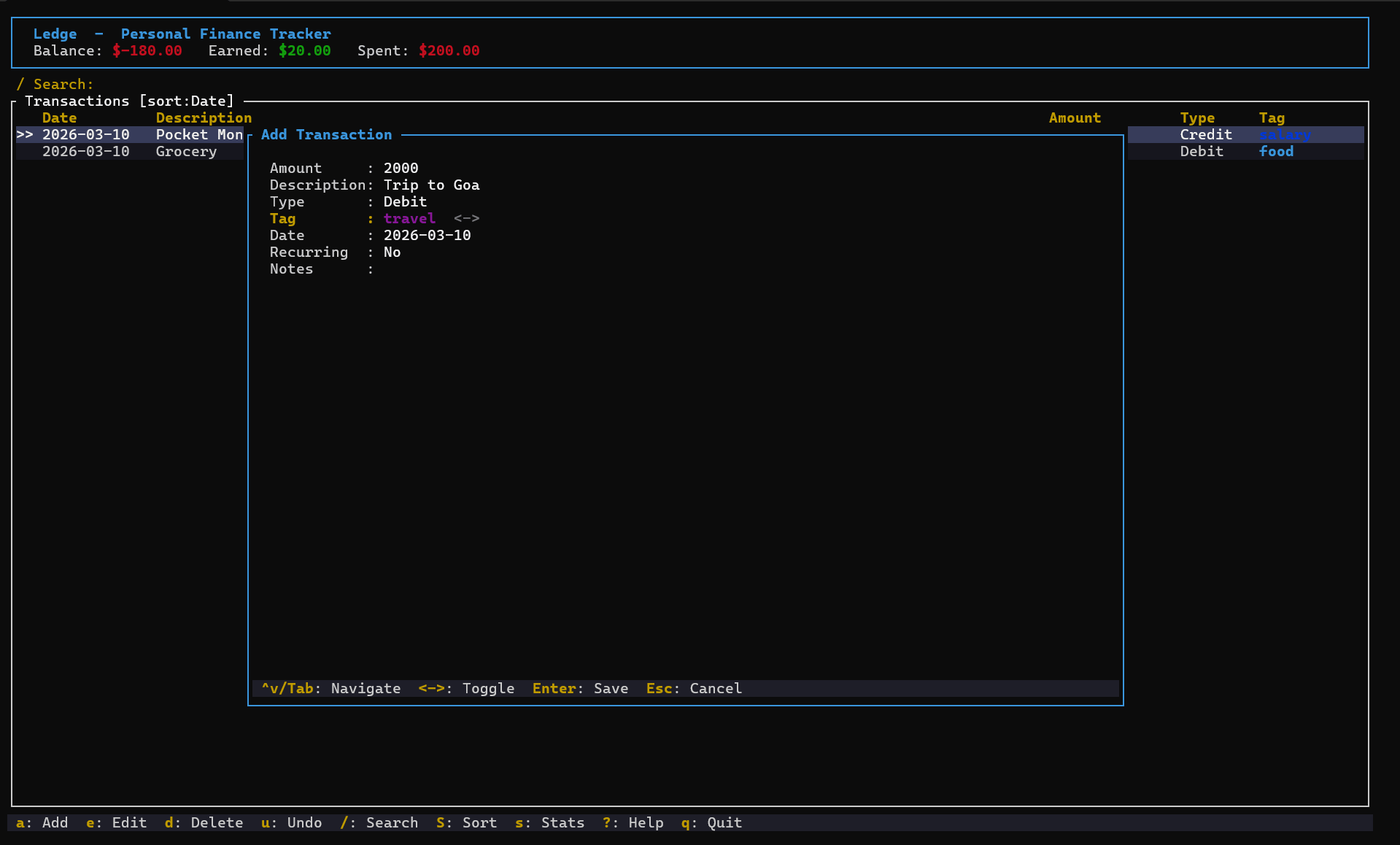
Ledge is a lightweight terminal-based personal finance tracker built with Rust and Ratatui. It provides a keyboard-driven interface for recording transactions, monitoring spending and managing budgets without leaving the terminal.
The application is designed for straightforward everyday financial management. Users can enter income and expenses, organise transactions using tags and search their records using different criteria.
A dedicated statistics view helps identify where money is being spent. It presents financial totals, larger expenses and breakdowns organised by transaction tags. Monthly budget limits can also be assigned to spending categories.
Ledge stores financial records in a local SQLite database, with application preferences maintained in a YAML configuration file. It supports CSV import and export, making it possible to move transaction data between Ledge and other financial tools.
This is free and open source software.
Key Features
- Add, edit and delete credit and debit transactions.
- Search financial records by amount, date, description or tag.
- Financial statistics showing income, expenditure and spending trends.
- Identify largest expenses and examine spending breakdowns by category.
- Monthly budget goals with configurable spending limits.
- Monitor expenditure against individual category budgets.
- Import and export transactions in CSV format.
- Custom transaction tags for organising financial information.
- Configurable display currency.
- Local SQLite database for storing transaction history.
- Keyboard-driven navigation with Vim-style shortcuts.
- Cross-platform support – runs on Linux, macOS, and Windows.
Website: github.com/amxnnn/ledge-finance-tracker
Support:
Developer: Amxnnn
License: MIT License
Ledge is written in Rust. Learn Rust with our recommended free books and free tutorials.
Related Software
| Terminal-Based Personal Finance Tools | |
|---|---|
| Bagels | Record and analyse your personal finances |
| moneyflow | Track your money from the terminal |
| Helius Personal Finance Tracker | Local-first personal finance application |
| Budget Tracker TUI | Track personal budgets |
| MoneyTerm | TUI expense and budget tracker |
| cashd | TUI for personal finance management |
| Rex | Keep track of incomes and expenses |
| FiTui | Small terminal-based personal finance tracker |
| tuidger | Track expenses, revenues, transfers, and account balances |
| SmartWallet | Offline-first TUI application for managing personal finances |
| Ledge | Lightweight terminal-based personal finance tracker |
Read our verdict in the software roundup.
 Explore our carefully curated directory of recommended free and open source software, covering every major software category. Explore our carefully curated directory of recommended free and open source software, covering every major software category.The directory forms part of our extensive collection of articles for Linux enthusiasts. It includes hundreds of detailed reviews, together with free and open source alternatives to proprietary software from companies such as Google, Microsoft, Apple, Adobe, IBM, Cisco, Oracle, and Autodesk. LinuxLinks also covers interesting projects worth exploring, Linux-compatible hardware, free programming books and tutorials, and much more. Know a useful free and open source Linux application that we haven’t covered? Tell us about it using our submission form. |
Please read our Comment Policy before commenting.