
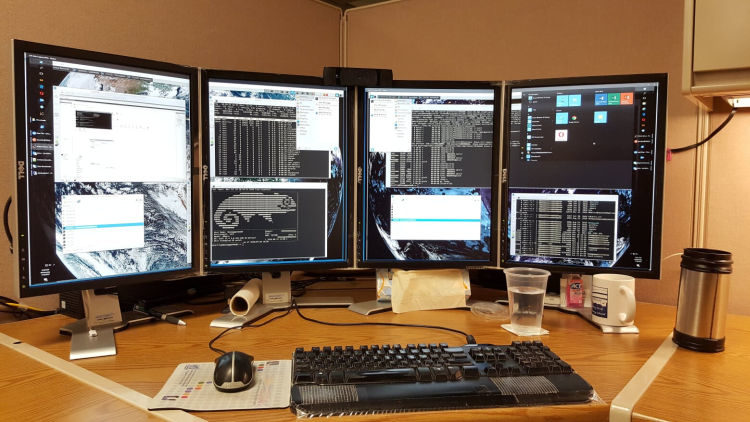
Remote Desktop Control displays the screen of another computer (via Internet or local area network) on a local screen. This type of software enables users to use the mouse and keyboard to control the other computer remotely. It means that a user can work on a remote computer as if he or she was sitting directly in front of it, regardless of the distance between the computers.
Remote desktop applications typically use either the Remote Desktop Protocol (RDP) or Virtual Network Computing (VNC) protocol. Other remote desktop protocols include Remote Frame Buffer Protocol, Apple Remote Desktop Protocol, NX technology, the X Window System, and the Independent Computing Architecture. In order to establish a remote connection, both the host/server and client have to support the same protocol.
Remote desktop control offers significant benefits to both employees and employers. For example, with remote desktop control network administrators can directly access a user’s desktop, and provide technical support without having to be physically next to the user. Another common use of remote display software is to control multiple computers running different operating systems from a single monitor.
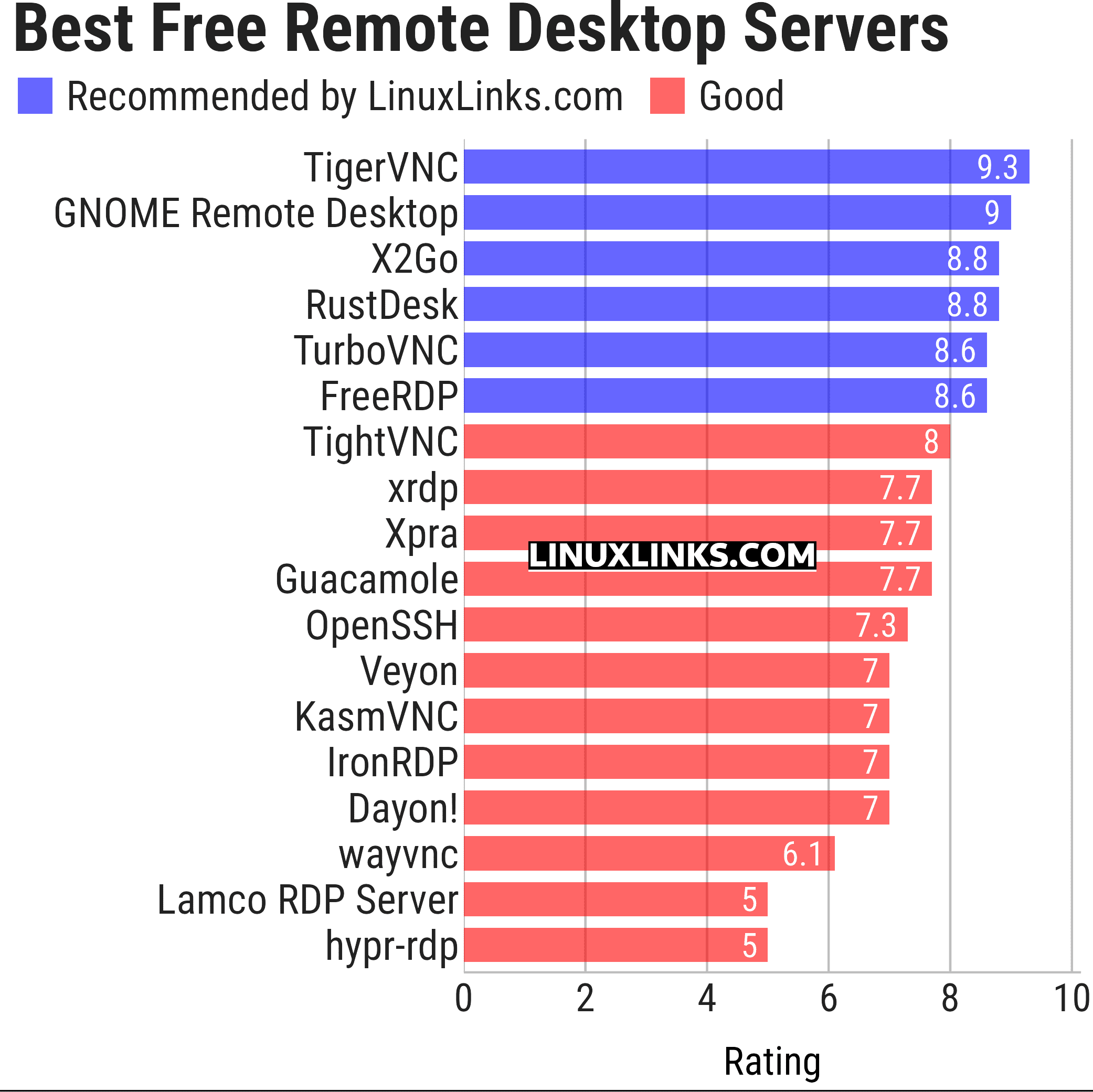
To provide an insight into the quality of software that is available, we have compiled a list of 18 remote desktop servers. Many of these servers are a complete solution as they include a desktop client. There are some additional desktop clients covered in our remote desktop clients roundup.
Here’s our verdict captured in a legendary LinuxLinks-style ratings chart. Only free and open source software is eligible for inclusion.
Let’s explore the 18 remote desktop servers at hand. For each application we have compiled its own portal page, a full description with an in-depth analysis of its features, screenshots, together with links to relevant resources.
| Remote Desktop Servers | |
|---|---|
| TigerVNC | Platform-neutral implementation of VNC |
| GNOME Remote Desktop | Designed for GNOME using pipewire. |
| X2Go | Fast terminal server suite based on NoMachine's NX libraries |
| RustDesk | Works out of the box with no configuration required |
| TurboVNC | TightVNC-compatible remote desktop software |
| FreeRDP | Remote Desktop Protocol Implementation |
| TightVNC | Remote network access to graphical desktops |
| xrdp | Accepts connections from variety of RDP clients |
| Xpra | Multi-platform persistent remote display server |
| Guacamole | Clientless remote desktop gateway |
| OpenSSH | Encrypted communication sessions using the ssh protocol |
| Veyon | Computer monitoring and classroom management |
| KasmVNC | Browser-based VNC server for secure remote desktop access |
| IronRDP | Rust implementation of RDP |
| Dayon! | Easy to use, cross-platform remote desktop assistance solution |
| wayvnc | VNC server for wlroots-based Wayland compositors |
| Lamco RDP Server | Wayland-native RDP server for Linux |
| hypr-rdp | Native RDP server for Hyprland |
This article has been updated to reflect the changes outlined in our recent announcement.
 Explore our carefully curated directory of recommended free and open source software, covering every major software category. Explore our carefully curated directory of recommended free and open source software, covering every major software category.The directory forms part of our extensive collection of articles for Linux enthusiasts. It includes hundreds of detailed reviews, together with free and open source alternatives to proprietary software from companies such as Google, Microsoft, Apple, Adobe, IBM, Cisco, Oracle, and Autodesk. LinuxLinks also covers interesting projects worth exploring, Linux-compatible hardware, free programming books and tutorials, and much more. Know a useful free and open source Linux application that we haven’t covered? Tell us about it using our submission form. |
Please read our Comment Policy before commenting.