

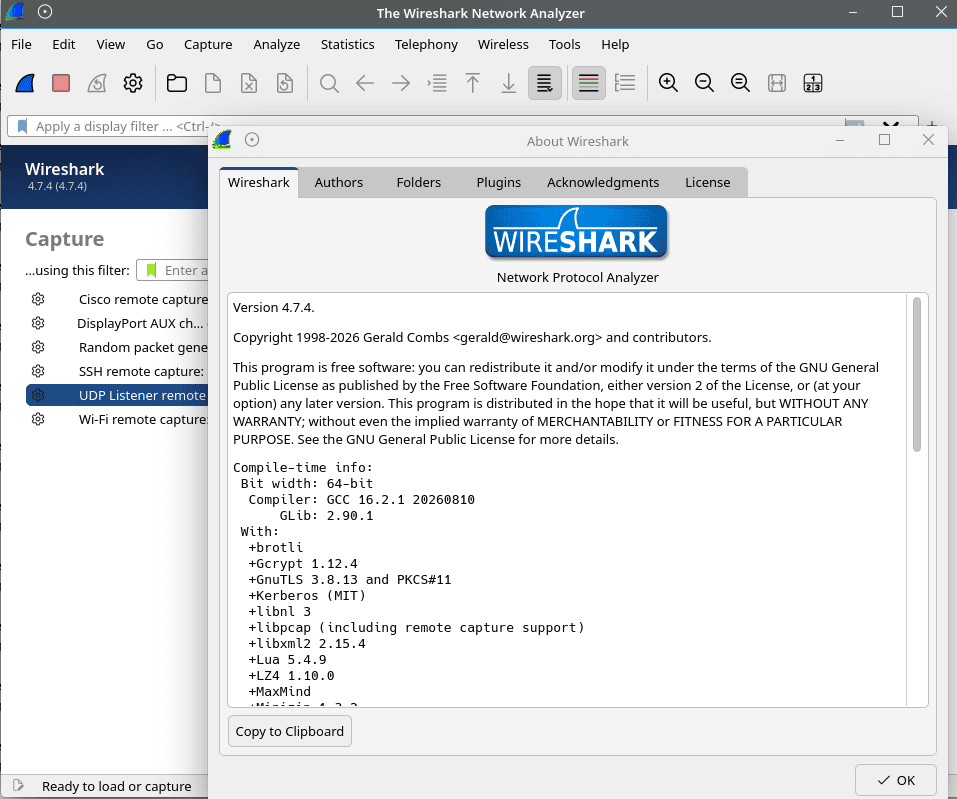
Wireshark is a network protocol analyzer that captures and examines network traffic in considerable detail. It helps network administrators, security professionals and developers investigate connectivity problems, understand protocol behaviour and diagnose performance issues.
The application provides a graphical interface for inspecting individual packets and the protocols they contain. It can analyze live network traffic or previously recorded captures, making it useful for both real-time troubleshooting and network forensics.
Originally known as Ethereal, Wireshark is maintained by a worldwide community of contributors. Its extensive protocol support and collection of analysis tools make it suitable for investigating everything from simple DNS queries to complex network communications.
This is free and open source software.
Key Features
- Capture live traffic from multiple network interfaces, including Ethernet and wireless networks, depending on hardware and platform capabilities.
- Inspect packets using a three-pane interface showing packet summaries, decoded protocol fields and raw bytes.
- Capture filters restrict recorded traffic, while display filters isolate packets using protocol fields, addresses, ports and logical expressions.
- Decode thousands of network protocols, including TCP, UDP, DNS, HTTP, TLS and many specialist protocols.
- Follow TCP, UDP, TLS, HTTP and other supported streams to examine communications between endpoints.
- Statistics include protocol hierarchy, conversations, endpoints, packet lengths, service response times and I/O graphs.
- VoIP analysis tools inspect SIP calls and RTP streams, including jitter, packet loss, timing and audio playback where supported.
- Decrypt supported encrypted traffic, including TLS and IPsec, when the required keys or secrets are available.
- Apply custom packet colouring rules to highlight particular traffic and potential problems.
- Read and write pcap, pcapng and numerous other capture formats, with options to merge and export captures.
- Extract supported transferred objects, such as files carried in HTTP traffic.
- Use TShark for command-line packet capture, filtering and protocol analysis.
- Configuration profiles maintain separate preferences, display filters and packet analysis settings.
- Cross-platform support – runs on Linux, macOS, and Windows.
Website: www.wireshark.org
Support:
Developer: Gerald Combs (original author) and contributors
License: GNU General Public License v2.0
Wireshark is written in C and C++. Learn C with our recommended free books and free tutorials.
Related Software
| Network Analyzers | |
|---|---|
| Wireshark | Network protocol analyzer with a rich and powerful feature set |
| Sniffnet | Visualise live network traffic with a friendly interface |
| Kismet | Wireless network and device detector, sniffer, wardriving tool |
| Ettercap | Comprehensive suite for man in the middle attacks |
| IPTraf-ng | Feature-laden network statistic monitoring tool |
| Zeek | Network security monitoring with deep traffic insight |
| netsniff-ng | Swiss army knife for daily Linux network plumbing |
| Kyanos | Networking analysis tool using eBPF |
| Arkime | Indexes full packet captures for rapid, large-scale traffic investigation |
| EtherApe | Graphical network monitor |
| darkstat | Captures network traffic, calculates usage statistics, and serves reports |
| justniffer | Network TCP packet sniffer with reliable TCP flow rebuilding |
| tcpflow | TCP/IP packet demultiplexer |
| tcpdump | Powerful and hugely respected command-line packet analyzer |
| sniffglue | Packet sniffer written in Rust |
| sniffer | Alternative network traffic sniffer |
| RustNet | Terminal monitor for connections and bandwidth |
| Malcolm | Traffic analysis suite for capture, hunting and forensics |
| dsniff | Collection of tools for network auditing and penetration testing |
| ngrep | grep applied to the network layer |
| Network Monitor | Rreal-time network connection monitoring tool |
| sniffit | CORBA based sniffer system with ncurses interactive mode |
| Jomon | Network forensics and sniffer tool |
Read our verdict in the software roundup.
 Explore our carefully curated directory of recommended free and open source software, covering every major software category. Explore our carefully curated directory of recommended free and open source software, covering every major software category.The directory forms part of our extensive collection of articles for Linux enthusiasts. It includes hundreds of detailed reviews, together with free and open source alternatives to proprietary software from companies such as Google, Microsoft, Apple, Adobe, IBM, Cisco, Oracle, and Autodesk. LinuxLinks also covers interesting projects worth exploring, Linux-compatible hardware, free programming books and tutorials, and much more. Know a useful free and open source Linux application that we haven’t covered? Tell us about it using our submission form. |