

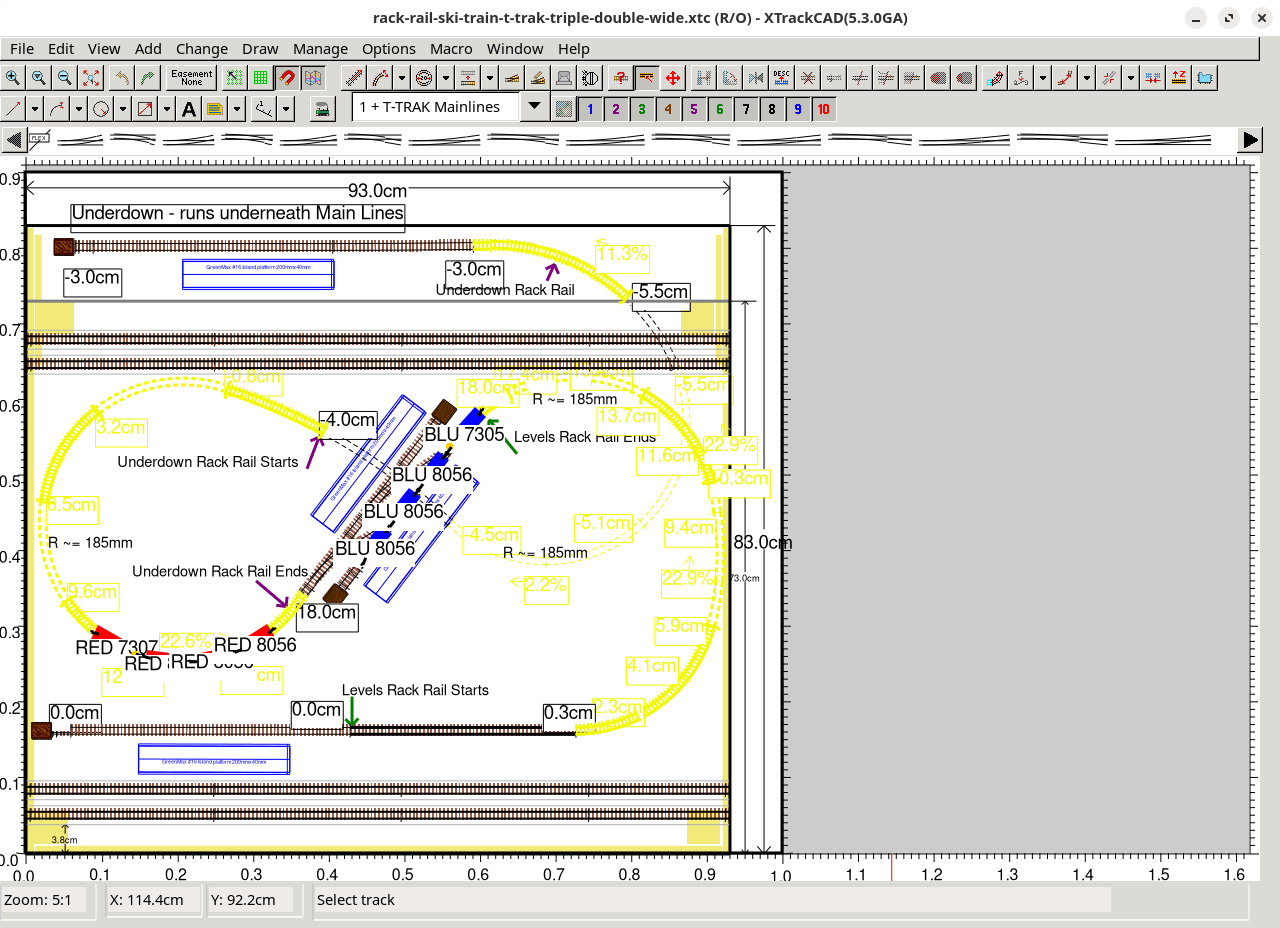
XTrackCAD is a CAD (computer-aided design) program for designing Model Railroad layouts.
XTrackCAD supports any scale, has libraries of popular brands of turnouts and sectional track (plus you add your own easily), can automatically use spiral transition curves when joining track and has extensive on-line help and demonstrations. XTrackCAD lets you manipulate track much like you would with actual flex-track to modify, extend and join tracks and turnouts. Additional features include tunnels, ‘post-it’ notes, on-screen ruler, parts list, 99 drawing layers, undo/redo commands, bench-work, ‘Print to Bitmap’, elevations, train simulation and car inventory.
This is free and open source software.
Key Features
- Annotate with text and notes.
- Automatic easement calculation.
- Create Custom Designed Turnouts and Structures.
- Create parallel straight and curved tracks.
- Delete objects.
- Describe objects.
- Draw lines, arcs, polylines and polygons and filled polygons or circular shapes (for showing river edges etc).
- Draw table edges, Bench-work and dimension lines.
- Elevations, grades and profiles.
- Extend (or shrink) a segment by dragging its Endpoint.
- Extend a segment with a curve (or straight).
- Generate parts list for all or selected areas of the layout.
- Hand-laid Turnouts.
- Helix track.
- Hot Bar for Turnout and Structure selection.
- Join any two tracks.
- Move and rotate any group of objects.
- Ninety-nine drawing Layers.
- On-line demonstrations, extensive help, tips and error message explanations.
- On-screen ruler for measurements.
- Panning and zooming via a map window and also in Pan/Zoom Mode.
- Price lists can be entered to allow the layout to be priced.
- Printing in any scale (up to 1:1) at any position and angle.
- Straight and curved flex-track segments.
- Supports any scale.
- Track circles and tangent tracks.
- Train Simulation.
- Tunnels (hidden tracks).
- Turnouts, crossings (and sectional track such as Atlas Snap-track).
- Turntables (user defined diameter).
- Undo the last ten commands.
- Zoom in and zoom out of the drawing area.
- Cross-platform support – runs under Linux, macOS, and Windows.
Website: sourceforge.net/projects/xtrkcad-fork
Support:
Developer: Sillub Technology
License: GNU General Public License v2.0
XTrackCAD is written in C. Learn C with our recommended free books and free tutorials.
Related Software
| CAD Software | |
|---|---|
| FreeCAD | 3D-Solid and general purpose design CAD/CAE |
| QCAD | Professional CAD System |
| LibreCAD | CAD in two dimensions |
| BRL-CAD | Constructive Solid Geometry (CSG) solid modeling system |
| OpenCASCADE | Technology, 3D modeling & numerical simulation |
| SALOME | Platform for numerical simulation |
| OpenSCAD | Programmers solid 3D CAD modeller |
| KiCad | Integrated environment for all of the stages of the design process |
| LeoCAD | Design virtual models you can build with LEGO bricks |
| SolveSpace | Parametric 3d CAD tool |
| CadQuery | Python parametric CAD scripting framework |
| Electric | The Electric VLSI Design System |
| gCAD3D | 3D CAD-CAM application which features an integrated 3D OpenGL viewer |
| XTrackCAD | CAD program for designing model railroad layouts |
| KLayout | Viewer and editor for integrated circuit and mask design |
| Dune 3D | Parametric 3D CAD |
| CAD Sketcher | Constraint-based geometry sketcher |
| build123d | Python CAD programming library |
| Design | 2D CAD software for GNOME |
Read our verdict in the software roundup.
 Explore our comprehensive directory of recommended free and open source software. Our carefully curated collection spans every major software category. Explore our comprehensive directory of recommended free and open source software. Our carefully curated collection spans every major software category.This directory is part of our ongoing series of informative articles for Linux enthusiasts. It features hundreds of detailed reviews, along with open source alternatives to proprietary solutions from major corporations such as Google, Microsoft, Apple, Adobe, IBM, Cisco, Oracle, and Autodesk. You’ll also find interesting projects to try, hardware coverage, free programming books and tutorials, and much more. Discovered a useful open source Linux program that we haven’t covered yet? Let us know by completing this form. |
Please read our Comment Policy before commenting.