

XBian is a lightweight Debian-based Linux distribution designed to turn small form factor computers into dedicated media centers.
Kodi is the primary interface, giving users a living-room environment for watching video, listening to music, viewing photos, accessing network media, and extending the system with Kodi add-ons. Unlike an appliance-style system that deliberately hides most of the underlying operating system, XBian retains much of Debian’s flexibility, making it possible to install additional packages and adapt the machine for other roles alongside media playback.
Key Features
- Runs on Raspberry Pi systems, with both 32-bit and 64-bit images available for supported hardware, as well as images for CuBox-i and Hummingboard devices.
- Uses a rolling-release model so installed systems can receive ongoing package updates without routine reinstallation.
- Ships with Kodi as the main media-center environment.
- Uses Btrfs for the root filesystem, providing snapshots that can restore an earlier system state or boot a previous snapshot.
- Includes an emergency recovery environment designed to help repair systems that fail to boot normally.
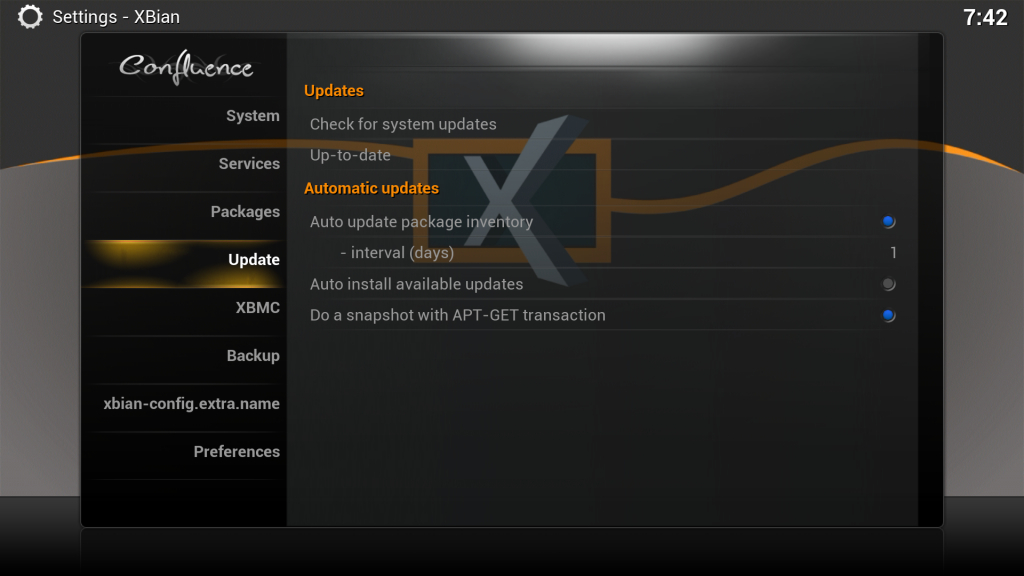
- Provides xbian-config tools within Kodi and from the shell for configuring networking, boot options, updates, and other system settings.
- Supports media and home-theatre technologies including NFS, Samba, AirPlay, CEC, LIRC, and PVR functionality.
- Automatically mounts supported USB storage and network shares through its supplied system components.
- Keeps a small footprint while retaining access to Debian packages and XBian-specific packages for extending the system beyond media playback.
| Working state: | Active |
| Desktop: | Kodi |
| Init Software: | Upstart |
| Package Management: | APT |
| Release Model: | Rolling |
| Platforms: | ARM, ARM64 |
| Home Page: | xbian.org |
| Developer: | XBian Team |
This entry was written with the assistance of a visitor who completed the distro form.
| This article is part of our Big List of Active Linux Distributions and Open Source Operating Systems. |
What's a Linux distribution ("distro")? |
| A distro provides the user with a desktop environment, preloaded applications, and ways to update and maintain the system. Each distro makes different choices, deciding which open source projects to install and provides custom written programs. They can have different philosophies. Some distros are intended for desktop computers, some for servers without a graphical interface, and others for special uses. Because Linux is an open source operating system, combinations of software vary between Linux distros. |
Please read our Comment Policy before commenting.